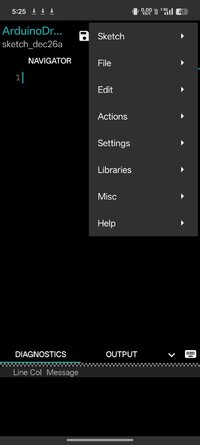
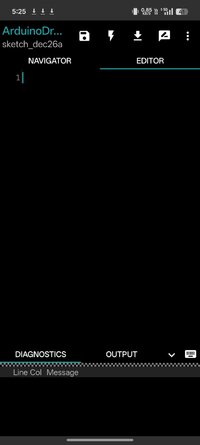
Playstore Link :
ArduinoDroid - Arduino/ESP IDE - Apps on Google Play
Write sketches, compile and upload to Arduino/ESP8266/ESP32 over USB or WiFi
ArduinoDroid - Arduino/ESP IDE Ver. 7.2.1 b741 MOD APK l Premium Unlocked
Requirements: 8.0+
Overview: Write sketches, compile and upload to Arduino/ESP8266/ESP32 over USB or WiFi
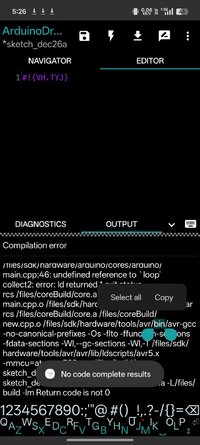
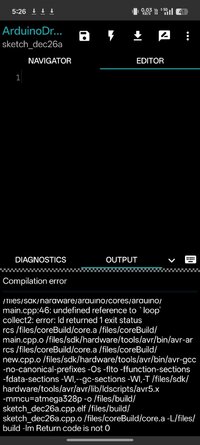
Write with code complete and libraries, compile, upload Arduino or ESP8266/ESP32 sketches over USB or WiFi and monitor your board right from your Android device with ArduinoDroid. No internet connection, no cloud service account is required.
Important:
The app takes about 500Mb in internal storage as it contains IDE, compiler and uploader for AVR and ESP8266/ESP32. Make sure you have enough free space and it can't be currently installed on sd card because of Android security policy.
Features:
* onboarding
* open/edit Arduino/ESP8266/ESP32 sketches
* example sketches and libraries included
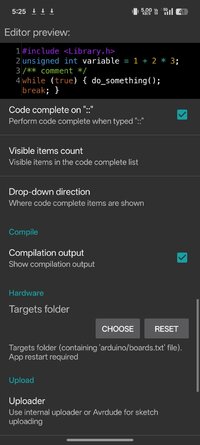
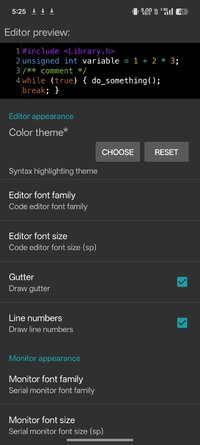
* code syntax highlighting with themes support *
* code complete *
* real-time diagnostics (errors and warnings) and fixes *
* file navigator *
* tiny built-in software keyboard *
* compile sketches (no root required)
* upload sketches over USB (all ESP8266 boards, all ESP32 boards, Arduino Uno/Uno_r3, Duemilanove, Nano, Mega 2560, Leonardo, Micro/Pro Micro, Pro, Pro Mini, Yun, Esplora, Robot Control, Robot Motor boards are supported, android devices with USB-host support required) and WiFi (OTA for ESP8266/ESP32)
* serial monitor
* works offline (no internet connection required)
* Dropbox support
* Google Drive support
* material design
App blog:
 www.arduinodroid.app
Troubleshooting:
www.arduinodroid.app
Advanced paid features (marked with *) review:
www.arduinodroid.app
Note: this is NOT an official Arduino team application, but a 3rd-party mobile application with the same functionality developed and supported by an independent developer.
© "Arduino" is a trademark of Arduino team.
Apk Details:
arm64
Size: 140.2 MB
SHA-256: 0c5f9762cf2476b3fbaaef756c040f0ccecb8ec4f0a0ef4adb62b09a460cd455
What's New:
* Full file system access request on Android 11+ (to access the files anywhere on file system instead just app sandboxed directory)
* Now showing not matching files (eg. during sketch opening) as disabled (compared to not showing at all)
* Fixed: minor uploading issue (update Avrdude to show the actually received character 0x10)
* Fixed: onboarding screen blinking on app launch
* Fixed: rare crash on library version selection
Requirements: 8.0+
Overview: Write sketches, compile and upload to Arduino/ESP8266/ESP32 over USB or WiFi
Write with code complete and libraries, compile, upload Arduino or ESP8266/ESP32 sketches over USB or WiFi and monitor your board right from your Android device with ArduinoDroid. No internet connection, no cloud service account is required.
Important:
The app takes about 500Mb in internal storage as it contains IDE, compiler and uploader for AVR and ESP8266/ESP32. Make sure you have enough free space and it can't be currently installed on sd card because of Android security policy.
Features:
* onboarding
* open/edit Arduino/ESP8266/ESP32 sketches
* example sketches and libraries included
* code syntax highlighting with themes support *
* code complete *
* real-time diagnostics (errors and warnings) and fixes *
* file navigator *
* tiny built-in software keyboard *
* compile sketches (no root required)
* upload sketches over USB (all ESP8266 boards, all ESP32 boards, Arduino Uno/Uno_r3, Duemilanove, Nano, Mega 2560, Leonardo, Micro/Pro Micro, Pro, Pro Mini, Yun, Esplora, Robot Control, Robot Motor boards are supported, android devices with USB-host support required) and WiFi (OTA for ESP8266/ESP32)
* serial monitor
* works offline (no internet connection required)
* Dropbox support
* Google Drive support
* material design
App blog:
ArduinoDroid - Arduino/ESP8266/ESP32 IDE for Android
Troubleshooting:
Troubleshooting
Introduction Please find the according section below and answer to your question. If you're brave enough and keen on spending some time wit...
Advanced paid features (marked with *) review:
Advanced features
You can use ArduinoDroid for free without any charges and i promise that must-have features will be free. But you can purchase advanced ...
Note: this is NOT an official Arduino team application, but a 3rd-party mobile application with the same functionality developed and supported by an independent developer.
© "Arduino" is a trademark of Arduino team.
Apk Details:
arm64
Size: 140.2 MB
SHA-256: 0c5f9762cf2476b3fbaaef756c040f0ccecb8ec4f0a0ef4adb62b09a460cd455
What's New:
* Full file system access request on Android 11+ (to access the files anywhere on file system instead just app sandboxed directory)
* Now showing not matching files (eg. during sketch opening) as disabled (compared to not showing at all)
* Fixed: minor uploading issue (update Avrdude to show the actually received character 0x10)
* Fixed: onboarding screen blinking on app launch
* Fixed: rare crash on library version selection
*Special Features*
1 . Premium Features Unlocked
Credit to : youarefinished
Free Download:
! Hidden Content !
You must be registered and either click Like under this post or leave a comment before you can see the hidden links.
You may need to refresh the page after clicking Like. If you’re still having trouble revealing the hidden links, please
read this.
Did you know? VIP Members can see all links instantly, no unlocking required.
Interested? Get VIP here.
Interested? Get VIP here.