Playstore Link :

Code Editor - Compiler & IDE - Apps on Google Play
Write, compile and run your code from your device, cloud, GitHub and GitLab.
Code Editor - Compiler & IDE Ver. 0.11.5 build 107 MOD APK | Premium Unlocked
Requirements: 6.0+
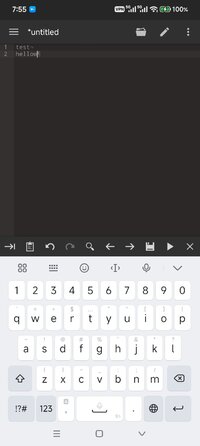
Overview: Full featured code editor for Android. Code editor is an optimized text editor that focuses on coding. It is a handy tool for development on Android. It contains all the necessary features for coding, includes syntax highlighting, auto indention, code assist, auto completion, compilation and execution, etc.
Code editor is an optimized text editor that focuses on coding. It is a handy tool for development on Android. It contains all the necessary features for coding, includes syntax highlighting, auto indention, code assist, auto completion, compilation and execution, etc.
If you need a plain text editor, please search for and download QuickEdit Text Editor.
Features:
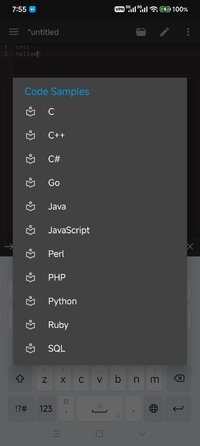
★ Syntax highlighting for over 110 languages (C++, Java, JavaScript, HTML, Markdown, PHP, Perl, Python, Lua, Dart, etc).
★ Include online compiler, can compile and run over 30 common languages (Python, PHP, Java, JS/NodeJS, C/C++, Rust, Pascal, Haskell, Ruby, etc).
★ Code assist, folding and auto completion.
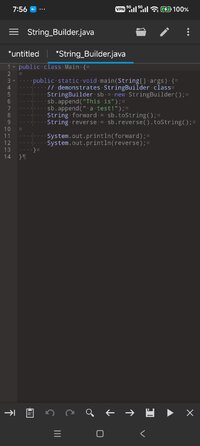
★ Easily navigate between multiple tabs.
★ Undo and redo changes without limit.
★ Search and replace with regular expressions.
★ Show or hide line numbers.
★ Highlight matching parentheses.
★ Automatic indent and outdent.
★ Displays invisible characters.
★ Open files from recently opened or added file collections.
★ Preview HTML and Markdown files.
★ Includes Emmet support for web development.
★ Evaluate JavaScript code with built-in JavaScript console.
★ Access files from FTP, FTPS, SFTP and WebDAV.
★ Integrate and easy access to GitHub and GitLab.
★ Access files from Google Drive, Dropbox, and OneDrive.
★ Physical keyboard support, including key combinations.
★ Three application themes and over 30 syntax highlighting themes.
If you can help to translate this application into your native language, please contact us at [email protected]
If you encounter any issues or have any suggestions, please feel free to contact us at [email protected]
◉ Premium Activated
◉ Removed all debug information
➡ Languages: Multi Languages
➡ Screen DPIs: 120dpi, 160dpi, 240dpi, 320dpi, 480dpi, 640dpi
► Credit : NURIK
What's New:
✓ Minor bug fixes and stability improvements.
Requirements: 6.0+
Overview: Full featured code editor for Android. Code editor is an optimized text editor that focuses on coding. It is a handy tool for development on Android. It contains all the necessary features for coding, includes syntax highlighting, auto indention, code assist, auto completion, compilation and execution, etc.
Code editor is an optimized text editor that focuses on coding. It is a handy tool for development on Android. It contains all the necessary features for coding, includes syntax highlighting, auto indention, code assist, auto completion, compilation and execution, etc.
If you need a plain text editor, please search for and download QuickEdit Text Editor.
Features:
★ Syntax highlighting for over 110 languages (C++, Java, JavaScript, HTML, Markdown, PHP, Perl, Python, Lua, Dart, etc).
★ Include online compiler, can compile and run over 30 common languages (Python, PHP, Java, JS/NodeJS, C/C++, Rust, Pascal, Haskell, Ruby, etc).
★ Code assist, folding and auto completion.
★ Easily navigate between multiple tabs.
★ Undo and redo changes without limit.
★ Search and replace with regular expressions.
★ Show or hide line numbers.
★ Highlight matching parentheses.
★ Automatic indent and outdent.
★ Displays invisible characters.
★ Open files from recently opened or added file collections.
★ Preview HTML and Markdown files.
★ Includes Emmet support for web development.
★ Evaluate JavaScript code with built-in JavaScript console.
★ Access files from FTP, FTPS, SFTP and WebDAV.
★ Integrate and easy access to GitHub and GitLab.
★ Access files from Google Drive, Dropbox, and OneDrive.
★ Physical keyboard support, including key combinations.
★ Three application themes and over 30 syntax highlighting themes.
If you can help to translate this application into your native language, please contact us at [email protected]
If you encounter any issues or have any suggestions, please feel free to contact us at [email protected]
◉ Premium Activated
◉ Removed all debug information
➡ Languages: Multi Languages
➡ Screen DPIs: 120dpi, 160dpi, 240dpi, 320dpi, 480dpi, 640dpi
► Credit : NURIK
What's New:
✓ Minor bug fixes and stability improvements.
*Special Features*
1 . Premium Activated
Credit to : NURIK
Free Download:
! Hidden Content !
You must be registered and either click Like under this post or leave a comment before you can see the hidden links.
You may need to refresh the page after clicking Like. If you’re still having trouble revealing the hidden links, please
read this.
Did you know? VIP Members can see all links instantly, no unlocking required.
Interested? Get VIP here.
Interested? Get VIP here.