Playstore Link:

ComicScreen - PDF, ComicReader - Apps on Google Play
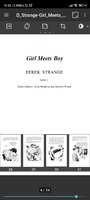
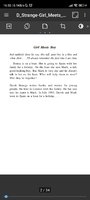
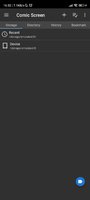
File management and show images, comics and pictures in compressed cbr, pdf file
■ Support compressed files/type : ZIP, RAR, CBZ, CBR
■ Support Images : JPEG , GIF , PNG , BMP
■ key functions
-SMB (samba), FTP network
-Drag & Drop (file , folder, etc)
-Smooth image scrolling
-Bookmark preview
-ZIP file quick view
-Page move preview
-Horizontal view mode (2 pages)
-Vertical view mode (1 page)
-Automatic page resort
-support chapter Drawer, if a folder in ZIP file.
-See list images in folders.
-Cut margin
-Page move by hardware key
Functions for easy management and display of images!
※ no images, compressed file in this APP
What's New:
Added "Folder (jpg, png) History" menu (History tab -> History row -> overflow button)
*Special Features*
Short Info:
● Paid Features Unlocked (Free Subscription)
● Ads Implementation Removed
● Analytics Implementation Removed
● Google Stuff Removed
● Firebase Stuff Removed
● Compression Flags Untouched
● No Third Party Patch/Component
● Dex File Size Reduction Rate: 71%
● Size: ~11 MB
● Release by Kirlif'
Free Download:
! Hidden Content !
You must be registered and either click Like under this post or leave a comment before you can see the hidden links.
You may need to refresh the page after clicking Like. If you’re still having trouble revealing the hidden links, please
read this.
Did you know? VIP Members can see all links instantly, no unlocking required.
Interested? Get VIP here.
Interested? Get VIP here.