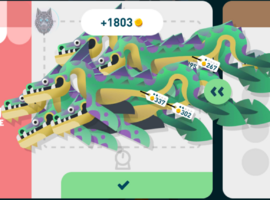
Yes, choose "Fish name" (google the fish name) and enable Rare Fish Priority. Guarantees to catch the fish within 5 tries. I even caught the shredder first and everytime with this method
I’ve tried it that way, but it always catches the rarest fish in the area; I must be doing something wrong , It doesn't work for common fish, since it will always catch the rare or epic ones that happen to be next to that fish
I’ve tried it that way, but it always catches the rarest fish in the area; I must be doing something wrong , It doesn't work for common fish, since it will always catch the rare or epic ones that happen to be next to that fish
The first time I launched it, everything worked perfectly. But when I relaunched the game, it show this error. I tried reinstalling it, but it's still the same.
The first time I launched it, everything worked perfectly. But when I relaunched the game, it show this error. I tried reinstalling it, but it's still the same. View attachment 1053240
i actually managed to get it working with my old save with the help of an AI Agent, here's what it said:
How we preserved the save data on emulator:
1. Bypassed Signature Verification: Used a Zygisk core-patch module so Android allows overwriting the official Play Store app with a differently-signed APK without uninstalling. 2. Used a Signed Build: Android 14 rejects raw unsigned APKs (INSTALL_PARSE_FAILED_NO_CERTIFICATES), so we used the test-signed version instead. 3. In-Place Update via ADB: Flashed the mod APK directly over the official build using adb install -r -d to keep /data/data/ completely intact. 4. Preserved Local Session & UGS Auth: Because /data/data/ was never wiped, the local Unity session tokens, Player ID, and playerprefs.xml stayed untouched, allowing the game to immediately load the existing save.
However, cloud save still doesn't work with this workaround since Google Play gets disconnected.
i actually managed to get it working with my old save with the help of an AI Agent, here's what it said:
How we preserved the save data on emulator:
1. Bypassed Signature Verification: Used a Zygisk core-patch module so Android allows overwriting the official Play Store app with a differently-signed APK without uninstalling. 2. Used a Signed Build: Android 14 rejects raw unsigned APKs (INSTALL_PARSE_FAILED_NO_CERTIFICATES), so we used the test-signed version instead. 3. In-Place Update via ADB: Flashed the mod APK directly over the official build using adb install -r -d to keep /data/data/ completely intact. 4. Preserved Local Session & UGS Auth: Because /data/data/ was never wiped, the local Unity session tokens, Player ID, and playerprefs.xml stayed untouched, allowing the game to immediately load the existing save.
However, cloud save still doesn't work with this workaround since Google Play gets disconnected.
This site uses cookies to help personalise content, tailor your experience and to keep you logged in if you register.
By continuing to use this site, you are consenting to our use of cookies.