Playstore Link:
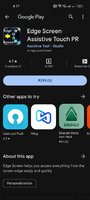
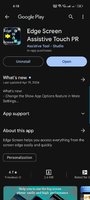
Edge Screen Assistive Touch PR - Apps on Google Play
Edge Screen helps you access everything from the screen edge easily and quickly
Edge Screen Launcher - Sidebar - You can switch back and forth between recent apps or favorite apps, access tasks quickly, take action to navigate, call, message .. easily and quickly from any application with just A Swipe.
This touch assistant application you are like using 3 apps in 1, with the ability to display the same 3 bars when upgrading
- A quick-switching swipe app with circles, grids and folders
- An app linked with finger gestures can turn into the Home screens Navigation Bar
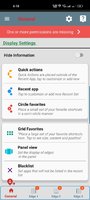
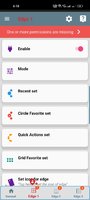
- A screen edge app with Panel view, you can access and convert edges quickly: Circle Favorites edge, Quick Actions edge, Grid Favorites edge, Music player edge, Calculator edge, Calendar edge
Main features
- Access the list of recent favorites or applications from any screen - swipe from the edge -> hold your finger on one of the recent applications within 1 second.
- Navigate with Home and Back from the edge of the phone, the default navigation key is now unnecessary.
- Drag status bar notification, smart screen lock, easy memory cleaning without having to reach up on the screen.
- Access quick tasks, call text messages ... from any screen
- Multiple display modes for you to choose, such as circle, grid, control panel
This touch assistant application you are like using 3 apps in 1, with the ability to display the same 3 bars when upgrading
- A quick-switching swipe app with circles, grids and folders
- An app linked with finger gestures can turn into the Home screens Navigation Bar
- A screen edge app with Panel view, you can access and convert edges quickly: Circle Favorites edge, Quick Actions edge, Grid Favorites edge, Music player edge, Calculator edge, Calendar edge
Main features
- Access the list of recent favorites or applications from any screen - swipe from the edge -> hold your finger on one of the recent applications within 1 second.
- Navigate with Home and Back from the edge of the phone, the default navigation key is now unnecessary.
- Drag status bar notification, smart screen lock, easy memory cleaning without having to reach up on the screen.
- Access quick tasks, call text messages ... from any screen
- Multiple display modes for you to choose, such as circle, grid, control panel
*Special Features*
● Supported Languages: af, am, ar, as, az, be, bg, bn, bs, ca, cs, da, de, el, en-AU, en-CA, en-GB, en-IN, en-XC, es, es-419, es-US, et, eu, fa, fi, fr, fr-CA, fr-FR, gl, gu, he, hi, hr, hu, hy, id, in, is, it, it-IT, iw, ja, ka, kk, km, kn, ko, ky, lo, lt, lv, mk, ml, mn, mr, ms, my, nb, ne, nl, nl-NL, no, or, pa, pl, pt, pt-BR, pt-PT, ro, ru, si, sk, sl, sq, sr, sr-Latn, sv, sw, ta, te, th, tl, tr, uk, ur, uz, vi, vi-VN, zh, zh-CN, zh-HK, zh-TW, zu;
● Supported Cpu Architecture: Armeabi-v7a, Arm64-v8a, X86, X86_64;
● Supported Screen Dpi: Ldpi, Mdpi, Hdpi, Xhdpi, Xxhdpi, Xxxhdpi, Nodpi, Anydpi.
● Untouch Paid Apk With Original Hash Signature.
● Certificate MD5 Digest: 8c20f7a8eb021d7e98879b9cb7ddd42c.
Credit: TryRoom
Free Download:
! Hidden Content !
You must be registered and either click Like under this post or leave a comment before you can see the hidden links.
You may need to refresh the page after clicking Like. If you’re still having trouble revealing the hidden links, please
read this.
Did you know? VIP Members can see all links instantly, no unlocking required.
Interested? Get VIP here.
Interested? Get VIP here.