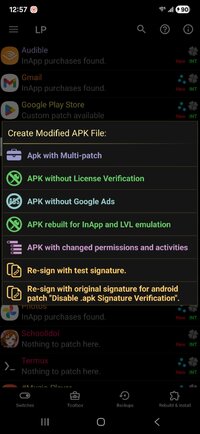
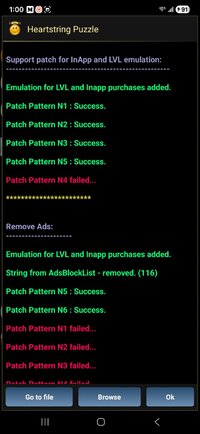
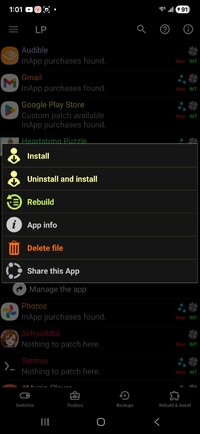
Step 1 download game, step 2 open lucky patcher and search for the game, step 3 click where on game icon and go to menu of patches, step 4 click on apk with multi-patch, step 5 click on remove ads patch and support patch for inapp and lvl emulation, step 6 hit the rebuild patch. First window hit next step, second window click on support inapp and level emulation, then hit next step. When it's done click on go to file, and lastly click on uninstall and install. Itll ask if you want to make data and cache backups for installation, click yes, after that it'll ask you to uninstall original hit yes then install the patched apk
This section is not suitable for children and may contain adult content. If you are not over the age of 18 please leave this section.
This site uses cookies to help personalise content, tailor your experience and to keep you logged in if you register.
By continuing to use this site, you are consenting to our use of cookies.