

Using an unsigned APK allows you to install a modded version directly over the original app. This provides the following major benefits:
However, by rooting your device and disabling signature verification (using tools like Lucky Patcher or Core Patch), you can bypass these checks. This tricks the system into accepting the modded APK as an official update, allowing you to keep your progress and account sync active.
Creating unsigned APK:
Note: This tutorial was written for PC. If you only have phone, you can just follow same steps using X-plore or MT Manager. Both apps can open APK as ZIP file and change files directly
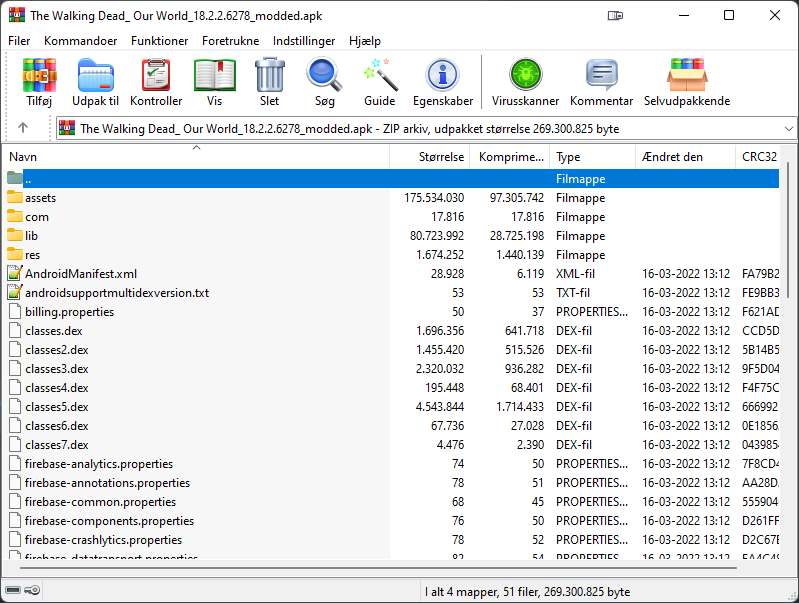
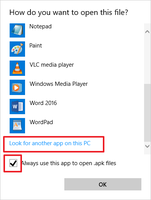
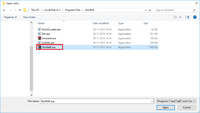
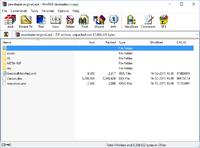
Open both orig and modded APK using 7zip or Winrar
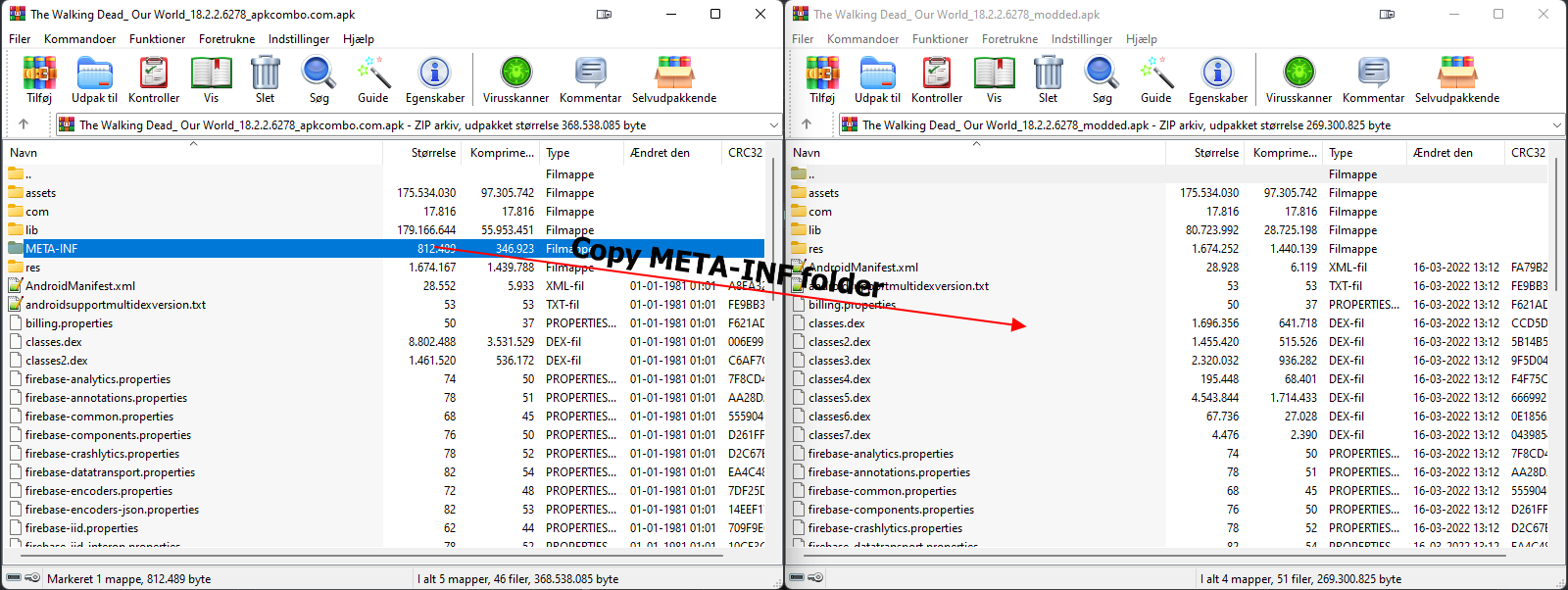
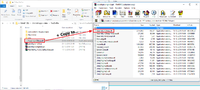
Copy META-INF from original APK to modded APK. If you are modding signed mod APK, make sure to delete signed META-INF before copying original META-INF
Enjoy
Important
By using the method described, consider to NOT add new files or remove existing files on the APK, it will break compatibility with Lucky Patcher. For example, along with your mod you need to add a file into the APK, let say in "assets/myfile.dat". It won't work and lead to failure during APK installation. Another example, if you deleted "lib/arm64-v8a" out of the APK. Again, it causing installation failure.
This is because all file structures in the APK was mapped and their info was stored in ". SF" file. The solution is you need to put all your mods along with expected APK file structures in the compiled APK, sign it (with any desired key), then pull the ".SF" from this newly signed APK to be used as replacement for the old one at your working APK. However, this trick will not work with new signature scheme for Lucky Patcher anyway because the developer refused to improve it. You can use Core Patch instead without having to do this trick, Core Patch is way better than Lucky Patcher anyway
Missing .RSA, .SF, or .MF files?
It is because APK is using signature scheme v2 and above only, don’t worry about it yet. You can obtain .RSA, .SF, or .MF from split APK/XAPK, or older APK, downloaded from Apkcombo, Apkpure Apk4fun or other sites. If Google login is not work, try copy entire contents from signed APK to original APK except META-INF
Credit:
AndnixSH
- Google Login: Sign in to your Google account without error.
- Facebook Login: Connect to Facebook without needing to uninstall the official Facebook app.
- Bypassing simple signature checks or simple game security
How it Works:
Technically, "unsigned" means the APK has been modified while retaining the original internal key structure, rather than being re-signed with a new, private key. Under normal circumstances, Android security prevents these files from installing because the "seal" has been broken.However, by rooting your device and disabling signature verification (using tools like Lucky Patcher or Core Patch), you can bypass these checks. This tricks the system into accepting the modded APK as an official update, allowing you to keep your progress and account sync active.
Creating unsigned APK:
Note: This tutorial was written for PC. If you only have phone, you can just follow same steps using X-plore or MT Manager. Both apps can open APK as ZIP file and change files directly
Open both orig and modded APK using 7zip or Winrar
Copy META-INF from original APK to modded APK. If you are modding signed mod APK, make sure to delete signed META-INF before copying original META-INF
Enjoy
Important
By using the method described, consider to NOT add new files or remove existing files on the APK, it will break compatibility with Lucky Patcher. For example, along with your mod you need to add a file into the APK, let say in "assets/myfile.dat". It won't work and lead to failure during APK installation. Another example, if you deleted "lib/arm64-v8a" out of the APK. Again, it causing installation failure.
This is because all file structures in the APK was mapped and their info was stored in ". SF" file. The solution is you need to put all your mods along with expected APK file structures in the compiled APK, sign it (with any desired key), then pull the ".SF" from this newly signed APK to be used as replacement for the old one at your working APK. However, this trick will not work with new signature scheme for Lucky Patcher anyway because the developer refused to improve it. You can use Core Patch instead without having to do this trick, Core Patch is way better than Lucky Patcher anyway
Missing .RSA, .SF, or .MF files?
It is because APK is using signature scheme v2 and above only, don’t worry about it yet. You can obtain .RSA, .SF, or .MF from split APK/XAPK, or older APK, downloaded from Apkcombo, Apkpure Apk4fun or other sites. If Google login is not work, try copy entire contents from signed APK to original APK except META-INF
Credit:
AndnixSH
Attachments
Last edited:


