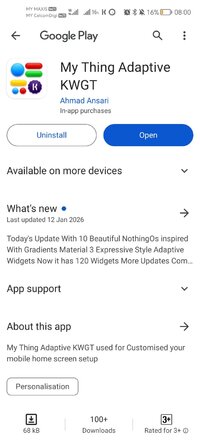
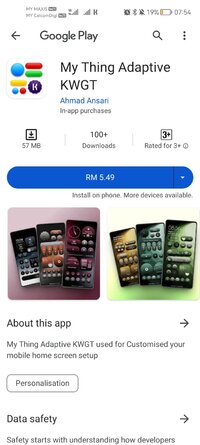
Playstore Link :

My Thing Adaptive KWGT - Apps on Google Play
My Thing Adaptive KWGT used for Customised your device home screen setup
My Thing Adaptive KWGT v1.0.2 [Patched]
Requirements: 5.0 and up
Overview: My Thing Adaptive KWGT used for Customised your mobile home screen setup
This is not a stand-alone app. My Thing Adaptive KWGT requires KWGT Pro app [PAID APPLICATION].
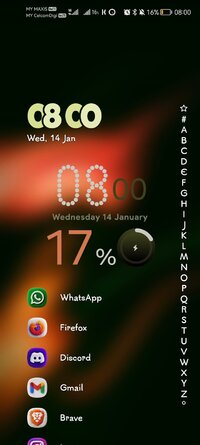
My Thing Adaptive KWGT is Made For futuristic and Beautiful Home Screens.
Adapt Your Current Home Screen Wallpapers Colours Like Material You Design
How to set up the widgets?
You Need to download 2 apps
1. KWGT: KWGT Kustom Widget Maker – Apps on Google Play
2. KWGT Pro Key: KWGT Kustom Widget Pro Key – Apps on Google Play
Used
✔ Custom launcher like a Nova launcher (Recommended)
How to Use :
1. DOWNLOAD My Thing Adaptive KWGT & KWGT Pro Application
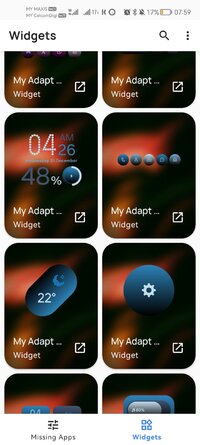
2. Long tap on your home screen & choose the widget option
3. Choose the KWGT widget from the drop-down list
4. Tap on the widget, choose installed & select My Thing Adaptive KWGT
5. Choose the widget you like & adjust scaling as per the home screen
6. Congratulations! You are good to go.
NOTE:
If a particular widget is not properly scaled, you can adjust the size with 'SCALE' under the layer option in the KWGT main editor.
What's New:
Today's Update With 10 Beautiful NothingOs inspired With Gradients Material 3 Expressive Style Adaptive Widgets Now it has 120 Widgets More Updates Comes Very Soon Thanks For Your Support
Paid Package Info:
● No root or Lucky Patcher or Google Play Modded required;
● - Paid / Patched;
✗ Cleaned all useless files;
✄ All Debug Codes Removed;
● Languages: Multi Languages;
● CPUs: Universal Architecture;
● Original package signature changed;
Requirements: 5.0 and up
Overview: My Thing Adaptive KWGT used for Customised your mobile home screen setup
This is not a stand-alone app. My Thing Adaptive KWGT requires KWGT Pro app [PAID APPLICATION].
My Thing Adaptive KWGT is Made For futuristic and Beautiful Home Screens.
Adapt Your Current Home Screen Wallpapers Colours Like Material You Design
How to set up the widgets?
You Need to download 2 apps
1. KWGT: KWGT Kustom Widget Maker – Apps on Google Play
2. KWGT Pro Key: KWGT Kustom Widget Pro Key – Apps on Google Play
Used
✔ Custom launcher like a Nova launcher (Recommended)
How to Use :
1. DOWNLOAD My Thing Adaptive KWGT & KWGT Pro Application
2. Long tap on your home screen & choose the widget option
3. Choose the KWGT widget from the drop-down list
4. Tap on the widget, choose installed & select My Thing Adaptive KWGT
5. Choose the widget you like & adjust scaling as per the home screen
6. Congratulations! You are good to go.
NOTE:
If a particular widget is not properly scaled, you can adjust the size with 'SCALE' under the layer option in the KWGT main editor.
What's New:
Today's Update With 10 Beautiful NothingOs inspired With Gradients Material 3 Expressive Style Adaptive Widgets Now it has 120 Widgets More Updates Comes Very Soon Thanks For Your Support
Paid Package Info:
● No root or Lucky Patcher or Google Play Modded required;
● - Paid / Patched;
✗ Cleaned all useless files;
✄ All Debug Codes Removed;
● Languages: Multi Languages;
● CPUs: Universal Architecture;
● Original package signature changed;
*Special Features*
1 . Paid / Patched
2 . No root or Lucky Patcher or Google Play Modded required
Free Download:
! Hidden Content !
You must be registered and either click Like under this post or leave a comment before you can see the hidden links.
You may need to refresh the page after clicking Like. If you’re still having trouble revealing the hidden links, please
read this.
Did you know? VIP Members can see all links instantly, no unlocking required.
Interested? Get VIP here.
Interested? Get VIP here.