Playstore Link:

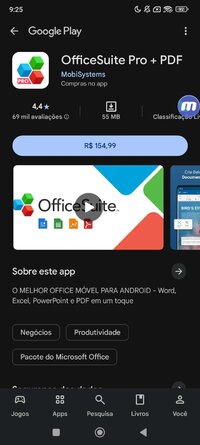
OfficeSuite Pro + PDF - Apps on Google Play
ANDROID'S TOP MOBILE OFFICE - Word, Excel, PowerPoint and PDF at your fingertips
This is the full-feature PRO version of the award-winning OfficeSuite application that lets you easily view, edit, and create Word, Excel, and PowerPoint documents, convert to PDF, and manage your files.
KEY FEATURES:
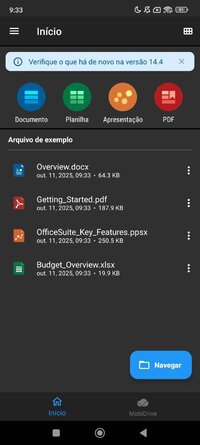
- View, create and edit complex office documents using a familiar desktop-style interface
- Full compatibility with Microsoft formats including DOC, DOCX, DOCM, XLS, XLSX, XLSM, PPT, PPTX, PPS, PPSX, PPTM, PPSM
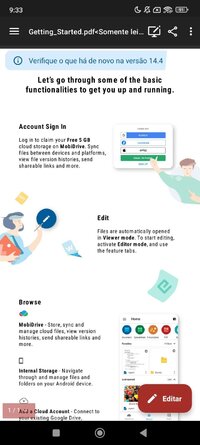
- Support for PDF files including PDF camera scanning, Export to PDF and Fillable forms
- Additional support for common formats like RTF, TXT, LOG, CSV, EML, ZIP; (Open Office - ODT, ODS and ODP - support available as in-app purchase)
- Integrated with File Commander for advanced synchronization and quick and easy access to both local and remote files
- MobiSystems Drive - you can now store up to 15.0 GB of documents in the cloud
- NEW! OfficeSuite Chats – Chat and exchange documents with your friends and colleagues
- Integrated spell checker - Available in more than 40 languages the spell checker guarantees that your work in Documents, Slides and Sheets is impeccably written
- Sharing via cloud services like OfficeSuite Drive, Box, DropBox, Google Drive, OneDrive, as well as over email and Bluetooth
- PDF security and editing features including digital signatures support, permissions management, text to PDF, and annotations
- Text-to-Speech support for documents and PDFs
- View documents the way they're meant to be seen with the Japanese, Extended and Extended & Japanese Font Pack (available as an add-on)
- Create a profile and sync your settings across all your Android, iOS and Windows Desktop (OfficeSuite Personal license) devices
- Chromecast dual screen support
- Available in 56 languages
THE LATEST OFFICESUITE IS SPECIALLY DESIGNED AROUND ANDROID Q AND ALSO INCLUDES:
- NEW! With OfficeSuite Chats you can easily send documents, collaborate with colleagues or simply chat with your friends on the go
- NEW! Sign into OfficeSuite Now using a phone number
- Convert and open files created with Apple Pages, Numbers, or Keynote apps
- Open multiple documents and work on two documents simultaneously using split-screen mode with drag-and-drop support (Android 7 and up)
- Open documents or create new ones faster than ever with the new Quick access notification drawer
- With the enhanced mouse support for Chromebooks users can now work faster and easier than ever
- Choose between beautiful new themes to create great presentations
- Protect individual sheets and cells in Spreadsheets for extra security
- Cast presentations across multiple devices on the same network with Share Cast
- Use Quick Sign to easily sign a PDF using your digital signature
HOW IS OFFICESUITE PRO BETTER THAN OFFICESUITE FREE?
- Security features - work with password protected files
- Format Painter in Word documents
- Track changes with multiple author support
- Insert pictures using your camera or from an external file
- Additional options in Excel including Insert Filter, Conditional Formatting, Define Name, Import Image, Edit Chart, and Save as CSV
- Interactive form support for PDFs: checkboxes, radio buttons, text fields, etc.
- Legacy Microsoft document formats support (.DOC, .XLS, .PPT) along with .ODF formats
KEY FEATURES:
- View, create and edit complex office documents using a familiar desktop-style interface
- Full compatibility with Microsoft formats including DOC, DOCX, DOCM, XLS, XLSX, XLSM, PPT, PPTX, PPS, PPSX, PPTM, PPSM
- Support for PDF files including PDF camera scanning, Export to PDF and Fillable forms
- Additional support for common formats like RTF, TXT, LOG, CSV, EML, ZIP; (Open Office - ODT, ODS and ODP - support available as in-app purchase)
- Integrated with File Commander for advanced synchronization and quick and easy access to both local and remote files
- MobiSystems Drive - you can now store up to 15.0 GB of documents in the cloud
- NEW! OfficeSuite Chats – Chat and exchange documents with your friends and colleagues
- Integrated spell checker - Available in more than 40 languages the spell checker guarantees that your work in Documents, Slides and Sheets is impeccably written
- Sharing via cloud services like OfficeSuite Drive, Box, DropBox, Google Drive, OneDrive, as well as over email and Bluetooth
- PDF security and editing features including digital signatures support, permissions management, text to PDF, and annotations
- Text-to-Speech support for documents and PDFs
- View documents the way they're meant to be seen with the Japanese, Extended and Extended & Japanese Font Pack (available as an add-on)
- Create a profile and sync your settings across all your Android, iOS and Windows Desktop (OfficeSuite Personal license) devices
- Chromecast dual screen support
- Available in 56 languages
THE LATEST OFFICESUITE IS SPECIALLY DESIGNED AROUND ANDROID Q AND ALSO INCLUDES:
- NEW! With OfficeSuite Chats you can easily send documents, collaborate with colleagues or simply chat with your friends on the go
- NEW! Sign into OfficeSuite Now using a phone number
- Convert and open files created with Apple Pages, Numbers, or Keynote apps
- Open multiple documents and work on two documents simultaneously using split-screen mode with drag-and-drop support (Android 7 and up)
- Open documents or create new ones faster than ever with the new Quick access notification drawer
- With the enhanced mouse support for Chromebooks users can now work faster and easier than ever
- Choose between beautiful new themes to create great presentations
- Protect individual sheets and cells in Spreadsheets for extra security
- Cast presentations across multiple devices on the same network with Share Cast
- Use Quick Sign to easily sign a PDF using your digital signature
HOW IS OFFICESUITE PRO BETTER THAN OFFICESUITE FREE?
- Security features - work with password protected files
- Format Painter in Word documents
- Track changes with multiple author support
- Insert pictures using your camera or from an external file
- Additional options in Excel including Insert Filter, Conditional Formatting, Define Name, Import Image, Edit Chart, and Save as CSV
- Interactive form support for PDFs: checkboxes, radio buttons, text fields, etc.
- Legacy Microsoft document formats support (.DOC, .XLS, .PPT) along with .ODF formats
*Special Features*
● Supported Languages: af, am, ar, as, az, be, bg, bn, bn-BD, bn-IN, bs, ca, cs, da, de, el, en-AU, en-CA, en-GB, en-IN, en-XC, es, es-419, es-MX, es-US, et, eu, fa, fi, fr, fr-CA, gl, gu, gu-IN, he, hi, hr, hu, hy, id, in, is, it, iw, ja, ka, kk, km, kn, ko, ky, lo, lt, lv, mk, ml, mn, mr, ms, my, nb, ne, ne-NP, nl, no, or, pa, pl, pt, pt-BR, pt-PT, ro, ru, si, sk, sl, sq, sr, sr-Latn, sv, sw, ta, te, th, tl, tr, uk, ur, uz, vi, zh, zh-CN, zh-HK, zh-TW, zu;
● Supported Cpu Architecture: Armeabi-v7a, Arm64-v8a, X86, X86_64;
● Supported Screen Dpi: Ldpi, Mdpi, Tvdpi, Hdpi, Xhdpi, Xxhdpi, Xxxhdpi.
● Untouch Paid Apk With Original Hash Signature.
● Certificate MD5 Digest: 7beaa4f8136836cdcf61d92bcd0a6eb5.
.Apks Bundle Installation:
SAI Instructions: [No Root]
1. Download And Install Latest SAI App (Split APK Installer) - Releases · Aefyr/SAI
2. Download this .apks Archive App;
3. Install And Open SAI / Choose "Install APKs" Button / Find And Select Downloaded .apks Archive App;
4. Wait For Install And Done. Enjoy!.
Lucky Patcher Instructions: [No Root]
1. Download And Install Latest Lucky Patcher App;
2. Install And Open Lucky Patcher And Choose 'Rebuild & Install';
3. Find And Select Downloaded This .apks Archive App;
4. Wait For Install And Done. Enjoy!.
PS: Make Sure After Open SAI or Lucky Patcher You Allowed Storage Permission And Install Unknown Apps Permission!
Credit: TryRoom
Free Download:
! Hidden Content !
You must be registered and either click Like under this post or leave a comment before you can see the hidden links.
You may need to refresh the page after clicking Like. If you’re still having trouble revealing the hidden links, please
read this.
Did you know? VIP Members can see all links instantly, no unlocking required.
Interested? Get VIP here.
Interested? Get VIP here.
Last edited: