Playstore Link :

QuickEdit Text Editor - Apps on Google Play
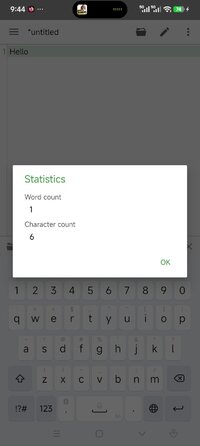
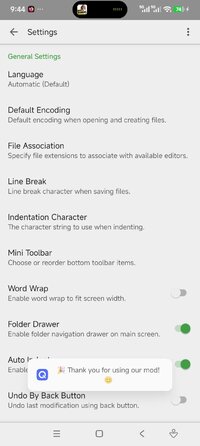
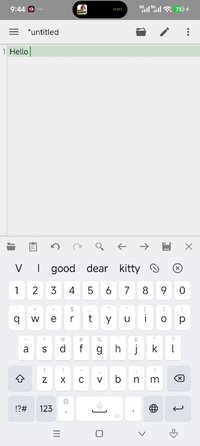
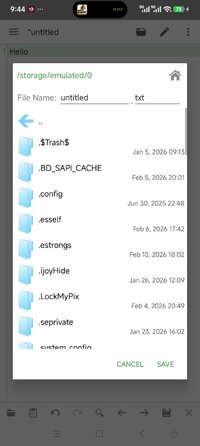
QuickEdit is a fast, stable and full featured text and code editor.
QuickEdit Text Editor Ver. 1.12.7 build 267 MOD APK | Plus / Paid Unlocked
Requirements: Android 5.0 or higher
Overview: Experience the fastest, most stable text editor for Android, optimized for both phones and tablets. Whether you need a simple notepad or a powerful code editor for professional use, QuickEdit delivers a lag-free experience.
QuickEdit text editor is a fast, stable and full featured text editor. It has been optimized for use on both phones and tablets.
QuickEdit text editor can be used as standard text editor for plain text files, or as a code editor for programming files, making it suitable for both general and professional use.
QuickEdit text editor includes a number of performance optimizations and user experience tweaks, making it faster and more responsive than other text editor apps commonly found on Google Play.
Features:
Enhanced notepad application with numerous improvements.
Code editor and syntax highlight for 170+ languages (C++, C#, Java, XML, Javascript, Markdown, PHP, Perl, Python, Ruby, Smali, Swift, etc).
Include online compiler, can compile and run over 30 common languages (Python, PHP, Java, JS/NodeJS, C/C++, Rust, Pascal, Haskell, Ruby, etc).
High performance with no lag, even on large text files (more than 10,000 lines).
Easily navigate between multiple open tabs.
Show or hide line numbers.
Undo and redo changes without limit.
Display, increase, or decrease line indentations.
Fast selecting and editing abilities.
Physical keyboard support, including key combinations.
Smooth scrolling both vertically and horizontally.
Directly target any specified line number.
Quickly search and replace content.
Easily input hex color values.
Automatically detect charset and encoding.
Automatically indent new lines.
Various fonts and sizes.
Preview HTML, CSS, AsciiDoc and markdown files.
Open files from recently opened or added file collections.
Ability to edit system files on rooted devices.
Integrate and easy access to GitHub and GitLab.
Access files from FTP, Google Drive, Dropbox, and OneDrive.
Handy tool to edit INI, LOG, TXT files and hack games.
Supports both light and dark themes.
Optimized usage for phones and tablets.
If you can help to translate this application to your native language, please contact our email: [email protected].
If you encounter any issues or have any suggestions, please feel free to contact us: [email protected]
You can also share your comments with the QuickEdit thread on xda-developers:

 forum.xda-developers.com
Thank you for using QuickEdit!
Modifications:
✪ Plus / Paid features unlocked;
✪ Cleaned all useless files;
✪ All Debug Codes Removed;
✪ CPUs: armeabi-v7a, arm64-v8a;
➥ Modded By TRUMods
What's New:
Minor bug fixes and stability improvements.
Requirements: Android 5.0 or higher
Overview: Experience the fastest, most stable text editor for Android, optimized for both phones and tablets. Whether you need a simple notepad or a powerful code editor for professional use, QuickEdit delivers a lag-free experience.
QuickEdit text editor is a fast, stable and full featured text editor. It has been optimized for use on both phones and tablets.
QuickEdit text editor can be used as standard text editor for plain text files, or as a code editor for programming files, making it suitable for both general and professional use.
QuickEdit text editor includes a number of performance optimizations and user experience tweaks, making it faster and more responsive than other text editor apps commonly found on Google Play.
Features:
Enhanced notepad application with numerous improvements.
Code editor and syntax highlight for 170+ languages (C++, C#, Java, XML, Javascript, Markdown, PHP, Perl, Python, Ruby, Smali, Swift, etc).
Include online compiler, can compile and run over 30 common languages (Python, PHP, Java, JS/NodeJS, C/C++, Rust, Pascal, Haskell, Ruby, etc).
High performance with no lag, even on large text files (more than 10,000 lines).
Easily navigate between multiple open tabs.
Show or hide line numbers.
Undo and redo changes without limit.
Display, increase, or decrease line indentations.
Fast selecting and editing abilities.
Physical keyboard support, including key combinations.
Smooth scrolling both vertically and horizontally.
Directly target any specified line number.
Quickly search and replace content.
Easily input hex color values.
Automatically detect charset and encoding.
Automatically indent new lines.
Various fonts and sizes.
Preview HTML, CSS, AsciiDoc and markdown files.
Open files from recently opened or added file collections.
Ability to edit system files on rooted devices.
Integrate and easy access to GitHub and GitLab.
Access files from FTP, Google Drive, Dropbox, and OneDrive.
Handy tool to edit INI, LOG, TXT files and hack games.
Supports both light and dark themes.
Optimized usage for phones and tablets.
If you can help to translate this application to your native language, please contact our email: [email protected].
If you encounter any issues or have any suggestions, please feel free to contact us: [email protected]
You can also share your comments with the QuickEdit thread on xda-developers:
[APP][4.0.3+] QuickEdit Text Editor
Introduction I have made an advanced text editor on Android - QuickEdit Text Editor. It includes a lot of optimization on performance and user experience, the speed and feedback is much better than current published text editor apps on Google...
forum.xda-developers.com
Thank you for using QuickEdit!
Modifications:
✪ Plus / Paid features unlocked;
✪ Cleaned all useless files;
✪ All Debug Codes Removed;
✪ CPUs: armeabi-v7a, arm64-v8a;
➥ Modded By TRUMods
What's New:
Minor bug fixes and stability improvements.
*Special Features*
1 . Plus / Paid features unlocked
Credit to : TRUMods
Free Download:
! Hidden Content !
You must be registered and either click Like under this post or leave a comment before you can see the hidden links.
You may need to refresh the page after clicking Like. If you’re still having trouble revealing the hidden links, please
read this.
Did you know? VIP Members can see all links instantly, no unlocking required.
Interested? Get VIP here.
Interested? Get VIP here.