Playstore Link :

Video Editor & Maker AndroVid - Apps on Google Play
Easy-to-use Video Editor with Music, Effect, Filters, GIFs. Trim, Combine Videos
Video Editor & Maker AndroVid v7.0.6 [Premium]
Requirements: 7.0+
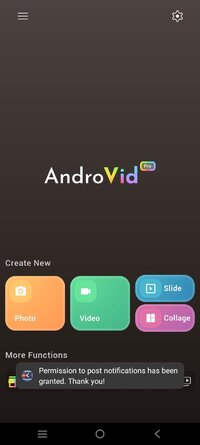
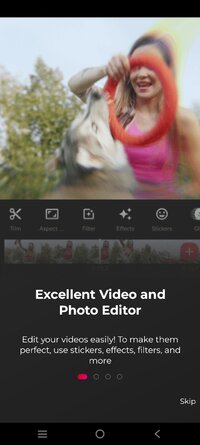
Overview: AndroVid is a very handy video editor with many functions. It makes very simple to edit your videos.
Main Features :
* Video Trimmer : Trim your videos to remove unwanted parts
* Video Reverse : Reverse your video to make magic.
* Video Joiner : Merge multiple video clips into one video. You can add music as well.
* Video & Audio Mixer : Add music to your videos. Adjust video and music volumes.
* Animated GIF : Convert your videos to animated GIF
* Video Transcoder : Convert videos to other formats, change resolution to make your videos smaller. Supports conversion to GIF, 3GP, AVI, FLV, MP4, MPG, MOV, WMV and VOB formats.
* Slideshow Maker : Make slideshow from your images, add fading effect and music.
* Frame Grabber : Extract video frame images at any moment of your video.
* Video Toolbox : Enhance your video. Adjust brightness, constrast, saturation. Change audio volume
* Video Rotate : Rotate videos (Quick Rotation without encoding or True Rotation with encoding)
* Delete middle parts : Remove unwanted parts in the middle of your videos.
* Add text to your videos
* Convert your video files to MP3 audio files
* Apply video effects like fading, slow motion, sepia, vignette, vintage
* Split your video files into two separate video clips
* Share your video clips and images on Facebook, Youtube etc.
* Play your video clips
* Organize your videos (List, Sort, Rename, Delete)
REFUND POLICY: 15 minute is very short to try all features. We extend it to 24 hour. If any feature is not working on your phone, please send email to [email protected] for refund within 24 hour after buying.
USER MANUAL: AndroVid User Manual
If you see any problem please send an email to [email protected]
AndroVid Pro uses FFmpeg under permission of LGPL.
- Paid features unlocked.
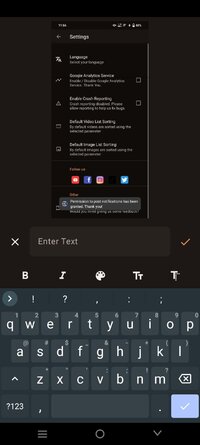
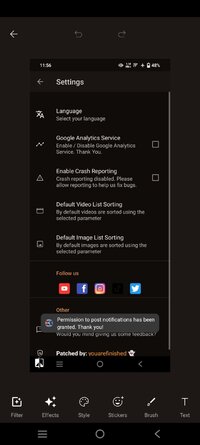
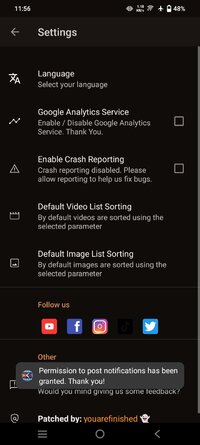
- Analytics and Crash reporting disabled by default in menu settings.
What's New:
- Brand-new design theme for a refreshed, modern look
- Redesigned video/image picker — easier to use with more powerful
features
- Removed links to other in-house apps
- Bug fixes
Requirements: 7.0+
Overview: AndroVid is a very handy video editor with many functions. It makes very simple to edit your videos.
Main Features :
* Video Trimmer : Trim your videos to remove unwanted parts
* Video Reverse : Reverse your video to make magic.
* Video Joiner : Merge multiple video clips into one video. You can add music as well.
* Video & Audio Mixer : Add music to your videos. Adjust video and music volumes.
* Animated GIF : Convert your videos to animated GIF
* Video Transcoder : Convert videos to other formats, change resolution to make your videos smaller. Supports conversion to GIF, 3GP, AVI, FLV, MP4, MPG, MOV, WMV and VOB formats.
* Slideshow Maker : Make slideshow from your images, add fading effect and music.
* Frame Grabber : Extract video frame images at any moment of your video.
* Video Toolbox : Enhance your video. Adjust brightness, constrast, saturation. Change audio volume
* Video Rotate : Rotate videos (Quick Rotation without encoding or True Rotation with encoding)
* Delete middle parts : Remove unwanted parts in the middle of your videos.
* Add text to your videos
* Convert your video files to MP3 audio files
* Apply video effects like fading, slow motion, sepia, vignette, vintage
* Split your video files into two separate video clips
* Share your video clips and images on Facebook, Youtube etc.
* Play your video clips
* Organize your videos (List, Sort, Rename, Delete)
REFUND POLICY: 15 minute is very short to try all features. We extend it to 24 hour. If any feature is not working on your phone, please send email to [email protected] for refund within 24 hour after buying.
USER MANUAL: AndroVid User Manual
If you see any problem please send an email to [email protected]
AndroVid Pro uses FFmpeg under permission of LGPL.
- Paid features unlocked.
- Analytics and Crash reporting disabled by default in menu settings.
What's New:
- Brand-new design theme for a refreshed, modern look
- Redesigned video/image picker — easier to use with more powerful
features
- Removed links to other in-house apps
- Bug fixes
*Special Features*
- Paid features unlocked.
- Analytics and Crash reporting disabled by default in menu settings.
- arm7+arm64
♤ credit ♤ youarefinished
Free Download:
! Hidden Content !
You must be registered and either click Like under this post or leave a comment before you can see the hidden links.
You may need to refresh the page after clicking Like. If you’re still having trouble revealing the hidden links, please
read this.
Did you know? VIP Members can see all links instantly, no unlocking required.
Interested? Get VIP here.
Interested? Get VIP here.