taha43
I am PLATINMODS!
Playstore Link :

WiFi Mouse Pro - Apps on Google Play
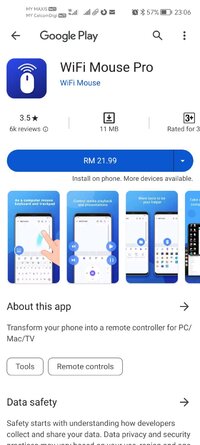
Transform your phone into a remote controller for PC/Mac/TV
WiFi Mouse Pro Ver. 5.6.7 MOD APK | Paid Bundle
Requirements: 9+
Overview: You can relax on the sofa and control playing movie in the comfort of your own home.
Material Design UI with Christmas theme, also has other 3 themes!
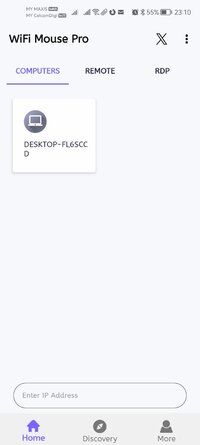
Transform your phone into a wireless mouse, keyboard, remote desktop and trackpad using WiFi Mouse. it enables you to control your PC, MAC or HTPC effortlessly through a local network connection.
What can WiFi Mouse do for you?
➢ Wireless mouse
Support mouse left/right click and scroll, works as remote wireless mouse
➢ Wireless keyboard
Support Android system keyboard and simulate computer keyboard
➢ Wireless trackpad
Support tap for click, two fingers tap for right click, three fingers move for drag and drop,
and more gestures.
➢ Handwriting gestures
Control your windows, media player and presentation with cool gestures.
➢ Computer remote controllers
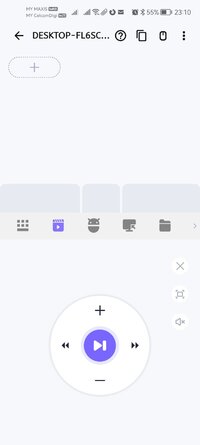
Control media player, internet explorer, PPT/Keynote, windows, even shutdown your computer.
WiFi Mouse features:
● Mouse movement and click
● Make scrolling
● Android keyboard or simulate full screen computer keyboard
● Voice to text to computer
● Many gestures
Tap,double tap,two fingers slide, three fingers drag and drop, four fingers slide
● Computer applications list and start
● Media controller
Control many media player applications
● Presentation controller
Control PPT, Keynote
● Shutdown
Shutdown, restart, and logout your computer
● Handwriting gestures
Handwriting gestures to control window, media player or presentation.
● Compatible with Windows/Mac OSX/Linux (Ubuntu).
Please Notes:
● Please download mouse server and install it from our official website WiFi Mouse — Turn your phone into a wireless mouse, keyboard & remote
What's New:
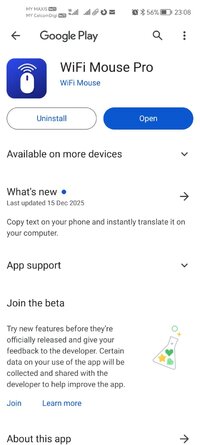
Copy text on your phone and instantly translate it on your computer.
=====================
SAI Instructions: [no root]
1. Download and install latest SAI app (Split APK Installer) - Releases · Aefyr/SAI
2. Download this .apks archive app;
3. Install and Open SAI / Choose "Install APKs" button / Find and Select downloaded .apks archive app;
4. Wait for install and done. Enjoy!
Lucky Patcher Instructions: [no root]
1. Download and install latest Lucky Patcher app;
2. Install and Open Lucky Patcher and choose 'Rebuild & Install';
3. Find and Select downloaded this .apks archive app;
4. Wait for install and done. Enjoy!
PS: Make sure after open SAI or Lucky Patcher you allowed STORAGE Permission and Install Unknown Apps Permission!
=====================
Package Info:
Languages: Full Multi Languages;
CPUs: armeabi-v7a, arm64-v8a, x86_64;
Screen DPIs: 120dpi, 160dpi, 240dpi, 320dpi, 480dpi, 640dpi;
Untouched [Paid] apk with Original Hash Signature, no [Mod] or changes was applied;
Certificate MD5 digest: 46ec186c3ff4759546d42cd57c50f950
Requirements: 9+
Overview: You can relax on the sofa and control playing movie in the comfort of your own home.
Material Design UI with Christmas theme, also has other 3 themes!
Transform your phone into a wireless mouse, keyboard, remote desktop and trackpad using WiFi Mouse. it enables you to control your PC, MAC or HTPC effortlessly through a local network connection.
What can WiFi Mouse do for you?
➢ Wireless mouse
Support mouse left/right click and scroll, works as remote wireless mouse
➢ Wireless keyboard
Support Android system keyboard and simulate computer keyboard
➢ Wireless trackpad
Support tap for click, two fingers tap for right click, three fingers move for drag and drop,
and more gestures.
➢ Handwriting gestures
Control your windows, media player and presentation with cool gestures.
➢ Computer remote controllers
Control media player, internet explorer, PPT/Keynote, windows, even shutdown your computer.
WiFi Mouse features:
● Mouse movement and click
● Make scrolling
● Android keyboard or simulate full screen computer keyboard
● Voice to text to computer
● Many gestures
Tap,double tap,two fingers slide, three fingers drag and drop, four fingers slide
● Computer applications list and start
● Media controller
Control many media player applications
● Presentation controller
Control PPT, Keynote
● Shutdown
Shutdown, restart, and logout your computer
● Handwriting gestures
Handwriting gestures to control window, media player or presentation.
● Compatible with Windows/Mac OSX/Linux (Ubuntu).
Please Notes:
● Please download mouse server and install it from our official website WiFi Mouse — Turn your phone into a wireless mouse, keyboard & remote
What's New:
Copy text on your phone and instantly translate it on your computer.
=====================
SAI Instructions: [no root]
1. Download and install latest SAI app (Split APK Installer) - Releases · Aefyr/SAI
2. Download this .apks archive app;
3. Install and Open SAI / Choose "Install APKs" button / Find and Select downloaded .apks archive app;
4. Wait for install and done. Enjoy!
Lucky Patcher Instructions: [no root]
1. Download and install latest Lucky Patcher app;
2. Install and Open Lucky Patcher and choose 'Rebuild & Install';
3. Find and Select downloaded this .apks archive app;
4. Wait for install and done. Enjoy!
PS: Make sure after open SAI or Lucky Patcher you allowed STORAGE Permission and Install Unknown Apps Permission!
=====================
Package Info:
Languages: Full Multi Languages;
CPUs: armeabi-v7a, arm64-v8a, x86_64;
Screen DPIs: 120dpi, 160dpi, 240dpi, 320dpi, 480dpi, 640dpi;
Untouched [Paid] apk with Original Hash Signature, no [Mod] or changes was applied;
Certificate MD5 digest: 46ec186c3ff4759546d42cd57c50f950
*Special Features*
1 . Paid Bundle
2 . Untouched [Paid] apk with Original Hash Signature, no [Mod] or changes was applied
Free Download: