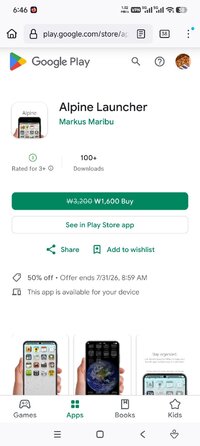
Playstore Link :

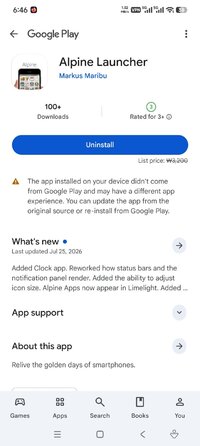
Alpine Launcher aims to recreate the look and feel of smartphone user interfaces of the mid 2000s. Explore this UI throwback, with it's soft and pleasant design, combined with it's fast and intuitive layout.
THE HOME SCREEN
The home screen is only ever populated by your own hand picked apps, keeping the rest of your app library out of sight. To reorder, simply hold and drag. Removing or uninstalling is done by holding and releasing. The rest of your apps can be found inside of Limelight
LIMELIGHT
Limelight is Alpine's all-encompassing search. Simply swipe to the left of your homescreen to search through your app library, as well as any of your unread notifications. For access to all of your notifications, swipe down on the home screen in order to be presented with Alpine's custom notification center.
THE NOTIFICATION CENTER
Alpine's notification center aims to keep all your notifications organized and uncluttered. Featuring a pleasant skeuomorphic design, the notification center is built from the ground up to make you feel right at home, also giving you a quick glance at the current weather, and access to your quick settings.
THE SETTINGS
Alpine's settings menu features customization options for the launcher, a full apps management menu, support for custom icon packs, and launcher specific wallpapers. Soon to include options to control Iris.
IRIS
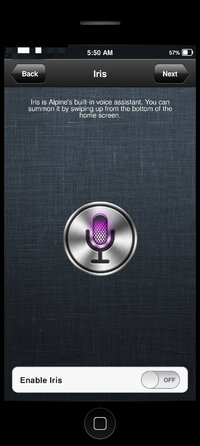
Iris is your very own personal assistant. simply swipe up on the home screen to access her. Ask her for the weather, have her help you with match questions, or maybe just have her tell you a witty joke.
(Iris is in her early stages of development, and will be improved on)
AI disclosure
Although Alpine Launcher is predominantly coded using AI, no visual or auditory assets are created using generative AI.
THE HOME SCREEN
The home screen is only ever populated by your own hand picked apps, keeping the rest of your app library out of sight. To reorder, simply hold and drag. Removing or uninstalling is done by holding and releasing. The rest of your apps can be found inside of Limelight
LIMELIGHT
Limelight is Alpine's all-encompassing search. Simply swipe to the left of your homescreen to search through your app library, as well as any of your unread notifications. For access to all of your notifications, swipe down on the home screen in order to be presented with Alpine's custom notification center.
THE NOTIFICATION CENTER
Alpine's notification center aims to keep all your notifications organized and uncluttered. Featuring a pleasant skeuomorphic design, the notification center is built from the ground up to make you feel right at home, also giving you a quick glance at the current weather, and access to your quick settings.
THE SETTINGS
Alpine's settings menu features customization options for the launcher, a full apps management menu, support for custom icon packs, and launcher specific wallpapers. Soon to include options to control Iris.
IRIS
Iris is your very own personal assistant. simply swipe up on the home screen to access her. Ask her for the weather, have her help you with match questions, or maybe just have her tell you a witty joke.
(Iris is in her early stages of development, and will be improved on)
AI disclosure
Although Alpine Launcher is predominantly coded using AI, no visual or auditory assets are created using generative AI.
*Special Features*
• Paid/Patched
• License check disabled
• Unnecessary files removed
Credit to : ApplicazioniCR
Free Download:
! Hidden Content !
You must be registered and either click Like under this post or leave a comment before you can see the hidden links.
You may need to refresh the page after clicking Like. If you’re still having trouble revealing the hidden links, please
read this.
Did you know? VIP Members can see all links instantly, no unlocking required.
Interested? Get VIP here.
Interested? Get VIP here.