Requirements: 6.0+
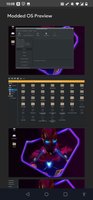
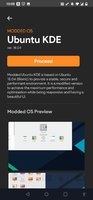
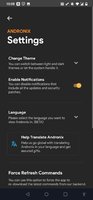
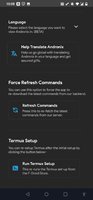
Overview: Andronix lets you install a Linux system on your Android Device without root
How To Active Premium Feature:
● Go To Navigation Menu;
● Click My Profile;
● Click Let's Go Button;
● Click On Register (Use Any Temporary Email Addressees).
● Enjoy Premium Feature.
Sap Info:
● Single Package APK (No SAI Needed);
● Languages: None;
● Supported CPU architecture: None;
● Supported DPIs: Ldpi, Mdpi, Tvdpi, Hdpi, Xhdpi, Xxhdpi, Xxxhdpi.
*Special Features*
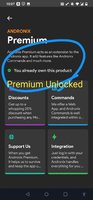
● Premium Feature Unlock.
● Change log Card Remove.
● Unnecessary Communication Tab Remove.
● Analytics / Crashlytics Removed / Disabled.
● Duplicate Dpi Item Remove Like:
- Bar Length, Drawable Size, Gap Between Bars.
● Splits0 File Removed (Resources & AndroidManifest).
● Splits0 Releated Unnecessary Meta-Data Remove Like:
- Stamp Source, Stamp Type Standalone Apk, Android Vending Splits, Android Vending Derived Apk.
● Removed Debug Information (Source, Line, Param, Prologue, Local).
● Total Apk Size 16.2 Mb.
What's new:
- All new design to make it much more easy to install your favourite distros.
- Andronix takes a more verbose approach to design. We have disintegrated our installing steps.
- Re-written our documentation from scratch.
- Worked on our new website, check it out.
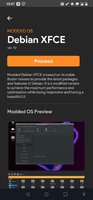
- This release feature newer Modded OS installation commands and scripts.
Play Store Link: Andronix - Linux on Android without root - Apps on Google Play
Free Download:
! Hidden Content !
You must be registered and either click Like under this post or leave a comment before you can see the hidden links.
You may need to refresh the page after clicking Like. If you’re still having trouble revealing the hidden links, please
read this.
Did you know? VIP Members can see all links instantly, no unlocking required.
Interested? Get VIP here.
Interested? Get VIP here.