Playstore Link:

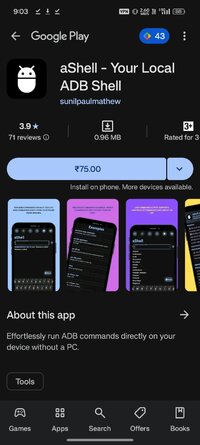
aShell - Your Local ADB Shell - Apps on Google Play
Effortlessly run ADB commands directly on your device without a PC.
aShell is a lightweight, open-source ADB shell designed for Android devices running Shizuku. It enables you to execute ADB commands directly from your phone, eliminating the need for a PC. Ideal for developers, power users, and enthusiasts seeking full control over their device's internals.
Important Notes:
- Shizuku Dependency: aShell requires a fully functional Shizuku environment. If you're unfamiliar with Shizuku or prefer not to use it, this app may not be suitable for you (Learn more at: shizuku.rikka.app).
- Basic ADB Knowledge Recommended: While aShell includes examples of common ADB commands, some familiarity with ADB/Linux command-line operations will enhance your experience.
Key Features:
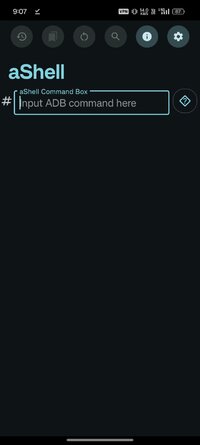
- Run ADB Commands Locally: Execute ADB commands right from your phone using Shizuku.
- Preloaded Command Examples: Handy examples to help you get started fast.
- Live Command Output: Supports continuous commands like logcat or top.
- Search Within Output: Easily find what you're looking for in command results.
- Save Output to File: Export outputs to .txt for reference or sharing.
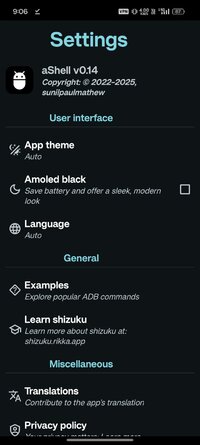
- Dark/Light Mode Support: Automatically adapts to your system theme.
- Bookmark Your Commands: Save frequently used commands for quick access.
Important Notes:
- Shizuku Dependency: aShell requires a fully functional Shizuku environment. If you're unfamiliar with Shizuku or prefer not to use it, this app may not be suitable for you (Learn more at: shizuku.rikka.app).
- Basic ADB Knowledge Recommended: While aShell includes examples of common ADB commands, some familiarity with ADB/Linux command-line operations will enhance your experience.
Key Features:
- Run ADB Commands Locally: Execute ADB commands right from your phone using Shizuku.
- Preloaded Command Examples: Handy examples to help you get started fast.
- Live Command Output: Supports continuous commands like logcat or top.
- Search Within Output: Easily find what you're looking for in command results.
- Save Output to File: Export outputs to .txt for reference or sharing.
- Dark/Light Mode Support: Automatically adapts to your system theme.
- Bookmark Your Commands: Save frequently used commands for quick access.
*Special Features*
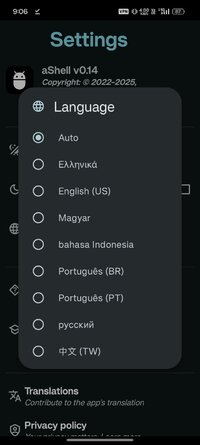
● Supported Languages: af, am, ar, as, az, be, bg, bn, bs, ca, cs, da, de, el, en-AU, en-CA, en-GB, en-IN, en-XC, es, es-419, es-US, et, eu, fa, fi, fr, fr-CA, gl, gu, hi, hr, hu, hy, in, is, it, iw, ja, ka, kk, km, kn, ko, ky, lo, lt, lv, mk, ml, mn, mr, ms, my, nb, ne, nl, or, pa, pl, pt, pt-BR, pt-PT, ro, ru, si, sk, sl, sq, sr, sr-Latn, sv, sw, ta, te, th, tl, tr, uk, ur, uz, vi, zh-CN, zh-HK, zh-TW, zu;
● Supported Cpu Architecture: None;
● Supported Screen Dpi: Ldpi, Mdpi, Tvdpi, Hdpi, Xhdpi, Xxhdpi, Xxxhdpi.
● Untouch Paid Apk With Original Hash Signature.
● Certificate MD5 Digest: 2c4e1cf71cc44832415c8517ae5718d0.
.Apks Bundle Installation:
SAI Instructions: [No Root]
1. Download And Install Latest SAI App (Split APK Installer) - Releases · Aefyr/SAI
2. Download this .apks Archive App;
3. Install And Open SAI / Choose "Install APKs" Button / Find And Select Downloaded .apks Archive App;
4. Wait For Install And Done. Enjoy!.
Lucky Patcher Instructions: [No Root]
1. Download And Install Latest Lucky Patcher App;
2. Install And Open Lucky Patcher And Choose 'Rebuild & Install';
3. Find And Select Downloaded This .apks Archive App;
4. Wait For Install And Done. Enjoy!.
PS: Make Sure After Open SAI or Lucky Patcher You Allowed Storage Permission And Install Unknown Apps Permission!
Credit: TryRoom
Free Download:
! Hidden Content !
You must be registered and either click Like under this post or leave a comment before you can see the hidden links.
You may need to refresh the page after clicking Like. If you’re still having trouble revealing the hidden links, please
read this.
Did you know? VIP Members can see all links instantly, no unlocking required.
Interested? Get VIP here.
Interested? Get VIP here.