Playstore Link:

Battery Widget Reborn 2026 - Apps on Google Play
Material themed battery monitor and widget
Application features
==============
This app provides following functionality:
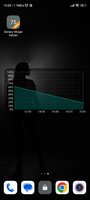
Battery widget
- circle battery level indicator indicator perfectly fits pure Android design
- resizable on Android 4.x+
- support for both main and external dock battery (Asus Transformer only)
Basic battery info
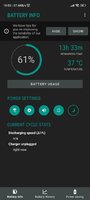
- Battery Info
- Shortcuts to Power-Summary/Background Sync/Wifi/BT Settings
Status bar notification of battery status
- multiple icon styles
- prediction (estimation) how long battery lasts
- customisable texts in notification area (estimated time left, voltage, temperature, battery health)
Power saving functionality
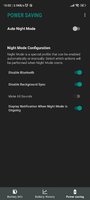
- automatic power saving mode during the night (simple but powerful battery saver functionality)
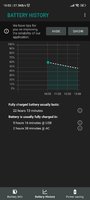
Charging and discharging chart
Extended notifications support:
- optional charging and discharging chart
- power related toggles:
- Wifi
- Bluetooth
- Background Sync
- Airplane mode
- customizable notification priority
Additional tools:
- Torch
- Settings shortcuts
- DashClock Extension
Specific HW vendor support
- supports Motorola 1% increment
- supports Asus Transformer secondary (dock) battery
Material themed interface on phones with Android 4.0+
Installation and operation notes
=======================
- Task Killer or Task Manager may affect this app. Please don’t use them if app does not work as expected
- App is highly optimised and DOES NOT drain you battery
- Known issues are at Battery Widget? Reborn! - Known bugs you can prioritise bug fixes and enhancements there by voting
- Frequently asked questions are at Battery Widget Reborn - Frequently Asked Questions, look there before sending support request
- Due to the limitation of the Android platform, home screen widgets will NOT be available if application is moved to SD card.
- Some devices indicate battery level every 10% due to their kernel design (known ones are: most Motorola devices including Droid and Atrix series, Samsung Moment series). Try to use Motorola 1% hack feature if your phone is among these devices
- In Android 4.0, the system may shrink and dim level indicator icons in status bar.
Which version to download?
====================
If you like Material Design install either Free or Pro version
- Free flavor contains ads
- Pro flavor is ads free.
Install Classic version if you like Holo Theme
- Classic has two options how to reward developer for his effort: either single payment for Pro functionality or Ad Supported version
What's New:
Release notes for version 4.6.x
--------------------------------
- Fixed rare issue on Android 8 phones. (version 4.6.22)
- Improved stability of widgets rendering. Also added warning when monitoring service is not started properly or killed by phone. (version 4.6.19)
- Improved reliability of widget update (version 4.6.17)
==============
This app provides following functionality:
Battery widget
- circle battery level indicator indicator perfectly fits pure Android design
- resizable on Android 4.x+
- support for both main and external dock battery (Asus Transformer only)
Basic battery info
- Battery Info
- Shortcuts to Power-Summary/Background Sync/Wifi/BT Settings
Status bar notification of battery status
- multiple icon styles
- prediction (estimation) how long battery lasts
- customisable texts in notification area (estimated time left, voltage, temperature, battery health)
Power saving functionality
- automatic power saving mode during the night (simple but powerful battery saver functionality)
Charging and discharging chart
Extended notifications support:
- optional charging and discharging chart
- power related toggles:
- Wifi
- Bluetooth
- Background Sync
- Airplane mode
- customizable notification priority
Additional tools:
- Torch
- Settings shortcuts
- DashClock Extension
Specific HW vendor support
- supports Motorola 1% increment
- supports Asus Transformer secondary (dock) battery
Material themed interface on phones with Android 4.0+
Installation and operation notes
=======================
- Task Killer or Task Manager may affect this app. Please don’t use them if app does not work as expected
- App is highly optimised and DOES NOT drain you battery
- Known issues are at Battery Widget? Reborn! - Known bugs you can prioritise bug fixes and enhancements there by voting
- Frequently asked questions are at Battery Widget Reborn - Frequently Asked Questions, look there before sending support request
- Due to the limitation of the Android platform, home screen widgets will NOT be available if application is moved to SD card.
- Some devices indicate battery level every 10% due to their kernel design (known ones are: most Motorola devices including Droid and Atrix series, Samsung Moment series). Try to use Motorola 1% hack feature if your phone is among these devices
- In Android 4.0, the system may shrink and dim level indicator icons in status bar.
Which version to download?
====================
If you like Material Design install either Free or Pro version
- Free flavor contains ads
- Pro flavor is ads free.
Install Classic version if you like Holo Theme
- Classic has two options how to reward developer for his effort: either single payment for Pro functionality or Ad Supported version
What's New:
Release notes for version 4.6.x
--------------------------------
- Fixed rare issue on Android 8 phones. (version 4.6.22)
- Improved stability of widgets rendering. Also added warning when monitoring service is not started properly or killed by phone. (version 4.6.19)
- Improved reliability of widget update (version 4.6.17)
*Special Features*
- No root or Lucky Patcher or Google Play Modded required;
- Disabled / Removed unwanted Permissions + Receivers + Providers + Services;
- Optimized and zipaligned graphics and cleaned resources for fast load;
- Google Play Store install package check disabled;
- Debug code removed;
- Remove default .source tags name of the corresponding java files;
- Analytics / Crashlytics / Firebase disabled;
- AOSP compatible mode;
- Languages: Full Multi Languages;
- CPUs: universal architecture;
- Screen DPIs: 120dpi, 160dpi, 240dpi, 320dpi, 480dpi, 640dpi;
- Original package signature changed;
Credit to ➤ Release by Balatan.
Free Download:
! Hidden Content !
You must be registered and either click Like under this post or leave a comment before you can see the hidden links.
You may need to refresh the page after clicking Like. If you’re still having trouble revealing the hidden links, please
read this.
Did you know? VIP Members can see all links instantly, no unlocking required.
Interested? Get VIP here.
Interested? Get VIP here.