

Hello :)
Here is a quick Tutorial on How to Block ADS in Safari running iOS 13-26.
Requirements:
iPhone/iPad with iOS 13 or higher & 70MB free storage.
Lets Start:
1. We need to download the Adblocker for Safari
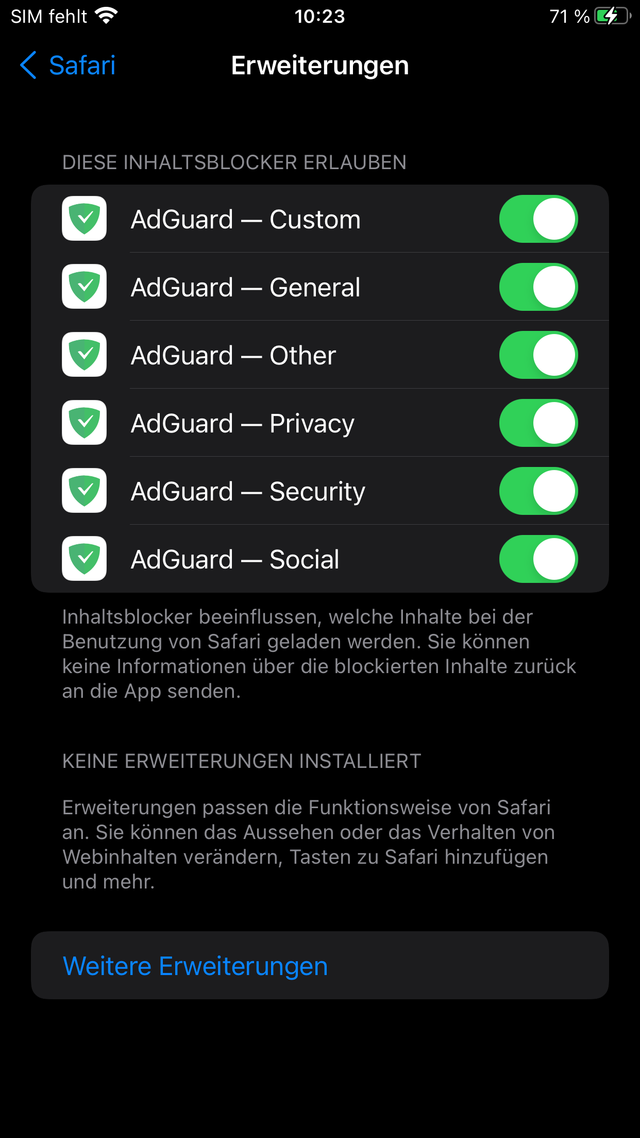
2. Go to Settings - Apps - Safari - Extensions and enable all the Adguard extensions
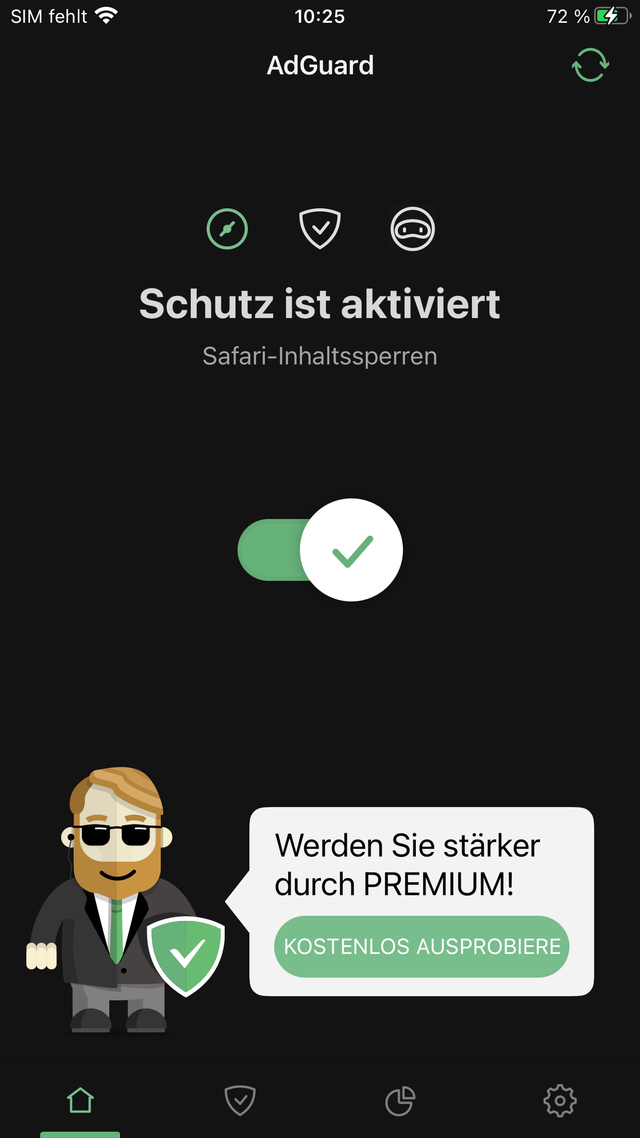
3. Open Adguard & enable it
That's basically it. Congratulations you can now enjoy Safari the way it should be.
But wait "there is one more thing" ;)
4. Download & import my special "Custom" filter to block Ads & website elements on Youtube, Xhamster etc.

ps: adguard has inapp purchases but you DO NOT need them. Enjoy it for Free.
Best Regards
GG78
Here is a quick Tutorial on How to Block ADS in Safari running iOS 13-26.
Requirements:
iPhone/iPad with iOS 13 or higher & 70MB free storage.
Lets Start:
1. We need to download the Adblocker for Safari
AdGuard — adblock & privacy
AdGuard ist ein sehr effektiver Werbeblocker für Safari. Es entfernt nicht nur lästige Anzeigen, sondern schützt auch Ihre Privatsphäre mithilfe eines erweiterten Tracking-Schutzes. AdGuard für iOS ist eine Open-Source-Anwendung, die völlig transparent und sicher zu benutzen ist. Die App ist...
apps.apple.com
2. Go to Settings - Apps - Safari - Extensions and enable all the Adguard extensions
3. Open Adguard & enable it
That's basically it. Congratulations you can now enjoy Safari the way it should be.
But wait "there is one more thing" ;)
4. Download & import my special "Custom" filter to block Ads & website elements on Youtube, Xhamster etc.
ps: adguard has inapp purchases but you DO NOT need them. Enjoy it for Free.
Best Regards
GG78
Attachments
Last edited:


