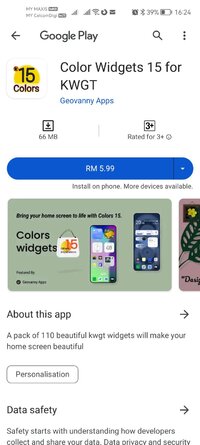
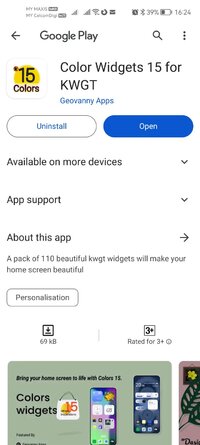
Playstore Link :

Color Widgets 17 for KWGT - Apps on Google Play
Discover special widgets with exotic, unique, clean and informative designs
Color Widgets 15 for KWGT Ver. 23e3k36t260109 MOD APK | Paid Patched
Requirements: 8.0 and up
Overview: A pack of 110 beautiful kwgt widgets will make your home screen beautiful
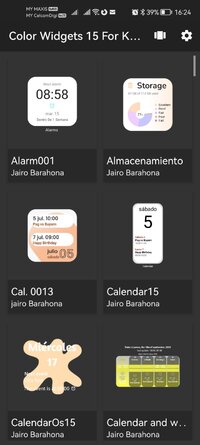
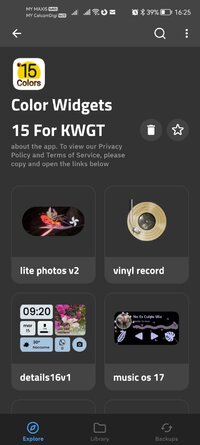
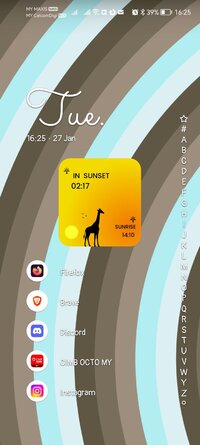
With Color Widgets 15 you can customize your home screen in a unique way; find beautiful and colorful widgets that are above the graphic law, spectacular clocks, weather, calendars, etc.; they are in 2D, 2.5D, even 3D.
Color Widgets 15 is not an independent app; it requires both KWGT Kustom Widget Maker and KWGT Kustom Widget Pro Key to function properly.
You will need 2 apps for it to work:
KWGT Kustom Widget Maker: Download here KWGT Kustom Widget Maker - Apps on Google Play
KWGT Pro Key: Download here KWGT Kustom Widget Pro Key - Apps on Google Play
Works with any customizable launcher.
Suitable home screen boxes on phone would be: 7x4
While on tablet it would be: 4x10
How to use:
1. Download both KWGT Kustom Widget Maker and KWGT Pro Key.
2. Press and hold on your home screen and select the KWGT widget.
3. Choose the desired widget size and drag it onto your home screen.
4. Tap the KWGT widget, then a from Color Widgets 15.
5. Donate. What a beauty!
If the widget isn't the right size, you can use the scaling option in KWGT to adjust it to your liking.
What's New:
No changelog
Paid Package Info:
● No root or Lucky Patcher or Google Play Modded required;
● - Paid / Patched;
✗ Cleaned all useless files;
✄ All Debug Codes Removed;
● Languages: Multi Languages;
● CPUs: Universal Architecture;
● Original package signature changed;
Requirements: 8.0 and up
Overview: A pack of 110 beautiful kwgt widgets will make your home screen beautiful
With Color Widgets 15 you can customize your home screen in a unique way; find beautiful and colorful widgets that are above the graphic law, spectacular clocks, weather, calendars, etc.; they are in 2D, 2.5D, even 3D.
Color Widgets 15 is not an independent app; it requires both KWGT Kustom Widget Maker and KWGT Kustom Widget Pro Key to function properly.
You will need 2 apps for it to work:
KWGT Kustom Widget Maker: Download here KWGT Kustom Widget Maker - Apps on Google Play
KWGT Pro Key: Download here KWGT Kustom Widget Pro Key - Apps on Google Play
Works with any customizable launcher.
Suitable home screen boxes on phone would be: 7x4
While on tablet it would be: 4x10
How to use:
1. Download both KWGT Kustom Widget Maker and KWGT Pro Key.
2. Press and hold on your home screen and select the KWGT widget.
3. Choose the desired widget size and drag it onto your home screen.
4. Tap the KWGT widget, then a from Color Widgets 15.
5. Donate. What a beauty!
If the widget isn't the right size, you can use the scaling option in KWGT to adjust it to your liking.
What's New:
No changelog
Paid Package Info:
● No root or Lucky Patcher or Google Play Modded required;
● - Paid / Patched;
✗ Cleaned all useless files;
✄ All Debug Codes Removed;
● Languages: Multi Languages;
● CPUs: Universal Architecture;
● Original package signature changed;
*Special Features*
1 . Paid / Patched
2 . No root or Lucky Patcher or Google Play Modded required
Credit to : SAGUN12
Free Download:
! Hidden Content !
You must be registered and either click Like under this post or leave a comment before you can see the hidden links.
You may need to refresh the page after clicking Like. If you’re still having trouble revealing the hidden links, please
read this.
Did you know? VIP Members can see all links instantly, no unlocking required.
Interested? Get VIP here.
Interested? Get VIP here.