Playstore Link :

DO Multiple Accounts & Clone - Apps on Google Play
Clone parallel multiple account for WhatsApp, Messenger, LINE, Instagram & game
Clone app in unlimited parallel space. Parallel app cloner for multiple accounts! More than 2 accounts, you can create and login unlimited multiple accounts for WhatsApp, Messenger, Ins, Facebook, and other social or game app.
Login and run more than 2 accounts for social, receive messages and chat with friends on one device!
Play games with multiple accounts, and keep them online simultaneously to get dual function and experiences! Enjoy multiple fun!
Easy to manage multiple social network account, separate work and personal life.
How It Works
Do Multiple powered by River Stone Tech, with the most light-weighed and powerful clone engine, can help you clone your app into another separated parallel space. What's more, Do Multiple can help you manage notifications of the cloned app, and provide Privacy Locker function to protect the cloned app. It also provided the Lite Mode to reach best memory and battery usage for cloned app.
Do Multiple is compatible with most instant message apps, game apps and social networking apps. Google Play Service are supported, and you can connect with your Google Play Games or other services in your clones.
Key Features
Log in to your multiple messaging, game and social apps
Balance between your life and work easily with multiple account.
Double game accounts and double fun.
Data of clones and original apps are separated
Switch fast between dual accounts with just one-tap
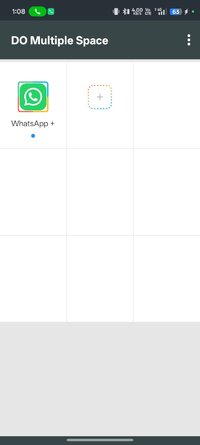
Run two accounts simultaneously, and will create icons with clone tags.
Privacy Locker to protect your cloned account
Lite Mode for best power and memory efficiency
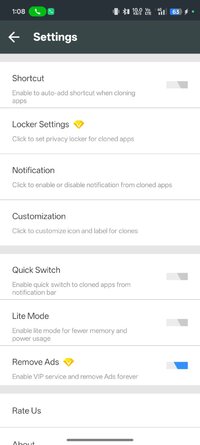
Notification setting to manage notification of clones
Notes:
Permissions: Do Multiple app itself requires few permissions but Do Multiple needs to apply many permissions in advance for the clone apps. Please grant those permissions to Do Multiple to avoid mis-function or crash when running clones
Consumptions: Do Multiple itself doesn't take up too much memory, battery and data by which are actually consumed by the apps running inside.
Notifications: Please add Do Multiple to whitelist in your system notification settings.
For any problems, please feel free to contact us via the 'Feedback' feature inside Do Multiple or send us an email at: [email protected]
Login and run more than 2 accounts for social, receive messages and chat with friends on one device!
Play games with multiple accounts, and keep them online simultaneously to get dual function and experiences! Enjoy multiple fun!
Easy to manage multiple social network account, separate work and personal life.
How It Works
Do Multiple powered by River Stone Tech, with the most light-weighed and powerful clone engine, can help you clone your app into another separated parallel space. What's more, Do Multiple can help you manage notifications of the cloned app, and provide Privacy Locker function to protect the cloned app. It also provided the Lite Mode to reach best memory and battery usage for cloned app.
Do Multiple is compatible with most instant message apps, game apps and social networking apps. Google Play Service are supported, and you can connect with your Google Play Games or other services in your clones.
Key Features
Log in to your multiple messaging, game and social apps
Balance between your life and work easily with multiple account.
Double game accounts and double fun.
Data of clones and original apps are separated
Switch fast between dual accounts with just one-tap
Run two accounts simultaneously, and will create icons with clone tags.
Privacy Locker to protect your cloned account
Lite Mode for best power and memory efficiency
Notification setting to manage notification of clones
Notes:
Permissions: Do Multiple app itself requires few permissions but Do Multiple needs to apply many permissions in advance for the clone apps. Please grant those permissions to Do Multiple to avoid mis-function or crash when running clones
Consumptions: Do Multiple itself doesn't take up too much memory, battery and data by which are actually consumed by the apps running inside.
Notifications: Please add Do Multiple to whitelist in your system notification settings.
For any problems, please feel free to contact us via the 'Feedback' feature inside Do Multiple or send us an email at: [email protected]
*Special Features*
✪ VIP / Paid features unlocked;
✪ Cleaned all useless files;
✪ All Debug Codes Removed;
Credit to : TRUMods
Free Download:
! Hidden Content !
You must be registered and either click Like under this post or leave a comment before you can see the hidden links.
You may need to refresh the page after clicking Like. If you’re still having trouble revealing the hidden links, please
read this.
Did you know? VIP Members can see all links instantly, no unlocking required.
Interested? Get VIP here.
Interested? Get VIP here.