PMT FREE MOD Dragon Ball Z Dokkan Battle Ver. 5.31.5 MOD Menu APK | High Damage, God Mode, Instant Kill, Dice Hack

App-Architecture
Dual-Arch (ARM64 + ARMv7 | 64+32 Bit)
Easy installation without "clear data".

1. Uninstall the official app.
2. Re-install the official application.
3. Recover your Dokkan account with Google.
4. When it's done, press "ok" and CLOSE THE APP on the main screen which searches for downloads.
5. Uninstall the official app.
6. Install the modded app.
7. Recover your account with Google.
8. Well done!
wdym "close the app on the main screen which searches for downloads" is there a close app button on dokkan screen? can u send ss pls
 
Ban rate?
Don't use on World Tournament and Million Arena (or any event like these two) and you will be good. Although I don't use the mod options all the time, only when I've given up on completing an event after several try. I think this is the best way to avoid getting banned. I'm using the same account for years with mods, and never get banned.
 
Easy installation without "clear data".

1. Uninstall the official app.
2. Re-install the official application.
3. Recover your Dokkan account with Google.
4. When it's done, press "ok" and CLOSE THE APP on the main screen which searches for downloads.
5. Uninstall the official app.
6. Install the modded app.
7. Recover your account with Google.
8. Well done!
This worked for me too. Maybe G-BO can put this solution in the 1st post. So everybody can use it
 
Easy installation without "clear data".

1. Uninstall the official app.
2. Re-install the official application.
3. Recover your Dokkan account with Google.
4. When it's done, press "ok" and CLOSE THE APP on the main screen which searches for downloads.
5. Uninstall the official app.
6. Install the modded app.
7. Recover your account with Google.
8. Well done!
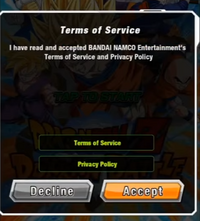
For people that don't understand the 4th step, you close the game on the screen showed in the image after connecting your Google account.
 

Attachments

  • B1874BD7-D09A-4D7B-ABF5-58AE72EDC26F.png
    B1874BD7-D09A-4D7B-ABF5-58AE72EDC26F.png
    153.1 KB · Views: 61
Easy installation without "clear data".

1. Uninstall the official app.
2. Re-install the official application.
3. Recover your Dokkan account with Google.
4. When it's done, press "ok" and CLOSE THE APP on the main screen which searches for downloads.
5. Uninstall the official app.
6. Install the modded app.
7. Recover your account with Google.
8. Well done!
It didn't work. Is there any other way?
 
Easy installation without "clear data".

1. Uninstall the official app.
2. Re-install the official application.
3. Recover your Dokkan account with Google.
4. When it's done, press "ok" and CLOSE THE APP on the main screen which searches for downloads.
5. Uninstall the official app.
6. Install the modded app.
7. Recover your account with Google.
8. Well done!
Damnnnn it actually worked 👀👀 thanks man
I thought this game was done for good
 
Easy installation without "clear data".

1. Uninstall the official app.
2. Re-install the official application.
3. Recover your Dokkan account with Google.
4. When it's done, press "ok" and CLOSE THE APP on the main screen which searches for downloads.
5. Uninstall the official app.
6. Install the modded app.
7. Recover your account with Google.
8. Well done!
Hey when i try to link my dokkan account with the offical app its not working
 
Tags Tags
action anime dragon ball z dokkan battle dragon ball z dokkan battle (jp) dragon ball z dokkan battle (jp) cheat dragon ball z dokkan battle (jp) hack dragon ball z dokkan battle (jp) mod dragon ball z dokkan battle cheat dragon ball z dokkan battle hack dragon ball z dokkan battle mod dragon ball z dokkan battle mod apk ドラゴンボールz ドッカンバトル ドラゴンボールz ドッカンバトル cheat ドラゴンボールz ドッカンバトル hack ドラゴンボールz ドッカンバトル mod

Similar threads

Back
Top Bottom