VolcanoMods
Platinian On Fire
Playstore Link:

Filmora: AI Video Editor&Maker - Apps on Google Play
AI Video Generator: Background Remover, Text to Speech, AI Music, Templates
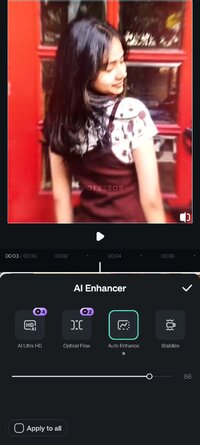
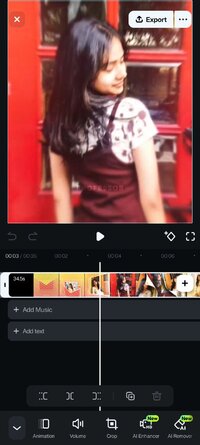
Filmora is an AI-powered video editor designed for social creators – easier than pro tools, stronger than basic apps.
Turn clips, photos, or scripts into scroll-stopping videos for TikTok, Reels, YouTube, and more. No editing experience needed.
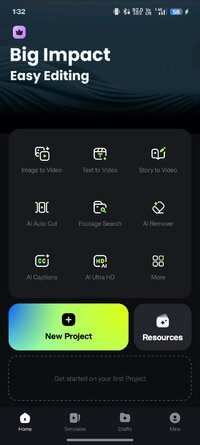
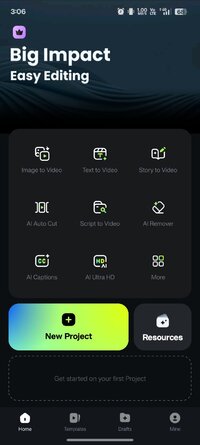
 Powerful Brand New AI Features
 Image to Video
· Type in your creative ideas, then let AI magically bring life to your photos.
 Text to Video
· Easily create an AI movie by simple prompts, visualize your great ideas!
 VideoGen
· This video-to-video feature lets you seamlessly swap or add elements to your videos.
 Dynamic Captions
· Auto speech-to-text into dynamic word-by-word captions.
 AI Remover
· Effortlessly erasing unwanted elements from videos.
🎞AI Auto Cut
· Seamlessly stitching highlight moments into cinematic tales!
 AI Beats
· AI seamlessly syncs your video highlights to the beats of rhythmic music.
 Text to Speech
· Transform text into professional voiceovers for your videos.
 AI Music & Sound Effects
· Generate royalty-free, professional-quality music and soundscapes for your videos!
 User-friendly video editing for beginners
- Stunning templates help create videos in one click.
- Trim, split, duplicate, or merge video clips without losing quality.
- Add text, emoji, and exclusive stickers.
- Add music, sound effects & voice-overs. Royal-free built-in music library and sound effects.
- Extract music from the video and split the audio to remove unwanted parts.
- Rotate or crop: Adjust the orientation or size.
- Adjust video ratios for Instagram/TikTok/YouTube posts.
- Adjust speed for fast or slow motion.
 Full-featured video editing for professional
- All-in-one Keyframe: More adjustment items support keyframes, combined with color and special effects, you can create more cool animations.
- Speed Curve: Speed control with customizable & pre-set curves for various themes.
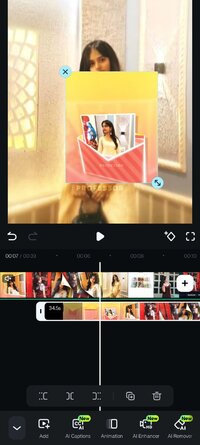
- PIP (Picture in Picture): add multiple layers of video, images, stickers, special effects, text, etc.
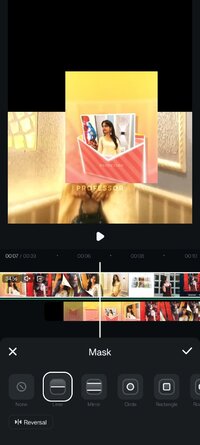
- Masking: Cover and mix video clips to get different video effects.
- Smart tracking: Support stickers, text, and PIP intelligent tracking targets, whether you need to track faces, objects, or anything else.
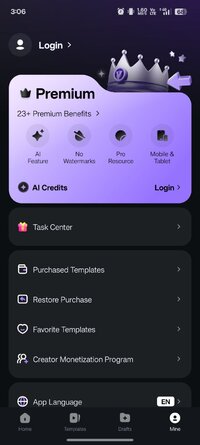
 Filmora Pro Subscription
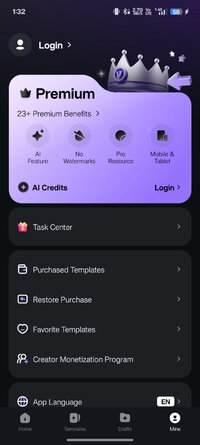
- With Filmora Pro video editor unlimited subscription, you can access all features and paid editing materials, including stickers, filter packages, etc. Watermark and Logo Roll will be removed automatically.
- With“Android Pro”, you can access all Pro features and paid editing materials on Android.
- You can turn off auto-renewal at any time through your Account Settings.
- Any unused portion of a free trial period, if offered, will be forfeited when the user purchases a subscription.
 Contact Us
Service Email: [email protected]
 Follow Us
YouTube: Wondershare Filmora Video Editor
Facebook: Wondershare Filmora Video Editor
Instagram: Instagram
Turn clips, photos, or scripts into scroll-stopping videos for TikTok, Reels, YouTube, and more. No editing experience needed.
Powerful Brand New AI FeaturesImage to Video· Type in your creative ideas, then let AI magically bring life to your photos.
Text to Video· Easily create an AI movie by simple prompts, visualize your great ideas!
VideoGen· This video-to-video feature lets you seamlessly swap or add elements to your videos.
Dynamic Captions· Auto speech-to-text into dynamic word-by-word captions.
AI Remover· Effortlessly erasing unwanted elements from videos.
🎞AI Auto Cut
· Seamlessly stitching highlight moments into cinematic tales!
AI Beats· AI seamlessly syncs your video highlights to the beats of rhythmic music.
Text to Speech· Transform text into professional voiceovers for your videos.
AI Music & Sound Effects· Generate royalty-free, professional-quality music and soundscapes for your videos!
User-friendly video editing for beginners- Stunning templates help create videos in one click.
- Trim, split, duplicate, or merge video clips without losing quality.
- Add text, emoji, and exclusive stickers.
- Add music, sound effects & voice-overs. Royal-free built-in music library and sound effects.
- Extract music from the video and split the audio to remove unwanted parts.
- Rotate or crop: Adjust the orientation or size.
- Adjust video ratios for Instagram/TikTok/YouTube posts.
- Adjust speed for fast or slow motion.
Full-featured video editing for professional- All-in-one Keyframe: More adjustment items support keyframes, combined with color and special effects, you can create more cool animations.
- Speed Curve: Speed control with customizable & pre-set curves for various themes.
- PIP (Picture in Picture): add multiple layers of video, images, stickers, special effects, text, etc.
- Masking: Cover and mix video clips to get different video effects.
- Smart tracking: Support stickers, text, and PIP intelligent tracking targets, whether you need to track faces, objects, or anything else.
Filmora Pro Subscription- With Filmora Pro video editor unlimited subscription, you can access all features and paid editing materials, including stickers, filter packages, etc. Watermark and Logo Roll will be removed automatically.
- With“Android Pro”, you can access all Pro features and paid editing materials on Android.
- You can turn off auto-renewal at any time through your Account Settings.
- Any unused portion of a free trial period, if offered, will be forfeited when the user purchases a subscription.
Contact UsService Email: [email protected]
Follow UsYouTube: Wondershare Filmora Video Editor
Facebook: Wondershare Filmora Video Editor
Instagram: Instagram
*Special Features*
1. Premium Unlocked
2. Ads Removed
Notes:
Credit related features may not work
Free Download:
! Hidden Content !
You must be registered and either click Like under this post or leave a comment before you can see the hidden links.
You may need to refresh the page after clicking Like. If you’re still having trouble revealing the hidden links, please
read this.
Did you know? VIP Members can see all links instantly, no unlocking required.
Interested? Get VIP here.
Interested? Get VIP here.
Last edited by a moderator: