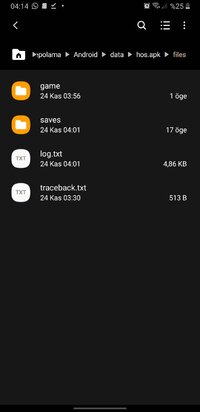
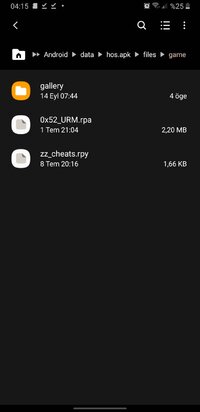
No dude, the way you're placing the files is wrong. Install the game first, then go to internal storage → android → data → hos.apk → files, create a folder named "game" inside it, and put the files in there. It will work.
You don’t need to touch the APK file with ZArchiver or anything. You can use the screenshots I uploaded as a reference.
This section is not suitable for children and may contain adult content. If you are not over the age of 18 please leave this section.
This site uses cookies to help personalise content, tailor your experience and to keep you logged in if you register.
By continuing to use this site, you are consenting to our use of cookies.