
You are using an out of date browser. It may not display this or other websites correctly.
You should upgrade or use an alternative browser.
You should upgrade or use an alternative browser.
Tutorial How to install Magisk on Android emulators (Easy installation)
- Thread starter AndnixSH
- Start date
NekoCat564
Rookie
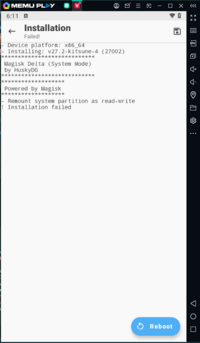
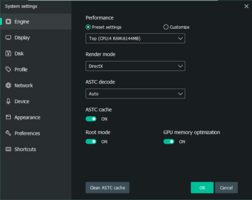
oh sorry for not replaying sooner. I fixed the issue by just creating another instance and just redoing the whole install of kitsune and the rest. Idk what happened in the process of my first try of installing it, but it works now. Still, thanks for replaying!It shouldn't happen because I'm using LSposed in MuMu Player
What is your MuMu Player version?
What version of Magisk and LSposed are you using?
darscute03
Platinian
Hello, I don't see anything on xbin, and when I am trying to place my license, it says your device refuse to rename the license

I don't think it's related to Magisk. Contact @G-Bo ッ if you need help with licenseHello, I don't see anything on xbin, and when I am trying to place my license, it says your device refuse to rename the license
darscute03
Platinian
Ok, how about the su, it's not showing in my xbin folder.
Check /system/binOk, how about the su, it's not showing in my xbin folder.
darscute03
Platinian
It is there, so is it safe to delete it?Check /system/bin
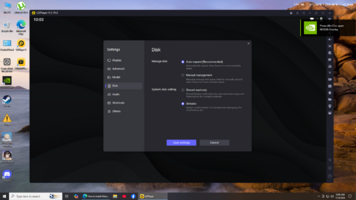
"I can't delete the 'su' file. It says the file cannot be deleted, even though I've already enabled root in the emulator."it's there. Make sure you enable root in emulator Settings and have given root permission to your file explorer (I use X-plore and enabled write permission)
View attachment 473491
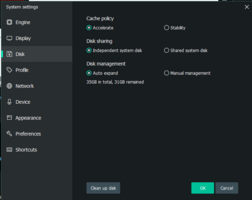
Make sure the system disk is writeable. Read the thread again"I can't delete the 'su' file. It says the file cannot be deleted, even though I've already enabled root in the emulator."
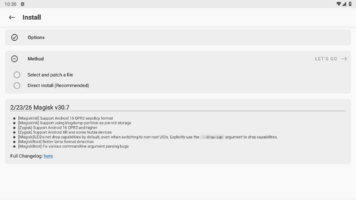
Who told you to download the official version and not the Kitsune version?why dont i get the direct install (modify /system directly)
lxbach0305
Platinian
i cant remove file Su, what name app file manager can help me remove file su ??
X-plorei cant remove file Su, what name app file manager can help me remove file su ??
Either system partition may not have enough space or Android 14 may not be supported
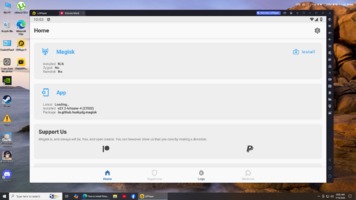
Yes you did, I will quote it hereDid I miss or make a mistake in any step?
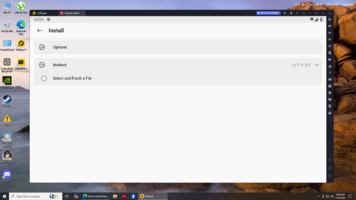
Choose “Direct Install into system partition”. If you don’t see this option, close and re-open Magisk Delta/Kitsume Mask app.
Yes you did, I will quote it hereafter i instal kitsune mask and instaled it next step is to delete su from bin and xbin in ldplayer yea? im trying to delete it with xplore and it give a message "some files cannot be deleted" do i miss something?
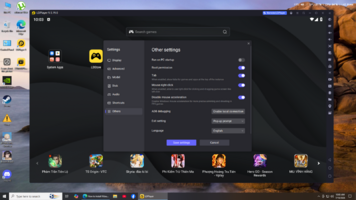
Disabling root access will disable Magisk too. Instead, backup built-in su (/system/bin/su and /system/xbin/su) and delete them (in case you want to uninstall Magisk and restore to built-in su) using file manager with root permission (In some file manager, you may need to enable write permission in Settings to be able to delete the file), then reboot. Because emulators like LDPlayer will remove all su files after disable ROOT from settings
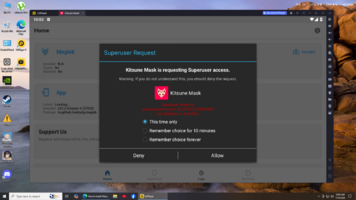
If you do not remove "su" file, the Magisk will prompt "A su binary not from Magisk has been detected. Please remove any competing root solution and/or reinstall Magisk".