
You are using an out of date browser. It may not display this or other websites correctly.
You should upgrade or use an alternative browser.
You should upgrade or use an alternative browser.
Tutorial How to install Magisk on Android emulators (Easy installation)
- Thread starter AndnixSH
- Start date

the correct link is Releases · Jordan231111/KitsuneMagisk but it may not work with Nox. I recommended using up-to-date emulator called MuMuKitsune Magisk 31000/31.0
I'm currently stuck, it was successfully installed and after reboot or closing Nox, it shows N/A? help please thank you!1
Thanks as always, it was 2 years ago the last time i used it and my dumb ass fotgot it was supposed to be 64bit not 32bitthe correct link is Releases · Jordan231111/KitsuneMagisk but it may not work with Nox. I recommended using up-to-date emulator called MuMu


UPT000
Rookie
Hi friend, I had a problem and need a bit of guidance.
I use latest Mumu with Android 15, root it, switch to writable disk, install latest Kitsune Mask and allow SU to Kitsune Mask. But during installation inside the KM it still see the partition as Read-only, I will attach some image to help proofing and maybe I miss something important around.
Thank you

- AT1: The Problem

- AT2: KM given SU previlage.

- AT3: Mumu Emulator set to root, and using Writable as disk method.
I use latest Mumu with Android 15, root it, switch to writable disk, install latest Kitsune Mask and allow SU to Kitsune Mask. But during installation inside the KM it still see the partition as Read-only, I will attach some image to help proofing and maybe I miss something important around.
Thank you
- AT1: The Problem
- AT2: KM given SU previlage.
- AT3: Mumu Emulator set to root, and using Writable as disk method.
UPT000
Rookie
Update: I created new partition on Mumu with Android 12 this time and it works.Hi friend, I had a problem and need a bit of guidance.
I use latest Mumu with Android 15, root it, switch to writable disk, install latest Kitsune Mask and allow SU to Kitsune Mask. But during installation inside the KM it still see the partition as Read-only, I will attach some image to help proofing and maybe I miss something important around.
Thank you
View attachment 990067
- AT1: The Problem
View attachment 990068
- AT2: KM given SU previlage.
View attachment 990069
- AT3: Mumu Emulator set to root, and using Writable as disk method.
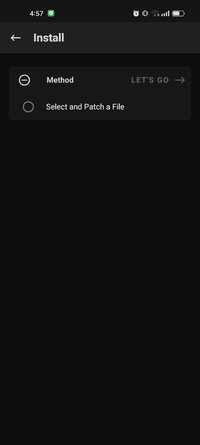
This is for emulators only, not on phone.can you help me browhy mine like this?
I don't know. I'm still using MuMu Android 12.Going by the last few posts I guess Android 15's version of Mumu isn't supported, right?
Last edited:
Do you have a video tutorial for mumu android 12?I don't know. I'm still using MuMu Android 12.
No. You can search for it.Do you have a video tutorial for mumu android 12?
i was trying to search, but it was always not working, can you provide a link?No. You can search for it.


Aki-chi
Platinian
Thanks for the heads-up. KSU on Mumu messes up some things though, like chromium-based browsers and bridged network, but if it allows me to use zygisk mods then that's what I'll be rolling with.Why u using magisk for mumu 15 lol
They have kernel su already, which is better than magisk in a few ways and should have all the features of magisk you need already.
well, aint no zygisk mod need those requirements, u can always have mumu 12 or other emu for such developmentThanks for the heads-up. KSU on Mumu messes up some things though, like chromium-based browsers and bridged network, but if it allows me to use zygisk mods then that's what I'll be rolling with.