Playstore Link:

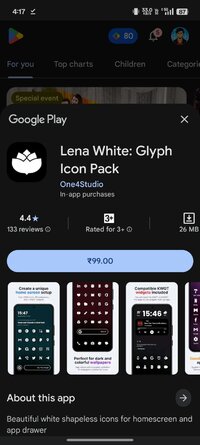
Lena White: Glyph Icon Pack - Apps on Google Play
Beautiful white shapeless icons for homescreen and app drawer
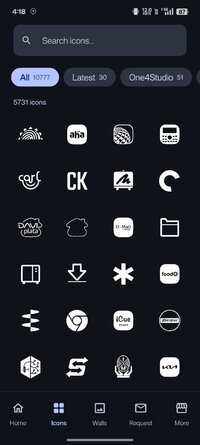
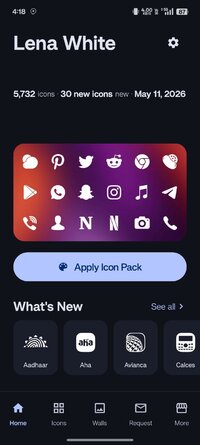
Let us introduce Lena White, our shapeless android icon pack—a unique and stylish collection of white glyph icons perfect for any modern Android phone. With a focus on simplicity and elegance, these icons feature clean lines and a minimalist design that will elevate the look and feel of your homescreen and app drawer. The pack includes over 6,030 icons, 90 wallpapers, and 7 KWGT widgets to complete the look of your homescreen. For the price of one app, you get content from three different apps! Our shapeless Lena White icon pack will take your homescreen design to the next level!
All our icon packs contain alternate icons for many popular apps, dynamic calendar icons, masking of unthemed icons, folders, and miscellaneous icons (you need to apply them manually).
How to apply a custom icon pack
You can apply our icon pack on almost any custom launcher (Nova launcher, Lawnchair, Niagara, etc.) and some default launchers like the Samsung OneUI launcher (www.bit.ly/IconsOneUI), OnePlus launcher, Oppo's Color OS, Nothing launcher, etc.
Why do you need a custom icon pack?
Using a custom Android icon pack can enhance the look and feel of your device. Icon packs can replace the default icons on your home screen and app drawer with ones more appropriate for your style or preferences. A custom icon pack can also help to unify your device's overall look and design, making it appear more cohesive and polished.
What if I don't like the icons after purchasing them, or if there are many missing icons for the apps I've installed on my phone?
Don't worry; we offer a full refund within the first 7 (seven!) days of purchase. No questions asked! But, if you're willing to wait a little longer, we update our app every week, so many more apps, including those you've missed, will be covered in the future. We also offer Premium icon requests if you want to skip a line. With the Premium request, you will get your requested icons in the next update (or two) for our pack.
Want to know more?
If you want to know more about our icon packs, check out the FAQ section on our website - https://www.one4studio.com/apps/icon-packs. You will get answers about supported launchers, how to send icon requests, and more.
Having more questions?
Don't hesitate to write us an email/message if you have a special request or any suggestions or questions.
Need more wallpapers?
Check out our One4Wall wallpaper app. We are sure that you will find something for yourself inside the app.
That's it. We sincerely hope that you will love our Lena White icon pack!
All our icon packs contain alternate icons for many popular apps, dynamic calendar icons, masking of unthemed icons, folders, and miscellaneous icons (you need to apply them manually).
How to apply a custom icon pack
You can apply our icon pack on almost any custom launcher (Nova launcher, Lawnchair, Niagara, etc.) and some default launchers like the Samsung OneUI launcher (www.bit.ly/IconsOneUI), OnePlus launcher, Oppo's Color OS, Nothing launcher, etc.
Why do you need a custom icon pack?
Using a custom Android icon pack can enhance the look and feel of your device. Icon packs can replace the default icons on your home screen and app drawer with ones more appropriate for your style or preferences. A custom icon pack can also help to unify your device's overall look and design, making it appear more cohesive and polished.
What if I don't like the icons after purchasing them, or if there are many missing icons for the apps I've installed on my phone?
Don't worry; we offer a full refund within the first 7 (seven!) days of purchase. No questions asked! But, if you're willing to wait a little longer, we update our app every week, so many more apps, including those you've missed, will be covered in the future. We also offer Premium icon requests if you want to skip a line. With the Premium request, you will get your requested icons in the next update (or two) for our pack.
Want to know more?
If you want to know more about our icon packs, check out the FAQ section on our website - https://www.one4studio.com/apps/icon-packs. You will get answers about supported launchers, how to send icon requests, and more.
Having more questions?
Don't hesitate to write us an email/message if you have a special request or any suggestions or questions.
Need more wallpapers?
Check out our One4Wall wallpaper app. We are sure that you will find something for yourself inside the app.
That's it. We sincerely hope that you will love our Lena White icon pack!
*Special Features*
● Supported Languages: af, am, ar, as, az, be, bg, bn, bs, ca, cs, da, de, el, en-AU, en-CA, en-GB, en-IN, en-XC, es, es-419, es-US, et, eu, fa, fi, fr, fr-CA, gl, gu, hi, hr, hu, hy, in, is, it, iw, ja, ka, kk, km, kn, ko, ky, lo, lt, lv, mk, ml, mn, mr, ms, my, nb, ne, nl, or, pa, pl, pt, pt-BR, pt-PT, ro, ru, si, sk, sl, sq, sr, sr-Latn, sv, sw, ta, te, th, tl, tr, uk, ur, uz, vi, zh-CN, zh-HK, zh-TW, zu;
● Supported Cpu Architecture: Armeabi-v7a, Arm64-v8a, X86, X86_64;
● Supported Screen Dpi: Ldpi, Mdpi, Tvdpi, Hdpi, Xhdpi, Xxhdpi, Xxxhdpi.
● Untouch Paid Apk With Original Hash Signature.
● Certificate MD5 Digest: 0071f841f504eb73b2cb1addbedc5e37.
.Apks Bundle Installation:
SAI Instructions: [No Root]
1. Download And Install Latest SAI App (Split APK Installer) - Releases · Aefyr/SAI
2. Download this .apks Archive App;
3. Install And Open SAI / Choose "Install APKs" Button / Find And Select Downloaded .apks Archive App;
4. Wait For Install And Done. Enjoy!.
Lucky Patcher Instructions: [No Root]
1. Download And Install Latest Lucky Patcher App;
2. Install And Open Lucky Patcher And Choose 'Rebuild & Install';
3. Find And Select Downloaded This .apks Archive App;
4. Wait For Install And Done. Enjoy!.
PS: Make Sure After Open SAI or Lucky Patcher You Allowed Storage Permission And Install Unknown Apps Permission!
Credit: TryRoom
Free Download:
! Hidden Content !
You must be registered and either click Like under this post or leave a comment before you can see the hidden links.
You may need to refresh the page after clicking Like. If you’re still having trouble revealing the hidden links, please
read this.
Did you know? VIP Members can see all links instantly, no unlocking required.
Interested? Get VIP here.
Interested? Get VIP here.