Playstore Link :

Lightroom AI Photo Editor - Apps on Google Play
The perfect picture editor for portraits, travel photography, and food photos.
Lightroom Photo & Video Editor v10.5.4 [Mod]
Requirements: 8.0 and up
Overview: Adobe Photoshop Lightroom is a free powerful photo & video editor and camera app that empowers you to capture and edit stunning images.
Lightroom offers easy-to-use photo & video editing tools like sliders to retouch your images apply photo filters fine-tune backgrounds and use transformative presets to quickly add unique adjustments that bring your photos to life wherever you are – all in one app.
PRESETS FILTERS FOR PICTURES VIDEOS & REELS
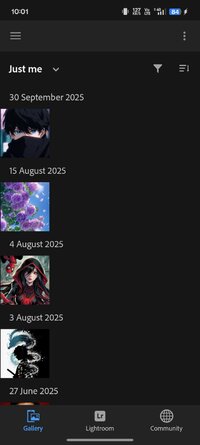
• Instantly access photos from your Android Gallery and edit your favorite photos in a flash
• Make quick & easy edits to your pictures with free presets
• Create amazing pictures & reels with 200+ exclusive Premium Presets created by professional photographers
• Create & save your own presets to apply to more photos for a cohesive look
PHOTO EDITOR & CAMERA
• Discover our easy-to-use photo editor with a range of exciting customizable features
• Instantly improve your photos with auto photo editor
• Use precision sliders to retouch all your light settings like contrast exposure highlights & shadows
• Create eye-popping picture edits with the color mixer & color grading tools
• Use the photo enhancer to change your pictures’ look & feel with the clarity texture dehaze & grain sliders
• Easily crop & rotate your pictures
• Use curves photo editor for advanced edits to highlights midtones shadows & color
• Exposure timer instant presets & more
• Get more detailed shots with advanced capture modes like raw professional & HDR
VIDEO & REELS MAKER
• Create Edit Replay – Save and share a short before-and-after video of your edits to showcase your creative process
• Access Premium video editing features with our video maker & editor
• Create your own look & feel across your collection of photos videos & reels
• Apply presets edit trim retouch & crop videos with precision sliders to fine-tune contrast highlights vibrance with video effects & more
PREMIUM MEMBERSHIP
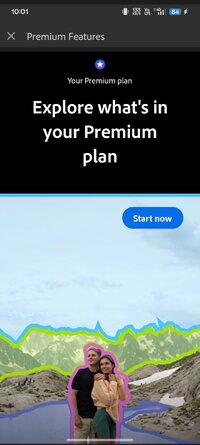
Next level images with the Lightroom Premium photo & video editor.
Upgrade & unlock easy-to-use tools like exclusive presets filters picture enhancer Healing Brush masking geometry cloud storage & more with an intuitive photo editor.
• Lightroom’s Premium video editor brings the same top-quality photo editing features that users love to video editing
• Use amazing video editing filters with our unique photo & video enhancer
• Access 200+ hand-crafted premium preset filters created by professional photographers
• AI recommends presets that will work best to retouch your photos & videos
• Trim & edit videos utilizing an all-in-one photo & video editor
• Retouch & remove objects or distracting elements with the Healing Brush
• Lightroom AI automatically selects the sky or subject of your photo to retouch further
• Lightroom’s Discover feed lets you showcase your photos online and share your photo editing process with others
• Photo & video edits sync seamlessly so any retouch editing changes you make in the app are always up to date
Terms & Conditions:
Your use of this application is governed by the Adobe General Terms of Use Adobe General Terms of Use | Adobe Legal & the Adobe Privacy Policy Adobe Privacy Policy
Do not sell or share my personal information Location-Specific Privacy Rights and Information Notice | Adobe Privacy
Mod Info:
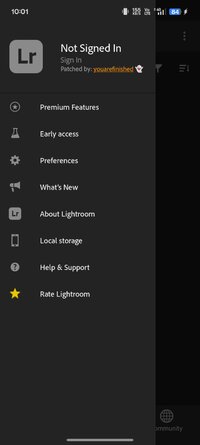
- Paid features unlocked
- In offline variant most features work offline (except Blur feature as that's an AI feature and requires Internet).
- Use Facebook or Adobe account to login but it's not necessary anymore
Whats New:
- Generative Remove is better than ever with an updated AI model and workflow that makes removals faster and more seamless
- Export multiple photos with a border
- Support for Android 15
- New camera & lens support (adobe.com/go/cameras)
- Bug fixes, stability & performance improvements
Requirements: 8.0 and up
Overview: Adobe Photoshop Lightroom is a free powerful photo & video editor and camera app that empowers you to capture and edit stunning images.
Lightroom offers easy-to-use photo & video editing tools like sliders to retouch your images apply photo filters fine-tune backgrounds and use transformative presets to quickly add unique adjustments that bring your photos to life wherever you are – all in one app.
PRESETS FILTERS FOR PICTURES VIDEOS & REELS
• Instantly access photos from your Android Gallery and edit your favorite photos in a flash
• Make quick & easy edits to your pictures with free presets
• Create amazing pictures & reels with 200+ exclusive Premium Presets created by professional photographers
• Create & save your own presets to apply to more photos for a cohesive look
PHOTO EDITOR & CAMERA
• Discover our easy-to-use photo editor with a range of exciting customizable features
• Instantly improve your photos with auto photo editor
• Use precision sliders to retouch all your light settings like contrast exposure highlights & shadows
• Create eye-popping picture edits with the color mixer & color grading tools
• Use the photo enhancer to change your pictures’ look & feel with the clarity texture dehaze & grain sliders
• Easily crop & rotate your pictures
• Use curves photo editor for advanced edits to highlights midtones shadows & color
• Exposure timer instant presets & more
• Get more detailed shots with advanced capture modes like raw professional & HDR
VIDEO & REELS MAKER
• Create Edit Replay – Save and share a short before-and-after video of your edits to showcase your creative process
• Access Premium video editing features with our video maker & editor
• Create your own look & feel across your collection of photos videos & reels
• Apply presets edit trim retouch & crop videos with precision sliders to fine-tune contrast highlights vibrance with video effects & more
PREMIUM MEMBERSHIP
Next level images with the Lightroom Premium photo & video editor.
Upgrade & unlock easy-to-use tools like exclusive presets filters picture enhancer Healing Brush masking geometry cloud storage & more with an intuitive photo editor.
• Lightroom’s Premium video editor brings the same top-quality photo editing features that users love to video editing
• Use amazing video editing filters with our unique photo & video enhancer
• Access 200+ hand-crafted premium preset filters created by professional photographers
• AI recommends presets that will work best to retouch your photos & videos
• Trim & edit videos utilizing an all-in-one photo & video editor
• Retouch & remove objects or distracting elements with the Healing Brush
• Lightroom AI automatically selects the sky or subject of your photo to retouch further
• Lightroom’s Discover feed lets you showcase your photos online and share your photo editing process with others
• Photo & video edits sync seamlessly so any retouch editing changes you make in the app are always up to date
Terms & Conditions:
Your use of this application is governed by the Adobe General Terms of Use Adobe General Terms of Use | Adobe Legal & the Adobe Privacy Policy Adobe Privacy Policy
Do not sell or share my personal information Location-Specific Privacy Rights and Information Notice | Adobe Privacy
Mod Info:
- Paid features unlocked
- In offline variant most features work offline (except Blur feature as that's an AI feature and requires Internet).
- Use Facebook or Adobe account to login but it's not necessary anymore
Whats New:
- Generative Remove is better than ever with an updated AI model and workflow that makes removals faster and more seamless
- Export multiple photos with a border
- Support for Android 15
- New camera & lens support (adobe.com/go/cameras)
- Bug fixes, stability & performance improvements
*Special Features*
- Paid features unlocked
- In offline variant most features work offline (except Blur feature as that's an AI feature and requires Internet).
- Use Facebook or Adobe account to login but it's not necessary anymore
- arm64
Credit : - @ youarefinished
Free Download:
! Hidden Content !
You must be registered and either click Like under this post or leave a comment before you can see the hidden links.
You may need to refresh the page after clicking Like. If you’re still having trouble revealing the hidden links, please
read this.
Did you know? VIP Members can see all links instantly, no unlocking required.
Interested? Get VIP here.
Interested? Get VIP here.