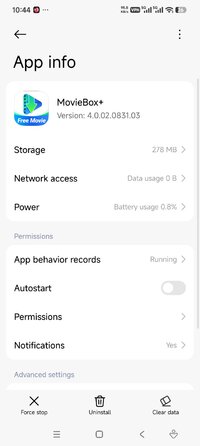
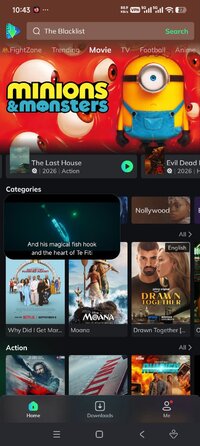
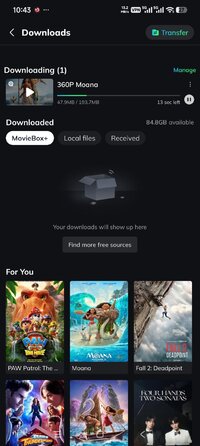
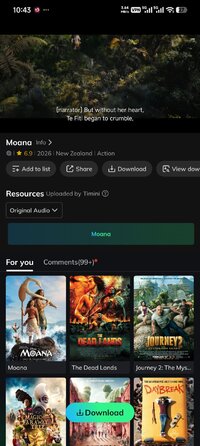
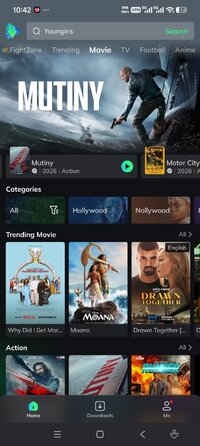
Outdated MovieBox Ver. 4.0.02.0831.03 FIX MOD APK | Region Unlocked, Premium Unlocked

App-Architecture
Dual-Arch (ARM64 + ARMv7 | 64+32 Bit)

DemonDeV-tech0

Awesome Active Platinian
icon_c8ec69.png


Playstore Link:

*Special Features*
1. Premium Features Unlocked - Access premium-only features directly in the Geo Bypass build.
2. No Subscription Required - Use the listed MOD features without a paid subscription.
3. Screenshot/ScreenRecord Enabled - Capture screenshots or record the screen where the original app may block it.
4. All Ads Disabled - Watch with a cleaner interface and fewer interruptions.
5. Ads Splash/Players/Dialogs Removed - Removes ad splash screens, player ads, and ad dialogs from the experience.
6. Push Notification Removed - Reduces unwanted promotional or background notifications.
7. Languages: Multi - Multi-language support for a broader international audience.
8. Bypass/Unlock Region - Designed to bypass or unlock region limits that may affect playback or availability.

Free Download:


! Hidden Content !
You must be registered and either click Like under this post or leave a comment before you can see the hidden links.
You may need to refresh the page after clicking Like. If you’re still having trouble revealing the hidden links, please read this.

Did you know? VIP Members can see all links instantly, no unlocking required.
Interested? Get VIP here.

 
Last edited:
Tested By PTT - GINAV5 Working​
 

Attachments

  • Screenshot_2026-09-12-10-44-43-643_com.miui.securitycenter.jpg
    Screenshot_2026-09-12-10-44-43-643_com.miui.securitycenter.jpg
    76.8 KB · Views: 46
  • Screenshot_2026-09-12-10-43-53-821_com.community.oneroom.geobypass.jpg
    Screenshot_2026-09-12-10-43-53-821_com.community.oneroom.geobypass.jpg
    198.3 KB · Views: 42
  • Screenshot_2026-09-12-10-43-43-455_com.community.oneroom.geobypass.jpg
    Screenshot_2026-09-12-10-43-43-455_com.community.oneroom.geobypass.jpg
    167.6 KB · Views: 41
  • Screenshot_2026-09-12-10-43-13-984_com.community.oneroom.geobypass.jpg
    Screenshot_2026-09-12-10-43-13-984_com.community.oneroom.geobypass.jpg
    222.2 KB · Views: 39
  • Screenshot_2026-09-12-10-42-54-447_com.community.oneroom.geobypass.jpg
    Screenshot_2026-09-12-10-42-54-447_com.community.oneroom.geobypass.jpg
    192.3 KB · Views: 46
Does this work for Android tv?
Yes, it works. You just need the APK. You can get it via Android TV: go to the Play Store and download the "Downloader" app, then enable the setting to allow installations from unknown sources. After that, navigate to this conversation, download the APK, and install it.
 
Does this work for Android tv?
After some basic testing, here is the verdict: Incompatible with the remote control—the interface is 100% touch-based (menus at the bottom, buttons not optimized for D-Pad navigation). You won't be able to navigate normally without plugging in a mouse or using an app like Mouse Toggle. No icon on the TV menu—the app lacks the "Leanback" declaration for Android TV. It won't appear on the home screen; you'll have to launch it from the TV settings or use an alternative launcher. That said, I might be able to modify the manifest to at least add the Leanback icon; as for navigation, a mouse or an app will still be required (as mentioned above), though I'll see if I can add a modification for remote control support.
 
Tags Tags
ptt ginav5 working
Back
Top Bottom