Playstore Link :

Network Tools - DNS Changer - Apps on Google Play
Network-Tools feature with Port Scanner, Ping, Traceroute, WHOIS & More
My IP Information - IP Tools
 This IP Address Tools provides details about an IP address. Its estimated physical location (country, state, and city) and a map.
Get the most accurate device recognition of IP address, MAC address, device name, model, vendor and manufacturer.
Why to change your DNS server?
 Improve online gaming experience
Stay more secure on public Wi-Fi
Freely explore on your favorite sites & apps
Enjoy the fast and private internet browsing experience
Accessing restricted websites easily
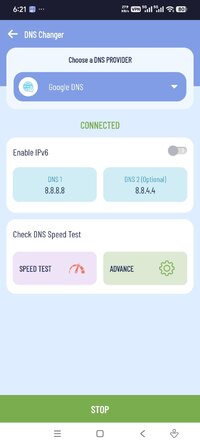
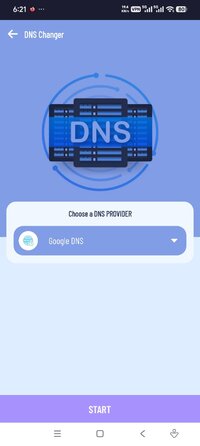
DNS Changer
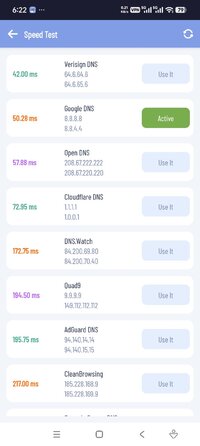
★ Easiest way to change your DNS and check DNS Speed Test - get the best DNS server.
★ Completely Works without root and works for both Mobile Network Data and WiFi Connection.
★ Explore freely on your favorite sites & apps
★ Enjoy the best net browsing performance and gaming experience
★ Access websites & apps while abroad
★ Browse privately and stay secure on public Wi-Fi
Other Network Tools
➤ Whois - WHOIS query will allow you to query multiple domain registrars' databases.
➤ Ping - To determine if a server is responding to requests, you can use Ping. You provide an IP address or a domain name, and you can see if the host is responding or not.
➤ Traceroute - Determining if there's a specific server (or node) that is slow or unreachable.
➤ Lan Scanner - LAN host discovery - allows you to discover hosts on your network and will display useful network information about your device and other hosts.
➤ IP Host Converter - IP to Hostname Lookup, This tool provides the hostname of an IP address.
➤ Router Setup Page - helps you easily access your router settings and control your WiFi network.
➤ WiFi Strength Meter - can view your current WiFi signal strength and detect WiFi Signal Strength around you in real time.
➤ DNS Lookup - The DNS Lookup tool retrieves domain name records for the domain name that you provide. You can use this to help diagnose problems and see if the problem originates from the domain name server.
Required Permissions And Privacy Notes:
VPNService: DNS Changer uses VPNService base class to create DNS & VPN connection.
This IP Address Tools provides details about an IP address. Its estimated physical location (country, state, and city) and a map. Get the most accurate device recognition of IP address, MAC address, device name, model, vendor and manufacturer.Why to change your DNS server?
Improve online gaming experience Stay more secure on public Wi-Fi Freely explore on your favorite sites & apps Enjoy the fast and private internet browsing experience Accessing restricted websites easilyDNS Changer
★ Easiest way to change your DNS and check DNS Speed Test - get the best DNS server.
★ Completely Works without root and works for both Mobile Network Data and WiFi Connection.
★ Explore freely on your favorite sites & apps
★ Enjoy the best net browsing performance and gaming experience
★ Access websites & apps while abroad
★ Browse privately and stay secure on public Wi-Fi
Other Network Tools
➤ Whois - WHOIS query will allow you to query multiple domain registrars' databases.
➤ Ping - To determine if a server is responding to requests, you can use Ping. You provide an IP address or a domain name, and you can see if the host is responding or not.
➤ Traceroute - Determining if there's a specific server (or node) that is slow or unreachable.
➤ Lan Scanner - LAN host discovery - allows you to discover hosts on your network and will display useful network information about your device and other hosts.
➤ IP Host Converter - IP to Hostname Lookup, This tool provides the hostname of an IP address.
➤ Router Setup Page - helps you easily access your router settings and control your WiFi network.
➤ WiFi Strength Meter - can view your current WiFi signal strength and detect WiFi Signal Strength around you in real time.
➤ DNS Lookup - The DNS Lookup tool retrieves domain name records for the domain name that you provide. You can use this to help diagnose problems and see if the problem originates from the domain name server.
Required Permissions And Privacy Notes:
VPNService: DNS Changer uses VPNService base class to create DNS & VPN connection.
*Special Features*
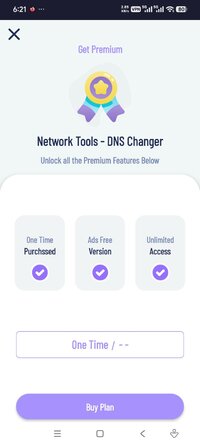
✪ Premium features unlocked;
✪ Removed unnecessary files;
✪ All Debug Codes Removed;
Credit to : TRUMods
Free Download:
! Hidden Content !
You must be registered and either click Like under this post or leave a comment before you can see the hidden links.
You may need to refresh the page after clicking Like. If you’re still having trouble revealing the hidden links, please
read this.
Did you know? VIP Members can see all links instantly, no unlocking required.
Interested? Get VIP here.
Interested? Get VIP here.