Playstore Link :

Network Utilities - Apps on Google Play
Network tools, those must have every system administrator
Application contains a set of tools for computer networks diagnostics.
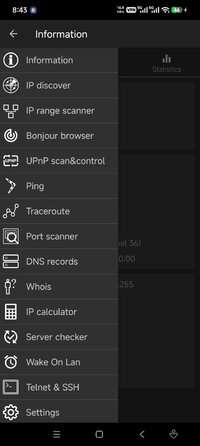
• IP discover will find all devices in WiFi network
• IP range scanner (search hosts by ip range, allows filter hosts by opened ports)
• Bonjour browser
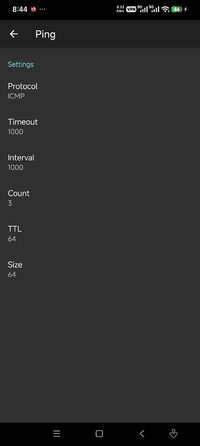
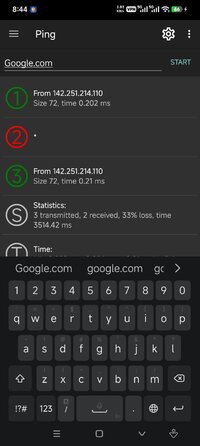
• Ping
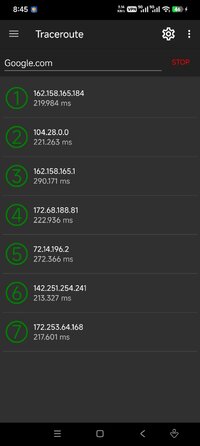
• Traceroute
• Port scanner (tcp, udp)
• DNS records
• IP calculator
• Whois
• Wake On Lan
• Network information displays external IP and other connection information. Wifi analyzer and traffic statistics tools are also available on this screen
• Server checker (check servers availability with using HTTP, HTTPs, ICMP, TCP protocols)
• Telnet and ssh client (may be used as terminal emulator that supports most ESC commands, SGR and utf8 encoding)
• UPnP scan & control (find upnp devices in your network, allows to call methods from available services)
Features those available for Android 9 and lower:
• Connections screen
• Monitoring screen shows traffic usage in real time
Features those available for root mode:
• Packet sniffer allows get dumps for selected network interface, explore them with built-in hex viewer and also save and open pcap files
• Packet crafter allows configure and send arbitrary ethernet packet (supports ethernet, arp, ip, udp, tcp, icmp headers)
• Network information will show external ip and detailed info about internet connection. It contains also wifi analyzer and traffic statistics tool
Those tools can be effective used in WiFi networks. App allows to launch multiple tools in different tabs at the one moment, and switch between them during working.
The list of available tools is constantly expanding, old utilities acquire new features. Developers take into account customers feedback to make this app even more handly and functional.
• IP discover will find all devices in WiFi network
• IP range scanner (search hosts by ip range, allows filter hosts by opened ports)
• Bonjour browser
• Ping
• Traceroute
• Port scanner (tcp, udp)
• DNS records
• IP calculator
• Whois
• Wake On Lan
• Network information displays external IP and other connection information. Wifi analyzer and traffic statistics tools are also available on this screen
• Server checker (check servers availability with using HTTP, HTTPs, ICMP, TCP protocols)
• Telnet and ssh client (may be used as terminal emulator that supports most ESC commands, SGR and utf8 encoding)
• UPnP scan & control (find upnp devices in your network, allows to call methods from available services)
Features those available for Android 9 and lower:
• Connections screen
• Monitoring screen shows traffic usage in real time
Features those available for root mode:
• Packet sniffer allows get dumps for selected network interface, explore them with built-in hex viewer and also save and open pcap files
• Packet crafter allows configure and send arbitrary ethernet packet (supports ethernet, arp, ip, udp, tcp, icmp headers)
• Network information will show external ip and detailed info about internet connection. It contains also wifi analyzer and traffic statistics tool
Those tools can be effective used in WiFi networks. App allows to launch multiple tools in different tabs at the one moment, and switch between them during working.
The list of available tools is constantly expanding, old utilities acquire new features. Developers take into account customers feedback to make this app even more handly and functional.
*Special Features*
1. Premium features unlocked
Credit to : srajawwal09
Free Download:
! Hidden Content !
You must be registered and either click Like under this post or leave a comment before you can see the hidden links.
You may need to refresh the page after clicking Like. If you’re still having trouble revealing the hidden links, please
read this.
Did you know? VIP Members can see all links instantly, no unlocking required.
Interested? Get VIP here.
Interested? Get VIP here.