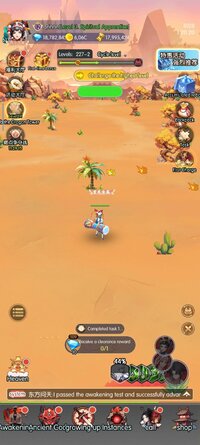
After tapping the left button on the private server pop-up, a window with a single box and button should pop up; enter your desired login name into the box, presumably letters and numbers, then tap the button to log in (make sure you keep that login name safe, as it's your username AND password in one)
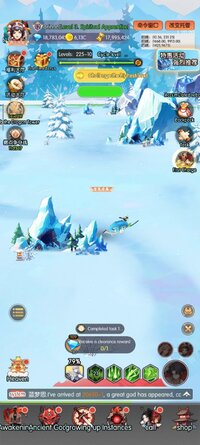
View attachment 986927beforeView attachment 986928after, look at the top right corner, something has been added, then when you press it, the game is not touch responsive at all, why?
The left button of those two buttons in the corner brings you to the GM command interface, with a command prefilled to give (the 2 in the command) one (the 1 in the command) of the item you last tapped in the game to learn more about (the multi-digit number in the command). You should just be able to modify the 1 to however many of the item you want, then run the command.
After clicking there go to main game menu on top right corner you will see 2 orange option click on the first one - tap on any item gm panel will auto detect item id then add the quantity and send
After clicking there go to main game menu on top right corner you will see 2 orange option click on the first one - tap on any item gm panel will auto detect item id then add the quantity and send
View attachment 990410 View attachment 990411
O jogo funciona perfeitamente.
É possível alterar o idioma nas configurações do jogo. Mas a função GM eu não faço ideia de como funciona... cliquei várias vezes na opção do avatar e nada mudou.
After clicking there go to main game menu on top right corner you will see 2 orange option click on the first one - tap on any item gm panel will auto detect item id then add the quantity and send
for me the GM tools doesn't appear in the main menu.
I click on Anti-aliasing many times, but when I go back to the main menu these two orange boxes don't appear
This site uses cookies to help personalise content, tailor your experience and to keep you logged in if you register.
By continuing to use this site, you are consenting to our use of cookies.