Playstore Link :

Past Notifications - Apps on Google Play
No more miss your notifications. Read message without "Read" receipts.
Past Notifications v2.1.5 [Pro]
Requirements: 6.0+
Overview: Notification recording app. Have you missed notifications that you were going to check later due to Reboot or Wrong clearing? This app record notifications shown in status bar. So you can check notifications that you have removed.
** Introduction **
This app record notification history shown in status bar.
Have you missed notifications that you were going to check later due to Reboot or Wrong clearing?
Have you thought if you can read message without "Read" receipts from Message apps like a WhatsApp.
This app record notifications shown in status bar, and you can check notifications later.
** Overview **
- You can check notifications later even if you cleared it.
- You can read message without "Read" receipts from Message apps like a WhatsApp.
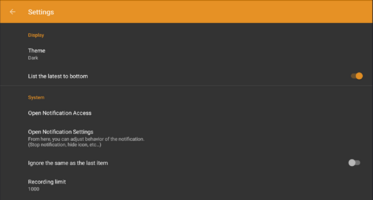
- Not record notifications you don't need with "Ignore list" filter.
** Characteristics **
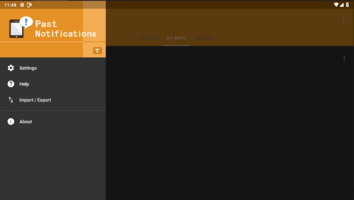
>> Easy-to-read notification history
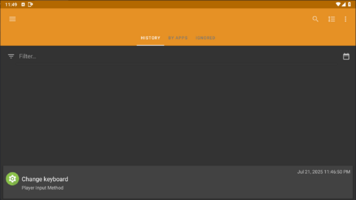
- List all the notification history in chronological order.
- You can see the notification history grouped by each app.
- You can filter and search notifications of your list.
- You can check full text of notifications if the notification is long.
- You can check notification history anytime from status bar icon.
>> Manage clealy
- The app not record the notification if the app was registered to "Ignore list".
- You can set ignore word not to record notifications.
>> Easy initial setting
- Simply enable "Past Notification" in "System settings / Access Notification", then the app start to recording notification histories.
- To stop recording notifications, please disable it.
* Disclaimer
- This app will NEVER collect any other information, except notifications.
- And the permission of network is used by only loading ads.
** Permission **
>> INTERNET, ACCESS_NETWORK_STATE
- To load ads.
What's New:
* Support Android 16
Requirements: 6.0+
Overview: Notification recording app. Have you missed notifications that you were going to check later due to Reboot or Wrong clearing? This app record notifications shown in status bar. So you can check notifications that you have removed.
** Introduction **
This app record notification history shown in status bar.
Have you missed notifications that you were going to check later due to Reboot or Wrong clearing?
Have you thought if you can read message without "Read" receipts from Message apps like a WhatsApp.
This app record notifications shown in status bar, and you can check notifications later.
** Overview **
- You can check notifications later even if you cleared it.
- You can read message without "Read" receipts from Message apps like a WhatsApp.
- Not record notifications you don't need with "Ignore list" filter.
** Characteristics **
>> Easy-to-read notification history
- List all the notification history in chronological order.
- You can see the notification history grouped by each app.
- You can filter and search notifications of your list.
- You can check full text of notifications if the notification is long.
- You can check notification history anytime from status bar icon.
>> Manage clealy
- The app not record the notification if the app was registered to "Ignore list".
- You can set ignore word not to record notifications.
>> Easy initial setting
- Simply enable "Past Notification" in "System settings / Access Notification", then the app start to recording notification histories.
- To stop recording notifications, please disable it.
* Disclaimer
- This app will NEVER collect any other information, except notifications.
- And the permission of network is used by only loading ads.
** Permission **
>> INTERNET, ACCESS_NETWORK_STATE
- To load ads.
What's New:
* Support Android 16
*Special Features*
◉ Pro Features Unlocked
◉ Debug info removed
◉ Multi Language
◉ For - Universal
Credit : - @ youarefinished
Free Download:
! Hidden Content !
You must be registered and either click Like under this post or leave a comment before you can see the hidden links.
You may need to refresh the page after clicking Like. If you’re still having trouble revealing the hidden links, please
read this.
Did you know? VIP Members can see all links instantly, no unlocking required.
Interested? Get VIP here.
Interested? Get VIP here.