Playstore Link :
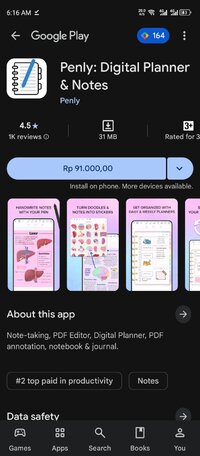
Penly: Digital Planner & Notes - Apps on Google Play
Note-taking, PDF Editor, Digital Planner, PDF annotation, notebook & journal.
Penly: Digital Planner & Notes Ver. 1.23.16 b130 MOD APK l Paid Patched
Requirements: 8.0+
Overview: Note-taking, PDF Editor, Digital Planner, PDF annotation, notebook & journal.
Image
️ Unlock your creativity and boost your productivity with Penly — your all-in-one digital planner, journal, and note-taking app.
• Simple, intuitive interface
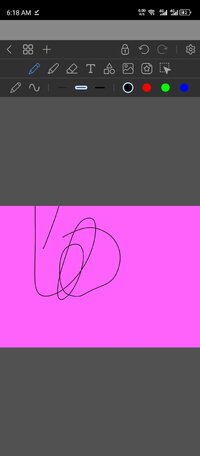
• Smooth handwriting and smart eraser
• Text, image, and shape tools
• Create sticker collections
• Import custom fonts
• Automatic handwriting to text
• Highlight & underline
• Transform, group, and lock objects
• Undo & redo your actions
DIGITAL PLANNERS INCLUDED
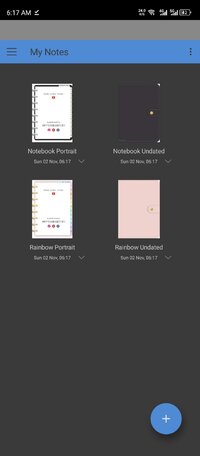
• Four digital planners included
• Hyperlinked monthly, weekly and daily pages
• Undated & reusable: write in the dates yourself
• Landscape and portrait
• Rainbow and black minimal styles
• To do list and note templates included
 IMPORT PDF FILES & PLANNERS
• Any PDF file can be imported into the app
• Navigate PDF files using existing hyperlinks
• Export your file as an editable Penly file or as PDF
CREATE HYPERLINKS
• Create your own hyperlinks in any document
• Turn any object into a hyperlink
• Hyperlink to pages or websites
️ STICKER & IMAGE TOOLS
• Use the collections tool to organize your stickers
• Bulk import stickers in one go
• Save notes and drawings to collections for quick reuse
• Edit and rearrange items
• Favorite collections for faster access
• Mirror, flip, crop and adjust image opacity
ORGANIZE PAGES AND DOCUMENTS
• Organize your notes: copy, paste, delete and rearrange pages
• Manage your documents with folders and sub-folders
• Documents reopen right where you left off
SYNC BETWEEN ANDROID DEVICES
• Link Google Drive to Penly to enable syncing
• Sync manually, or whenever app is opened/closed
LANGUAGE
English language support only
PURCHASE & REFUND
One-time payment for full access to app.
We offer refunds for any reason within 7 days. Email us via "[email protected]" with the email you used to make the purchase. We aim to respond within 2 working days.
JOIN OUR FACEBOOK COMMUNITY
 www.facebook.com
 WATCH TIPS & TUTORIALS

 www.youtube.com

 www.instagram.com
Contact me at: [email protected]
(For issues, please include app version and device name)
 Like Penly app? Please leave a 5 star review!
What's New:
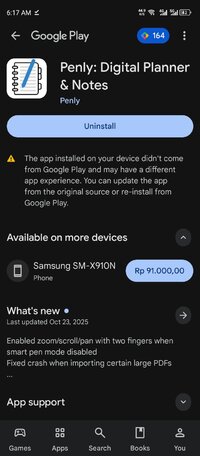
Enabled zoom/scroll/pan with two fingers when smart pen mode disabled
Fixed crash when importing certain large PDFs
Fixed web links case sensitivity
Fixed color picker tool picking the wrong color
Requirements: 8.0+
Overview: Note-taking, PDF Editor, Digital Planner, PDF annotation, notebook & journal.
Image
️ Unlock your creativity and boost your productivity with Penly — your all-in-one digital planner, journal, and note-taking app.
• Simple, intuitive interface
• Smooth handwriting and smart eraser
• Text, image, and shape tools
• Create sticker collections
• Import custom fonts
• Automatic handwriting to text
• Highlight & underline
• Transform, group, and lock objects
• Undo & redo your actions
DIGITAL PLANNERS INCLUDED
• Four digital planners included
• Hyperlinked monthly, weekly and daily pages
• Undated & reusable: write in the dates yourself
• Landscape and portrait
• Rainbow and black minimal styles
• To do list and note templates included
IMPORT PDF FILES & PLANNERS• Any PDF file can be imported into the app
• Navigate PDF files using existing hyperlinks
• Export your file as an editable Penly file or as PDF
CREATE HYPERLINKS
• Create your own hyperlinks in any document
• Turn any object into a hyperlink
• Hyperlink to pages or websites
️ STICKER & IMAGE TOOLS
• Use the collections tool to organize your stickers
• Bulk import stickers in one go
• Save notes and drawings to collections for quick reuse
• Edit and rearrange items
• Favorite collections for faster access
• Mirror, flip, crop and adjust image opacity
ORGANIZE PAGES AND DOCUMENTS
• Organize your notes: copy, paste, delete and rearrange pages
• Manage your documents with folders and sub-folders
• Documents reopen right where you left off
SYNC BETWEEN ANDROID DEVICES
• Link Google Drive to Penly to enable syncing
• Sync manually, or whenever app is opened/closed
LANGUAGE
English language support only
PURCHASE & REFUND
One-time payment for full access to app.
We offer refunds for any reason within 7 days. Email us via "[email protected]" with the email you used to make the purchase. We aim to respond within 2 working days.
JOIN OUR FACEBOOK COMMUNITY
Se connecter à Facebook
Connectez-vous à Facebook pour commencer à partager et communiquer avec vos amis, votre famille et les personnes que vous connaissez.
www.facebook.com
WATCH TIPS & TUTORIALS
Penly app
Penly app for digital planning and digital note taking ✨ exclusively for Android
www.youtube.com
Digital planning & notes app for Android (@penly.app) • Instagram photos and videos
19K Followers, 2 Following, 72 Posts - See Instagram photos and videos from Digital planning & notes app for Android (@penly.app)
www.instagram.com
Contact me at: [email protected]
(For issues, please include app version and device name)
Like Penly app? Please leave a 5 star review! What's New:
Enabled zoom/scroll/pan with two fingers when smart pen mode disabled
Fixed crash when importing certain large PDFs
Fixed web links case sensitivity
Fixed color picker tool picking the wrong color
*Special Features*
1. Paid Patched
Credit to : youarefinished
Free Download:
! Hidden Content !
You must be registered and either click Like under this post or leave a comment before you can see the hidden links.
You may need to refresh the page after clicking Like. If you’re still having trouble revealing the hidden links, please
read this.
Did you know? VIP Members can see all links instantly, no unlocking required.
Interested? Get VIP here.
Interested? Get VIP here.