Playstore Link :

Pigments Color Palette Creator - Apps on Google Play
Pigments brings beautiful color palettes to your pocket.
Pigments - Color Scheme Creator v3.72 [Plus]
Requirements: 7.0+
Overview: Pigments brings beautiful color palettes to your pocket.
Pigments brings beautiful color palettes to your pocket.
Pigments is the all-around tool when it comes to creating and editing color palettes.
Features:
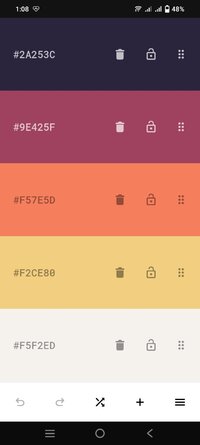
★ Simple - Create color palettes with a simple tap.
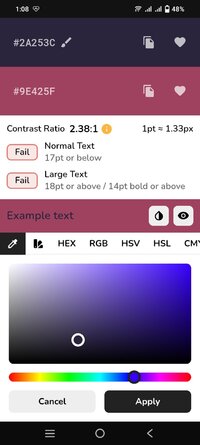
★ Adjustable colors - Tweak individual colors by using the color picker mode of your choice (visual, HEX, RGB, HSV, HSL or CMYK color picker).
★ Adjustable palette - Tweak the hue, saturation, brightness or temperature of the entire color palette.
★ Adjustable size - Each color scheme can have up to 30 colors.
★ Multiple generator types - Select from a variety of modes used for generating starter color palettes including random, gradient, pastel, neutral, metallic, experimental modes powered by artificial intelligence and more.
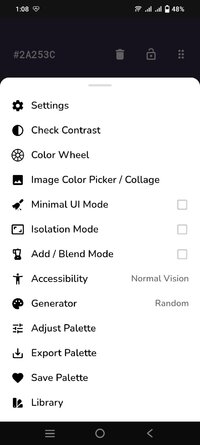
★ Color wheel - Interactive RGB/RYB color wheels for generating color harmonies (monochromatic, analogous, complementary, compound, triadic and more).
★ History - Undo or redo any changes made to the color palette.
★ Reorder - The colors can be arranged in any order.
★ Lock colors - Prevent certain colors from changing when generating a new color scheme.
★ Isolation mode - Add spacing around the colors.
★ Contrast checker - Check the contrast score between two colors.
★ Simulate color vision deficiencies - Validate the accessibility of a color palette by simulating color blindness (protanopia, protanomaly, deuteranopia, deuteranomaly, tritanopia, tritanomaly, achromatopsia, achromatomaly).
★ Blend mode - Mix two colors together.
★ Image color picker - Create color palettes from images by selecting the colors manually or by using the auto pick feature.
★ Image color palette collage - Export a collage containing an image and its color palette.
★ Save for later - The colors/palettes can be saved and tagged. The data is stored locally in your library.
★ Browse - Browse an online selection of color palettes.
★ Export - Export the color palettes in various formats.
★ Share - Create a link to a palette and share it with other people.
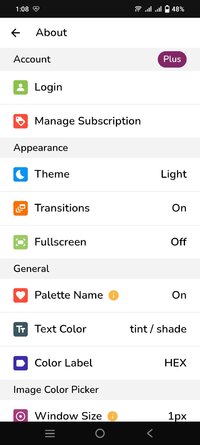
★ Theme - Dark and light app theme.
What's New:
- Removed the "None" color label option (now covered by the Minimal UI Mode).
- Color palette adjustments now respect the selected color label option.
- Fixed various display inconsistencies regarding spacing.
- Fixed palette library filters menu not closing in some cases.
This app has no advertisements
Requirements: 7.0+
Overview: Pigments brings beautiful color palettes to your pocket.
Pigments brings beautiful color palettes to your pocket.
Pigments is the all-around tool when it comes to creating and editing color palettes.
Features:
★ Simple - Create color palettes with a simple tap.
★ Adjustable colors - Tweak individual colors by using the color picker mode of your choice (visual, HEX, RGB, HSV, HSL or CMYK color picker).
★ Adjustable palette - Tweak the hue, saturation, brightness or temperature of the entire color palette.
★ Adjustable size - Each color scheme can have up to 30 colors.
★ Multiple generator types - Select from a variety of modes used for generating starter color palettes including random, gradient, pastel, neutral, metallic, experimental modes powered by artificial intelligence and more.
★ Color wheel - Interactive RGB/RYB color wheels for generating color harmonies (monochromatic, analogous, complementary, compound, triadic and more).
★ History - Undo or redo any changes made to the color palette.
★ Reorder - The colors can be arranged in any order.
★ Lock colors - Prevent certain colors from changing when generating a new color scheme.
★ Isolation mode - Add spacing around the colors.
★ Contrast checker - Check the contrast score between two colors.
★ Simulate color vision deficiencies - Validate the accessibility of a color palette by simulating color blindness (protanopia, protanomaly, deuteranopia, deuteranomaly, tritanopia, tritanomaly, achromatopsia, achromatomaly).
★ Blend mode - Mix two colors together.
★ Image color picker - Create color palettes from images by selecting the colors manually or by using the auto pick feature.
★ Image color palette collage - Export a collage containing an image and its color palette.
★ Save for later - The colors/palettes can be saved and tagged. The data is stored locally in your library.
★ Browse - Browse an online selection of color palettes.
★ Export - Export the color palettes in various formats.
★ Share - Create a link to a palette and share it with other people.
★ Theme - Dark and light app theme.
What's New:
- Removed the "None" color label option (now covered by the Minimal UI Mode).
- Color palette adjustments now respect the selected color label option.
- Fixed various display inconsistencies regarding spacing.
- Fixed palette library filters menu not closing in some cases.
This app has no advertisements
*Special Features*
Mod Info:
● Paid / Pro Features Unlocked;
● Languages: Full Multi Languages;
● CPUs: Universal Architecture;
Free Download:
! Hidden Content !
You must be registered and either click Like under this post or leave a comment before you can see the hidden links.
You may need to refresh the page after clicking Like. If you’re still having trouble revealing the hidden links, please
read this.
Did you know? VIP Members can see all links instantly, no unlocking required.
Interested? Get VIP here.
Interested? Get VIP here.