Playstore Link:

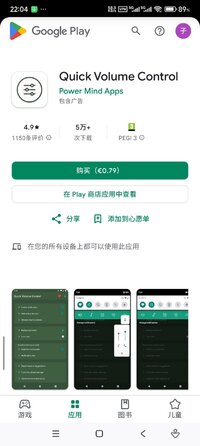
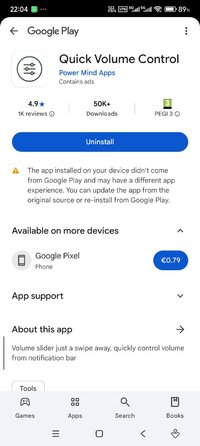
Quick Volume Control - Apps on Google Play
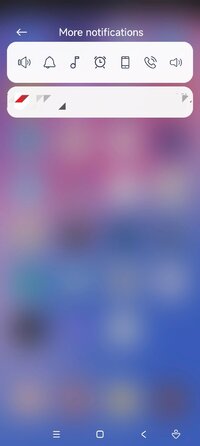
Volume slider just a swipe away, quickly control volume from notification bar
Control volume from notification bar without pressing physical volume keys. This is the small little app (150 kb in size) without any nasty permissions or background services.
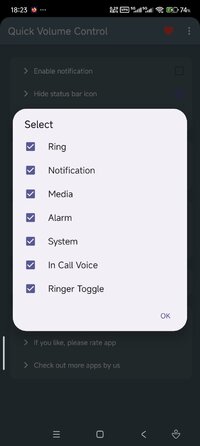
It provides maximum customisation options with clean simple UI. app allows notification toggles for volume sliders: Ring, Notification, Alarm, Music, In call and system(dial tone).
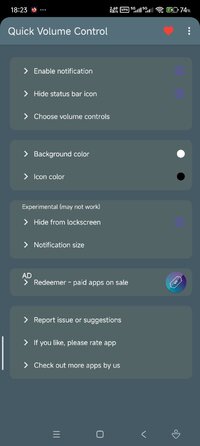
Notification toggles are customisable with background and icon colour.
Choose volume toggles those you want to access from notification,
Ringer mode toggle is available to control and change ringer modes quickly such as Silent, Vibrate and normal.
Features:
- Quickly control volumes from notification bar
- Change back color and icon color for notification toggles
- Add/remove notification toggles
- Ringer mode notification toggle
- Widget on your home-screen
- No nasty permissions
- Small size (150 kb)
Note:
- App need do not disturb permission for changing ringer modes.
- Not all device support Ring and notification volumes separately. so if your device belongs to that category, you can hide. notification toggle from option in app main screen.
It provides maximum customisation options with clean simple UI. app allows notification toggles for volume sliders: Ring, Notification, Alarm, Music, In call and system(dial tone).
Notification toggles are customisable with background and icon colour.
Choose volume toggles those you want to access from notification,
Ringer mode toggle is available to control and change ringer modes quickly such as Silent, Vibrate and normal.
Features:
- Quickly control volumes from notification bar
- Change back color and icon color for notification toggles
- Add/remove notification toggles
- Ringer mode notification toggle
- Widget on your home-screen
- No nasty permissions
- Small size (150 kb)
Note:
- App need do not disturb permission for changing ringer modes.
- Not all device support Ring and notification volumes separately. so if your device belongs to that category, you can hide. notification toggle from option in app main screen.
*Special Features*
● Supported Languages: af, am, ar, as, az, be, bg, bn, bs, ca, cs, da, de, el, en-AU, en-CA, en-GB, en-IN, en-XC, es, es-US, et, eu, fa, fi, fr, fr-CA, gl, gu, hi, hr, hu, hy, in, is, it, iw, ja, ka, kk, km, kn, ko, ky, lo, lt, lv, mk, ml, mn, mr, ms, my, nb, ne, nl, or, pa, pl, pt, pt-BR, pt-PT, ro, ru, si, sk, sl, sq, sr, sr-Latn, sv, sw, ta, te, th, tl, tr, uk, ur, uz, vi, zh-CN, zh-HK, zh-TW, zu;
● Supported Cpu Architecture: None;
● Supported Screen Dpi: Ldpi, Mdpi, Tvdpi, Hdpi, Xhdpi, Xxhdpi, Xxxhdpi.
● Untouch Paid Apk With Original Hash Signature.
● Certificate MD5 Digest: ff86951b7bc337f81a71dbf2e6eb0369.
Credit: TryRoom
Free Download:
! Hidden Content !
You must be registered and either click Like under this post or leave a comment before you can see the hidden links.
You may need to refresh the page after clicking Like. If you’re still having trouble revealing the hidden links, please
read this.
Did you know? VIP Members can see all links instantly, no unlocking required.
Interested? Get VIP here.
Interested? Get VIP here.