Playstore Link :

Salt Player - Apps on Google Play
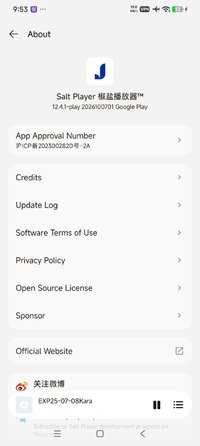
A local music player. 5 years. Clean. Lightweight. Just your music.
A local music player. 5 years. Still going. No ads. No recommendations. No social noise. Just you and your music.
Looking for an offline music player that respects you?
Salt Player plays local music files — FLAC, MP3, APE, WAV, and more. No streaming. No subscriptions. No algorithm deciding what you hear.
Download once. Own forever.
A local music player. 5 years. Clean. Lightweight. Just your music.
Key Features:
• Powerful Audio Engine: Built-in SALT FX V4+ audio effects, MAX Audio acoustic tuning, and V3 reverb settings.
• Playback Modes: Supports AudioTrack, OpenSL ES, AAudio, and Direct modes for high-quality audio delivery.
• Advanced Decoding: Floating-point bit decoding and up to 40x speed adjustment.
• Format Support: Excellent support for various formats including FLAC, MP3, WAV, and full APE parsing.
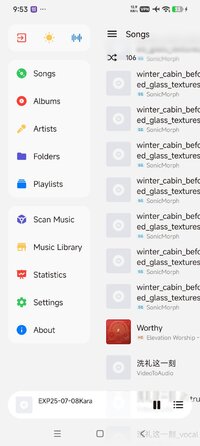
• Clean Interface: No intrusive recommendations. Features an exclusive long-press Immersive Mode.
• Personalization: Nearly 100 custom settings, separate themes for home/player screens, and Android 12+ wallpaper color extraction.
• Library Analytics: Pro-level album/artist sorting with built-in music quality analysis.
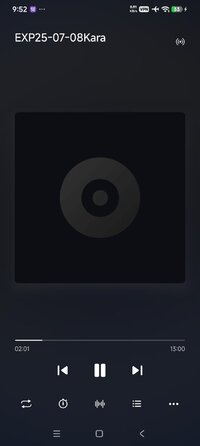
• Dynamic Lyrics: Supports embedded, LRC, desktop, status bar, and smooth scrolling lyrics.
• System Integration: Deep adaptations for Xiaomi, vivo, OPPO, and Meizu devices.
Looking for an offline music player that respects you?
Salt Player plays local music files — FLAC, MP3, APE, WAV, and more. No streaming. No subscriptions. No algorithm deciding what you hear.
Download once. Own forever.
A local music player. 5 years. Clean. Lightweight. Just your music.
Key Features:
• Powerful Audio Engine: Built-in SALT FX V4+ audio effects, MAX Audio acoustic tuning, and V3 reverb settings.
• Playback Modes: Supports AudioTrack, OpenSL ES, AAudio, and Direct modes for high-quality audio delivery.
• Advanced Decoding: Floating-point bit decoding and up to 40x speed adjustment.
• Format Support: Excellent support for various formats including FLAC, MP3, WAV, and full APE parsing.
• Clean Interface: No intrusive recommendations. Features an exclusive long-press Immersive Mode.
• Personalization: Nearly 100 custom settings, separate themes for home/player screens, and Android 12+ wallpaper color extraction.
• Library Analytics: Pro-level album/artist sorting with built-in music quality analysis.
• Dynamic Lyrics: Supports embedded, LRC, desktop, status bar, and smooth scrolling lyrics.
• System Integration: Deep adaptations for Xiaomi, vivo, OPPO, and Meizu devices.
*Special Features*
✪ Pro / Paid features unlocked;
✪ App translated into English (90%);
✪ Removed unnecessary files;
✪ All Debug Codes Removed;
Credit to : TRUMods
Free Download:
! Hidden Content !
You must be registered and either click Like under this post or leave a comment before you can see the hidden links.
You may need to refresh the page after clicking Like. If you’re still having trouble revealing the hidden links, please
read this.
Did you know? VIP Members can see all links instantly, no unlocking required.
Interested? Get VIP here.
Interested? Get VIP here.