Shared [Tested] Scarlet Hollow Ver. 2025.03.25 MOD APK | Ported to Android , Full Game ,Compressed, Paid

App-Architecture
Dual-Arch (ARM64 + ARMv7 | 64+32 Bit)
First of all — thank you so much for making this port, it's a truly impressive work! You are a hero, no one else succeeded at this, and it's a shame that some scumbags resorted to stealing.

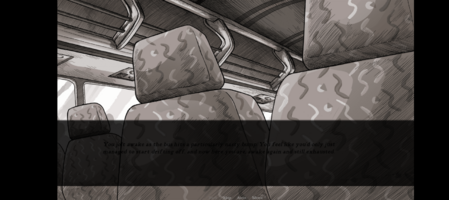
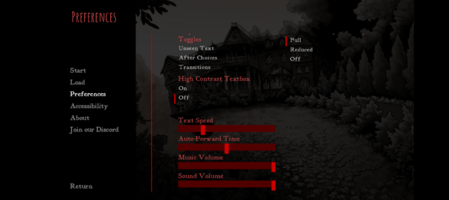
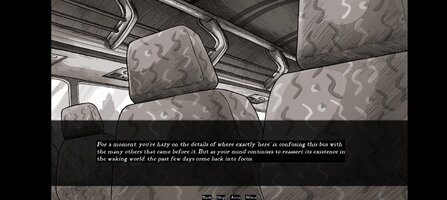
I've run into a fee issues though: 1. Narration text is just too dark to read. 2. Menu options look like this in my game, so if there are options that could fix it, well... Can't see them either x) Any help or tips would be greatly appreciated

 

Attachments

  • Screenshot_20260406-084554.png
    Screenshot_20260406-084554.png
    1.2 MB · Views: 22
  • Screenshot_20260406-084441.png
    Screenshot_20260406-084441.png
    831.6 KB · Views: 17
First of all — thank you so much for making this port, it's a truly impressive work! You are a hero, no one else succeeded at this, and it's a shame that some scumbags resorted to stealing.

I've run into a fee issues though: 1. Narration text is just too dark to read. 2. Menu options look like this in my game, so if there are options that could fix it, well... Can't see them either x) Any help or tips would be greatly appreciated
Hello Mr. Solovolk.
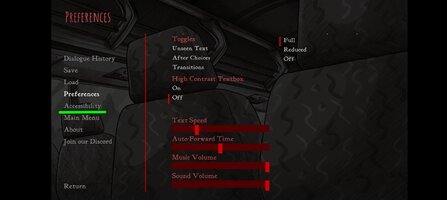
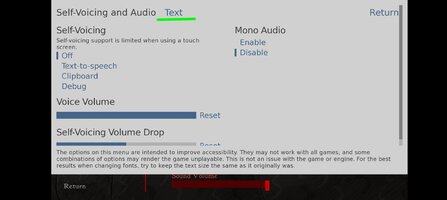
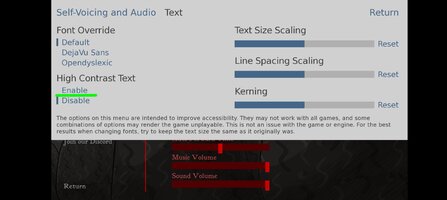
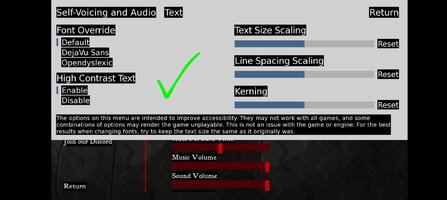
Changing the text colour is very easy. You must go to accessibility in options menu then proceed to text and after that enable high contrast text that will change it white, that's all.
I also attached some screenshots if You prefer visual help.
 

Attachments

  • Screenshot_20260406_140421_Scarlet Hollow.jpg
    Screenshot_20260406_140421_Scarlet Hollow.jpg
    126.1 KB · Views: 16
  • Screenshot_20260406_140432_Scarlet Hollow.jpg
    Screenshot_20260406_140432_Scarlet Hollow.jpg
    93.6 KB · Views: 14
  • Screenshot_20260406_140438_Scarlet Hollow.jpg
    Screenshot_20260406_140438_Scarlet Hollow.jpg
    106.2 KB · Views: 14
  • Screenshot_20260406_140454_Scarlet Hollow.jpg
    Screenshot_20260406_140454_Scarlet Hollow.jpg
    135 KB · Views: 17
  • Screenshot_20260406_140501_Scarlet Hollow.jpg
    Screenshot_20260406_140501_Scarlet Hollow.jpg
    246.2 KB · Views: 17
Hello Mr. Solovolk.
Changing the text colour is very easy. You must go to accessibility in options menu then proceed to text and after that enable high contrast text that will change it white, that's all.
I also attached some screenshots if You prefer visual help.
Ohh! okay, I... must be totally blind lol. Or just stupid. Was thinking that parts of the menu weren't showing for me or something. Thank you for the help, now everything's perfect!! Now it's finally time to play! >:)
 
NEW UPDATE FOR THIS GAME (1-5)

 
Tags Tags
day 12 month 02 working jrptt mohd hafiz

Similar threads

Replies
2
Views
6K
Back
Top Bottom