Playstore Link :

Screenshot Pro - Screen Grab - Apps on Google Play
Silent & fast capture with auto burst, editor, full-page capture, OCR & PDF.
Screenshot Pro - Auto trimming v7.2.2 [Pro]
Requirements: 8.0 and up
Overview: High-speed screenshot photography, optimal for consecutive captures.
Can cut the status bar area and navigation bar area automatically.
Image
Features
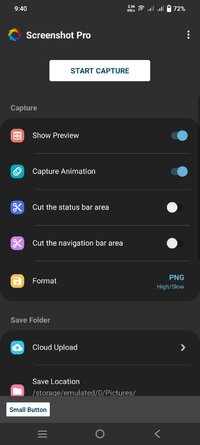
►Cut the status bar area
Automatically cut the status bar area.
►Cut the navigation bar area
Automatically cut the navigation bar area.
►Capture animation
Capture animation ON/OFF.
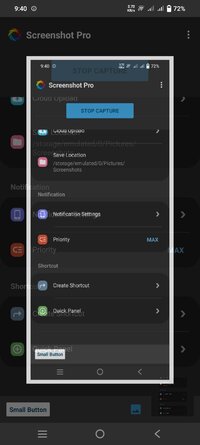
►Overlay shutter button
Convenient and mobile overlay shutter button.
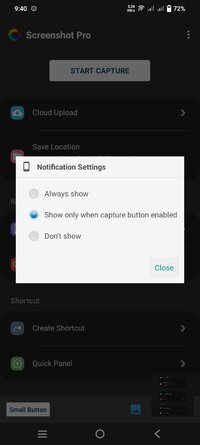
►Notification Icon
Notification bar icon display function. You can take screenshot and check screenshot from here.
►Show Preview
After taking a screenshot, a miniaturized version is displayed on screen.
►Small Button
By setting this inconspicuous button to be displayed at all times, the shutter button can be instantly brought up any time you want to take screenshots.
This function is very convenient for people who regularly take screenshots.
►Create Shortcut
You can also create a shortcut to access the shutter button with a single tap.
►Save Location
Modifiable save folder.
►Cloud upload
Automatically upload a copy of new screenshot to the cloud.
►Latest Screenshot
Open the most recent screenshot.
What's New:
- Fixed bugs.
Requirements: 8.0 and up
Overview: High-speed screenshot photography, optimal for consecutive captures.
Can cut the status bar area and navigation bar area automatically.
Image
Features
►Cut the status bar area
Automatically cut the status bar area.
►Cut the navigation bar area
Automatically cut the navigation bar area.
►Capture animation
Capture animation ON/OFF.
►Overlay shutter button
Convenient and mobile overlay shutter button.
►Notification Icon
Notification bar icon display function. You can take screenshot and check screenshot from here.
►Show Preview
After taking a screenshot, a miniaturized version is displayed on screen.
►Small Button
By setting this inconspicuous button to be displayed at all times, the shutter button can be instantly brought up any time you want to take screenshots.
This function is very convenient for people who regularly take screenshots.
►Create Shortcut
You can also create a shortcut to access the shutter button with a single tap.
►Save Location
Modifiable save folder.
►Cloud upload
Automatically upload a copy of new screenshot to the cloud.
►Latest Screenshot
Open the most recent screenshot.
What's New:
- Fixed bugs.
*Special Features*
◉ PRO features unlocked
◉ Ads Layout removed/Ad activity Removed
◉ Optimized Graphics/Zipaligned
◉ CPU architectures:- Universal
◉ Debug Info Removed
Credit : - @ ogo2012
Free Download:
! Hidden Content !
You must be registered and either click Like under this post or leave a comment before you can see the hidden links.
You may need to refresh the page after clicking Like. If you’re still having trouble revealing the hidden links, please
read this.
Did you know? VIP Members can see all links instantly, no unlocking required.
Interested? Get VIP here.
Interested? Get VIP here.