XiaRei
Solid & Active Platinian

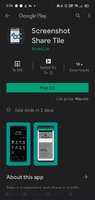
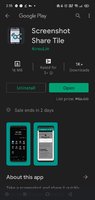
Screenshot Share Tile - Apps on Google Play
Take a screenshot and share it quickly from Android quick setting tile.
Share screenshot in better and smooth way.
1. Click quick settings tile
2. Crop screenshot
3. Share it!
- Note
Screen Share Tile works through its quick settings tile, before using it, tile needs to be added on notification panel manually.
To add tile
Please follow the following steps:
1. Pull down completely the notification shade.
2. Tap the edit button (on stock Android it is a pencil). The quick settings editing layout will expand and display all the available tiles.
3. Scroll down and find the screen share tile.
4. Drag the tile up to the desired position.
5. That's it!
This is an open source project, the source code can be found at GitHub - npes87184/ScreenShareTile: Take a screenshot and share it quickly from Android quick setting tile.
- Permissions
Screen Recording - required in order to capture screenshots
What's New
1. Compatible to newer android version
2. Support drawing before sharing
*Special Features*
- Get Paid App for Free
Free Download:
! Hidden Content !
You must be registered and either click Like under this post or leave a comment before you can see the hidden links.
You may need to refresh the page after clicking Like. If you’re still having trouble revealing the hidden links, please
read this.
Did you know? VIP Members can see all links instantly, no unlocking required.
Interested? Get VIP here.
Interested? Get VIP here.