Playstore Link :

Tape Measure: Measuring Ruler - Apps on Google Play
The Measure App - Photo Measuring Ruler, Tape Measure Tools for Room Measurement
Tape Measure: Measuring Ruler Ver. 6.5.2 MOD APK | Pro unlocked
Requirements: 8.0 and up
Overview: powerful and precise AR ruler app, designed as a modern tape measure tool
It uses Augmented Reality (AR) to offer next-gen digital measuring capabilities, turning your smartphone into a versatile measuring tool and complete measurement system for daily tasks and professional use.
AR Ruler app is a powerful AR ruler app and modern tape measure tool. It uses Augmented Reality (AR) to provide digital measuring functions. Your smartphone becomes a compact measuring tool and mobile measurement system for daily and professional use.
Check device compatibility: Overview of ARCore and supported development environments | Google for Developers (ARCore-supported devices only)
AR Ruler app – AR Measure Tool
AR Ruler app uses AR to measure real-world dimensions with your camera. Just point at a surface and start measuring. This measurement app ensures fast, accurate results for layout, design, and field reference.
• Line – measure length in cm, m, ft, yd using mm or inch ruler
• Distance – measure span to a 3D point from the camera
• Angle – calculate corners and surface angles
• Area & Perimeter – useful measuring tools for planning spaces
• Volume – assess object size in 3D
• Path – trace and measure paths or layouts
• Height – measure height relative to surface level
This all-in-one measuring app replaces physical tape measure tools and provides a practical digital solution.
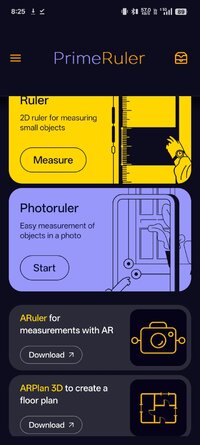
Photo Ruler
Photo Ruler lets you measure from images using scale references like a card or coin:
• Include both object and reference in one image
• Align arrows to each item
• Get instant scale-adjusted measurement output
• Perfect when AR is not available, this tool acts as a visual reference calculator and portable measuring tool
mm Ruler App Mode
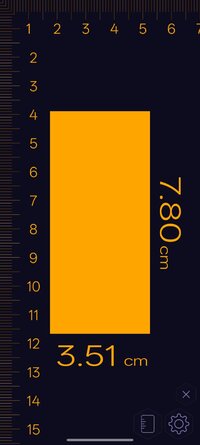
Use your screen as a digital mm ruler
• Place the object on-screen
• Adjust limiters for exact size
• Calibrate using a known-size item
• Choose Metric or Imperial units
• Ideal for small object measurement and quick reference tasks
Why Choose AR Ruler App?
• Combines AR measure, camera measure, and height measure functions
• Replaces traditional tape measure and digital tools
• Trusted by users needing fast, mobile measurement
• Powered by ARCore for real-time accuracy
• AR Ruler app is your go-to measuring tool and smart calculator for the /Reference/General Reference/Calculators & Reference Tools category
Choose Metric or Imperial units
Ideal for small object measurement and quick reference tasks
What's New:
A few changes in this update:
*bugs fixed;
*expanded the list of localizations;
*UI improvements;
*corrected measurements via Screen Ruler.
Mod Info:
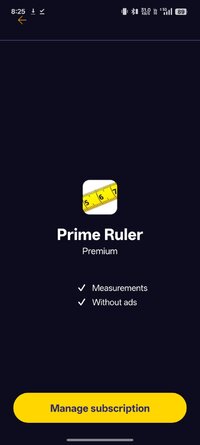
☆PRO features unlocked
☆Apk Fully Optimized
☆Ads Layout removed/Ad activity Removed
☆Optimized Graphics/Zipaligned
☆Remove default .source name of java files;
☆Cleaned Package for fast load
☆Debug Info Removed
Requirements: 8.0 and up
Overview: powerful and precise AR ruler app, designed as a modern tape measure tool
It uses Augmented Reality (AR) to offer next-gen digital measuring capabilities, turning your smartphone into a versatile measuring tool and complete measurement system for daily tasks and professional use.
AR Ruler app is a powerful AR ruler app and modern tape measure tool. It uses Augmented Reality (AR) to provide digital measuring functions. Your smartphone becomes a compact measuring tool and mobile measurement system for daily and professional use.
Check device compatibility: Overview of ARCore and supported development environments | Google for Developers (ARCore-supported devices only)
AR Ruler app – AR Measure Tool
AR Ruler app uses AR to measure real-world dimensions with your camera. Just point at a surface and start measuring. This measurement app ensures fast, accurate results for layout, design, and field reference.
• Line – measure length in cm, m, ft, yd using mm or inch ruler
• Distance – measure span to a 3D point from the camera
• Angle – calculate corners and surface angles
• Area & Perimeter – useful measuring tools for planning spaces
• Volume – assess object size in 3D
• Path – trace and measure paths or layouts
• Height – measure height relative to surface level
This all-in-one measuring app replaces physical tape measure tools and provides a practical digital solution.
Photo Ruler
Photo Ruler lets you measure from images using scale references like a card or coin:
• Include both object and reference in one image
• Align arrows to each item
• Get instant scale-adjusted measurement output
• Perfect when AR is not available, this tool acts as a visual reference calculator and portable measuring tool
mm Ruler App Mode
Use your screen as a digital mm ruler
• Place the object on-screen
• Adjust limiters for exact size
• Calibrate using a known-size item
• Choose Metric or Imperial units
• Ideal for small object measurement and quick reference tasks
Why Choose AR Ruler App?
• Combines AR measure, camera measure, and height measure functions
• Replaces traditional tape measure and digital tools
• Trusted by users needing fast, mobile measurement
• Powered by ARCore for real-time accuracy
• AR Ruler app is your go-to measuring tool and smart calculator for the /Reference/General Reference/Calculators & Reference Tools category
Choose Metric or Imperial units
Ideal for small object measurement and quick reference tasks
What's New:
A few changes in this update:
*bugs fixed;
*expanded the list of localizations;
*UI improvements;
*corrected measurements via Screen Ruler.
Mod Info:
☆PRO features unlocked
☆Apk Fully Optimized
☆Ads Layout removed/Ad activity Removed
☆Optimized Graphics/Zipaligned
☆Remove default .source name of java files;
☆Cleaned Package for fast load
☆Debug Info Removed
*Special Features*
1 . PRO features unlocked
Credit to : srajawwal09
Free Download:
! Hidden Content !
You must be registered and either click Like under this post or leave a comment before you can see the hidden links.
You may need to refresh the page after clicking Like. If you’re still having trouble revealing the hidden links, please
read this.
Did you know? VIP Members can see all links instantly, no unlocking required.
Interested? Get VIP here.
Interested? Get VIP here.