Playstore Link:
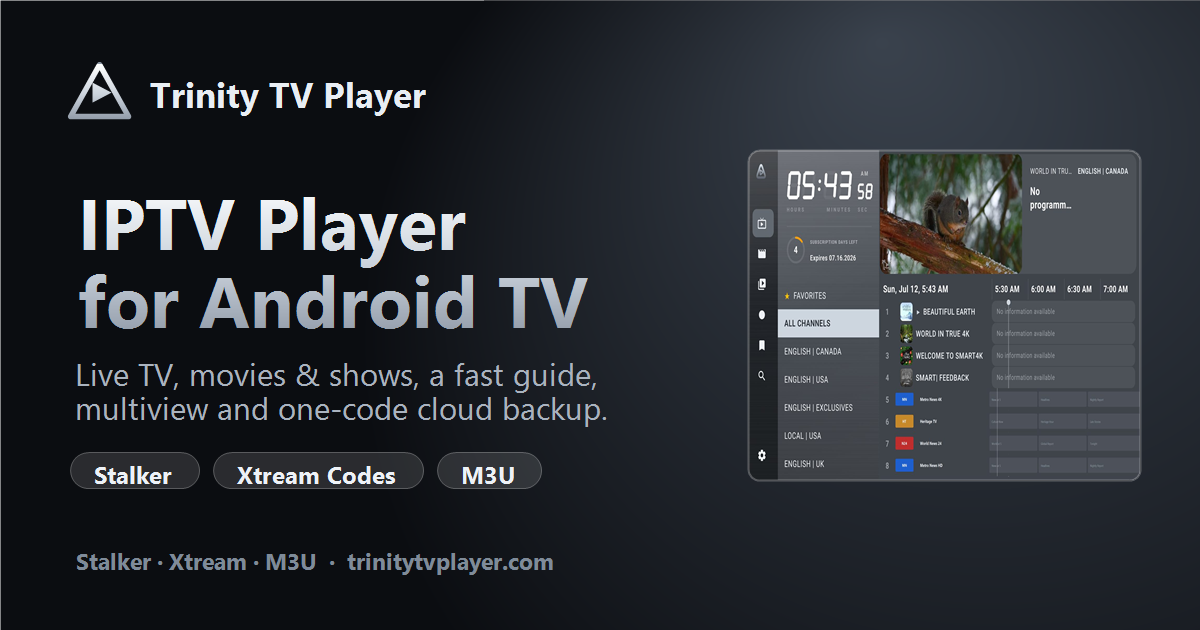
Trinity TV Player — IPTV Player for Android TV & Fire Stick
A fast IPTV player for Android TV & Fire Stick — live TV, movies & shows, EPG guide, multiview, cloud backup and 24 languages. Stalker, Xtream Codes & M3U.
Trinity TV Player is an IPTV media player application for Android TV–based devices. It is designed to let users connect to their own IPTV service using supported playlist or portal formats. The software itself is a player only and does not provide TV channels, movies, or streaming subscriptions.
Trinity TV Player is intended for users who already have an IPTV subscription or playlist from a provider. After installation, users can import their own IPTV credentials and organize live TV channels, video-on-demand (VOD), and electronic program guide (EPG) information in a modern interface.
Key Features:
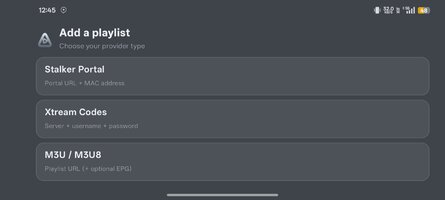
- Multiple IPTV formats
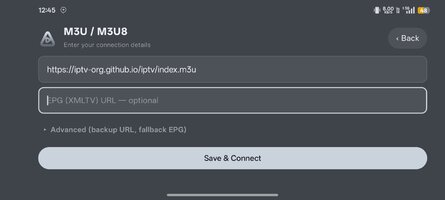
- Supports M3U/M3U8 playlists
- Supports Xtream Codes
- Supports Stalker/Ministra portals
Live TV
- Channel browsing
- Favorites
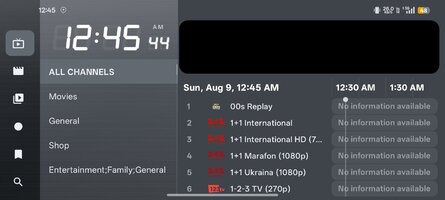
- Channel grouping
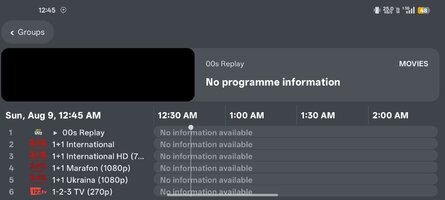
- Electronic Program Guide (EPG)
- Catch-up/Timeshift (if supported by the IPTV provider)
Video on Demand (VOD)
- Poster-style movie library
- TV series browsing
- Cast and director information
- Movie descriptions and artwork
Multi-view
- Watch up to 2 or 4 live channels simultaneously.
- Audio automatically switches to the selected channel.
Recording
- Record supported streams.
- Can record directly to network storage (NAS) on supported setups.
Cloud Backup
- Save playlists, favorites, settings, and themes.
- Restore configuration on another device using a transfer code.
AI-Assisted Tools
According to the developer, Trinity TV Player includes several on-device AI utilities, such as:
- Automatically hiding duplicate channels
- Organizing channels based on viewing habits
- Creating favorite channel lists
- Matching missing EPG information
- Playlist health analysis to detect unavailable streams
These features are described as running locally on the device rather than sending playlist data to external servers.
Customization
Users can customize:
- Themes
- Fonts
- Backgrounds
- Accent colors
- Remote control button mapping
- Channel groups and favorites
Language Support
The application has expanded from an initial set of languages to support 20+ interface languages, according to recent developer announcements.
Supported Devices
Trinity TV Player is primarily designed for:
- Android TV
- Google TV
- Amazon Fire TV / Fire Stick
The developer has also indicated that Android phone support is planned or in development.
Trial and Licensing
Recent information from the developer indicates:
- Live TV playback may be available without a time limit.
- Advanced features (such as VOD, recording, cloud backup, favorites, and search) are unlocked through a trial period before requiring a paid license.
- Licensing details may change as the product evolves.
Important Note
Trinity TV Player does not include IPTV channels or streaming content. Users must provide their own IPTV subscription or playlist from a legitimate content provider. The application functions solely as a media player for compatible IPTV sources.
Trinity TV Player is intended for users who already have an IPTV subscription or playlist from a provider. After installation, users can import their own IPTV credentials and organize live TV channels, video-on-demand (VOD), and electronic program guide (EPG) information in a modern interface.
Key Features:
- Multiple IPTV formats
- Supports M3U/M3U8 playlists
- Supports Xtream Codes
- Supports Stalker/Ministra portals
Live TV
- Channel browsing
- Favorites
- Channel grouping
- Electronic Program Guide (EPG)
- Catch-up/Timeshift (if supported by the IPTV provider)
Video on Demand (VOD)
- Poster-style movie library
- TV series browsing
- Cast and director information
- Movie descriptions and artwork
Multi-view
- Watch up to 2 or 4 live channels simultaneously.
- Audio automatically switches to the selected channel.
Recording
- Record supported streams.
- Can record directly to network storage (NAS) on supported setups.
Cloud Backup
- Save playlists, favorites, settings, and themes.
- Restore configuration on another device using a transfer code.
AI-Assisted Tools
According to the developer, Trinity TV Player includes several on-device AI utilities, such as:
- Automatically hiding duplicate channels
- Organizing channels based on viewing habits
- Creating favorite channel lists
- Matching missing EPG information
- Playlist health analysis to detect unavailable streams
These features are described as running locally on the device rather than sending playlist data to external servers.
Customization
Users can customize:
- Themes
- Fonts
- Backgrounds
- Accent colors
- Remote control button mapping
- Channel groups and favorites
Language Support
The application has expanded from an initial set of languages to support 20+ interface languages, according to recent developer announcements.
Supported Devices
Trinity TV Player is primarily designed for:
- Android TV
- Google TV
- Amazon Fire TV / Fire Stick
The developer has also indicated that Android phone support is planned or in development.
Trial and Licensing
Recent information from the developer indicates:
- Live TV playback may be available without a time limit.
- Advanced features (such as VOD, recording, cloud backup, favorites, and search) are unlocked through a trial period before requiring a paid license.
- Licensing details may change as the product evolves.
Important Note
Trinity TV Player does not include IPTV channels or streaming content. Users must provide their own IPTV subscription or playlist from a legitimate content provider. The application functions solely as a media player for compatible IPTV sources.
*Special Features*
● Trinity Enhanced Feature Unlock.
● No Need To Login Required Use Enhanced Feature.
● App Update Check Removed / Disabled.
● Cloud Releted All Fuction Removed / Disabled Like:
- Back Up To Cloud, Restore From Cloud
- Send Playlists To Trinity Cloud, Get Playlists From Trinity Cloud
● Diagnostics Releted All Fuction Removed / Disabled Like:
- View Connection Log, Send Connection Log To Support, Clear Connection Log
- View Crash Log, Send Crash Log To Support, Clear Crash Log
● All Unnecessary Garbage Folder & File Removed.
● Removed Debug Information (Source, Line, Param, Prologue, Local).
Credit: TryRoom
Free Download:
! Hidden Content !
You must be registered and either click Like under this post or leave a comment before you can see the hidden links.
You may need to refresh the page after clicking Like. If you’re still having trouble revealing the hidden links, please
read this.
Did you know? VIP Members can see all links instantly, no unlocking required.
Interested? Get VIP here.
Interested? Get VIP here.