Playstore Link :

Utiful: Move & Organize Photos Ver. 9.0.0 build 987 MOD APK | Pro / Paid Unlocked
Requirements: 7.0 +
Overview: Utiful is the photo filing system that Android should have had. Unlike Google Photos, Utiful lets you move photos out of your camera roll and organize them into separate folders—keeping your main gallery clean and your photos truly organized without losing them.
Utiful is the photo filing system that Google forgot to build in Android. Frustrated that Google Photos mixes everything—and won't let you create real order? The Google Photos app won’t let you truly organize your pictures. You create an album, add photos—and they still stay in the camera roll. You delete them from the camera roll, and they disappear from the album too. That’s why we built Utiful.
Unlike Google Photos and other gallery apps, Utiful lets you:
• Move photos out of your camera roll and away from the Android Gallery—finally!
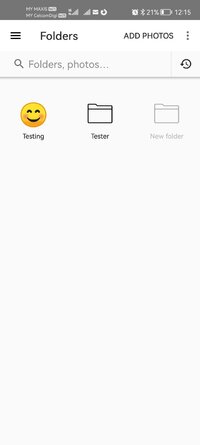
• Sort your photos into separate categories—work, hobbies, personal, and more.
• Keep utility photos like documents, receipts, and IDs out of your main gallery.
• Keep your main gallery clean and tidy.
How Utiful Works:
• Use Utiful to move photos out of your camera roll and save them to Utiful folders.
• The photos are removed from the camera roll but kept in your Utiful folders.
Utiful’s further unique features include:
• Save photos to Utiful folders straight from the Photos app and from the Gallery app.
• Take photos with the folder camera that save directly to the folder.
• Manually rearrange photos in a folder—just the way you like.
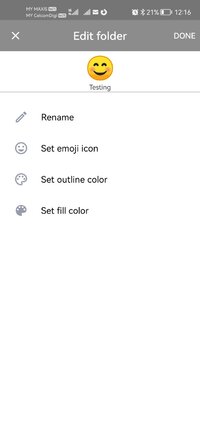
• Customize the icons of your photo folders with emoji symbols and colors.
• Keep your Utiful folders on internal storage or SD card.
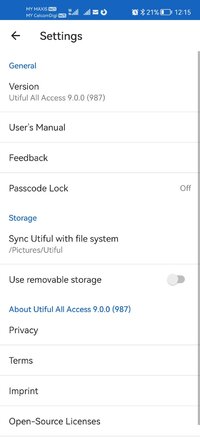
• Protect your Utiful folders with a passcode lock or fingerprint.
• Import/export photo folders from/to your computer.
Who Uses Utiful:
• Professionals & freelancers keeping work photos separate from personal ones
• Contractors & service providers managing before/after project pictures
• Doctors & lawyers organizing reference photos, evidence, and case documentation
• Hobbyists & creatives storing inspiration, artwork, and craft ideas
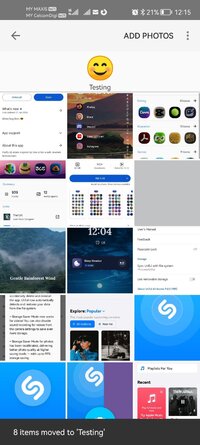
• Everyday users organizing screenshots, receipts, IDs, and notes by category as well as reference pictures such as haircuts, clothes, fitness tracking, songs identified with Shazam etc.
Quick Start Guide:
1. Open Utiful, tap "Add Photos", select photos from the camera roll and tap "Move".
2. Or, while in the Photos or Gallery app, select photos, tap Share and choose Utiful.
No Internet required: You can keep organizing photos offline without any issues.
No lock-in: Everything you move to Utiful folders remains on your device even if you delete the app.
No ads: Enjoy undistracted productivity while organizing your photos.
All photo, video, GIF, and RAW formats are supported. Original image quality & metadata are preserved.
Modifications:
○ Pro / Paid Features Unlocked
○ Graphics & Resources Optimized
○ Debug code removed
○ Removed default .source tags name of the corresponding java files
○ Removed All Unnecessary Files
○ Languages: Full Multi Languages
○ CPUs: Universal Architecture
➥ Released by HeroMods
What's New:
Improved data safety with automatic data restore after reinstall.
+ Storage Saver Mode now supports videos, with optional sound recording.
+ Improved photo quality in Storage Saver Mode, with up to 99% storage saving.
+ Camera sounds can now be enabled from camera settings.
Requirements: 7.0 +
Overview: Utiful is the photo filing system that Android should have had. Unlike Google Photos, Utiful lets you move photos out of your camera roll and organize them into separate folders—keeping your main gallery clean and your photos truly organized without losing them.
Utiful is the photo filing system that Google forgot to build in Android. Frustrated that Google Photos mixes everything—and won't let you create real order? The Google Photos app won’t let you truly organize your pictures. You create an album, add photos—and they still stay in the camera roll. You delete them from the camera roll, and they disappear from the album too. That’s why we built Utiful.
Unlike Google Photos and other gallery apps, Utiful lets you:
• Move photos out of your camera roll and away from the Android Gallery—finally!
• Sort your photos into separate categories—work, hobbies, personal, and more.
• Keep utility photos like documents, receipts, and IDs out of your main gallery.
• Keep your main gallery clean and tidy.
How Utiful Works:
• Use Utiful to move photos out of your camera roll and save them to Utiful folders.
• The photos are removed from the camera roll but kept in your Utiful folders.
Utiful’s further unique features include:
• Save photos to Utiful folders straight from the Photos app and from the Gallery app.
• Take photos with the folder camera that save directly to the folder.
• Manually rearrange photos in a folder—just the way you like.
• Customize the icons of your photo folders with emoji symbols and colors.
• Keep your Utiful folders on internal storage or SD card.
• Protect your Utiful folders with a passcode lock or fingerprint.
• Import/export photo folders from/to your computer.
Who Uses Utiful:
• Professionals & freelancers keeping work photos separate from personal ones
• Contractors & service providers managing before/after project pictures
• Doctors & lawyers organizing reference photos, evidence, and case documentation
• Hobbyists & creatives storing inspiration, artwork, and craft ideas
• Everyday users organizing screenshots, receipts, IDs, and notes by category as well as reference pictures such as haircuts, clothes, fitness tracking, songs identified with Shazam etc.
Quick Start Guide:
1. Open Utiful, tap "Add Photos", select photos from the camera roll and tap "Move".
2. Or, while in the Photos or Gallery app, select photos, tap Share and choose Utiful.
No Internet required: You can keep organizing photos offline without any issues.
No lock-in: Everything you move to Utiful folders remains on your device even if you delete the app.
No ads: Enjoy undistracted productivity while organizing your photos.
All photo, video, GIF, and RAW formats are supported. Original image quality & metadata are preserved.
Modifications:
○ Pro / Paid Features Unlocked
○ Graphics & Resources Optimized
○ Debug code removed
○ Removed default .source tags name of the corresponding java files
○ Removed All Unnecessary Files
○ Languages: Full Multi Languages
○ CPUs: Universal Architecture
➥ Released by HeroMods
What's New:
Improved data safety with automatic data restore after reinstall.
+ Storage Saver Mode now supports videos, with optional sound recording.
+ Improved photo quality in Storage Saver Mode, with up to 99% storage saving.
+ Camera sounds can now be enabled from camera settings.
*Special Features*
1 . Pro / Paid Features Unlocked
Credit to : HeroMods
Free Download:
! Hidden Content !
You must be registered and either click Like under this post or leave a comment before you can see the hidden links.
You may need to refresh the page after clicking Like. If you’re still having trouble revealing the hidden links, please
read this.
Did you know? VIP Members can see all links instantly, no unlocking required.
Interested? Get VIP here.
Interested? Get VIP here.