Playstore Link:

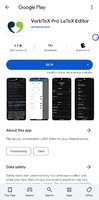
VerbTeX Pro LaTeX Editor - Apps on Google Play
The collaborative LaTeX Editor for your Android device
VerbTeX is a collaborative LaTeX Editor for your Android device. It allows you to create and manage LaTeX projects directly on your Android device and generate a PDF offline (Verbnox) or online (Verbosus).
This software is provided "as is" without warranties or conditions of any kind, either expressed or implied.
Features:
- Use PdfTeX or XeTeX to generate a PDF
- Use BibTeX or Biber for bibliographies
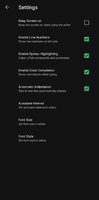
- Offline compilation (Local Mode, enable in Settings)
- Automatic Dropbox synchronization (Local Mode)
- Automatic Box synchronization (Local Mode)
- Git integration (Local Mode)
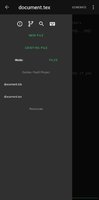
- 2 Modes: Local Mode (stores .tex documents on your device) and Cloud Mode (synchronizes your projects with Verbosus)
- Full LaTeX distribution (TeXLive)
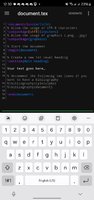
- Syntax highlighting
- Code completion (commands)
- Hotkeys (see below)
- Web-Interface (Cloud Mode)
- Collaboration (Cloud Mode)
- Two factor authentication (Cloud Mode, in combination with Copiosus)
- Autosave (Local Mode)
- Custom template for new .tex files (Local Mode)
Import existing projects in Local Mode:
- Link to Dropbox or Box (Settings -> Link to Dropbox / Link to Box) and let VerbTeX automatically synchronize your projects
OR
- Use Git integration: Clone or track an existing repository
OR
- Put all your files in the VerbTeX folder on your SD card: /Android/data/verbosus.verbtex/files/Local/[project]
This software is provided "as is" without warranties or conditions of any kind, either expressed or implied.
Features:
- Use PdfTeX or XeTeX to generate a PDF
- Use BibTeX or Biber for bibliographies
- Offline compilation (Local Mode, enable in Settings)
- Automatic Dropbox synchronization (Local Mode)
- Automatic Box synchronization (Local Mode)
- Git integration (Local Mode)
- 2 Modes: Local Mode (stores .tex documents on your device) and Cloud Mode (synchronizes your projects with Verbosus)
- Full LaTeX distribution (TeXLive)
- Syntax highlighting
- Code completion (commands)
- Hotkeys (see below)
- Web-Interface (Cloud Mode)
- Collaboration (Cloud Mode)
- Two factor authentication (Cloud Mode, in combination with Copiosus)
- Autosave (Local Mode)
- Custom template for new .tex files (Local Mode)
Import existing projects in Local Mode:
- Link to Dropbox or Box (Settings -> Link to Dropbox / Link to Box) and let VerbTeX automatically synchronize your projects
OR
- Use Git integration: Clone or track an existing repository
OR
- Put all your files in the VerbTeX folder on your SD card: /Android/data/verbosus.verbtex/files/Local/[project]
*Special Features*
● Supported Languages: af, am, ar, as, az, be, bg, bn, bs, ca, cs, da, de, el, el-GR, en-AU, en-CA, en-GB, en-IN, en-XC, es, es-419, es-ES, es-US, et, eu, fa, fi, fr, fr-CA, gl, gu, hi, hr, hu, hy, in, is, it, iw, ja, ka, kk, km, kn, ko, ky, lo, lt, lv, mk, ml, mn, mr, ms, my, nb, ne, nl, no, or, pa, pl, pt, pt-BR, pt-PT, ro, ru, si, sk, sl, sq, sr, sr-Latn, sv, sw, ta, te, th, tl, tr, uk, ur, uz, vi, zh-CN, zh-HK, zh-TW, zu;
● Supported Cpu Architecture: Armeabi-v7a, Arm64-v8a, X86, X86_64;
● Supported Screen Dpi: Mdpi, Hdpi, Xhdpi, Xxhdpi, Xxxhdpi, Anydpi.
● Untouch Paid Apk With Original Hash Signature.
● Certificate MD5 Digest: c8a8e03745380005f9eee79c900404bf.
Credit: TryRoom
Free Download:
! Hidden Content !
You must be registered and either click Like under this post or leave a comment before you can see the hidden links.
You may need to refresh the page after clicking Like. If you’re still having trouble revealing the hidden links, please
read this.
Did you know? VIP Members can see all links instantly, no unlocking required.
Interested? Get VIP here.
Interested? Get VIP here.
Last edited by a moderator: