Playstore Link:
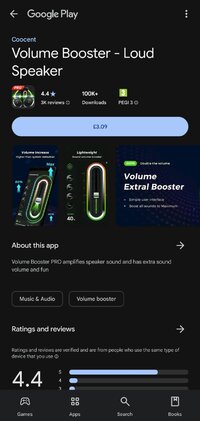
Volume Booster - Loud Speaker - Apps on Google Play
Volume Booster PRO amplifies speaker sound and has extra sound volume and fun
Are you bothered that your phone doesn't have enough sound volume? Then I believe this Volume Booster PRO - Loud Speaker with Extra Sound is exactly what you need. Volume Booster PRO enhances your music quality in a way more convenient way. It has a simple UI, guaranteeing you can fast to master it just in a few seconds.
Features:
- Volume Booster PRO is designed for music lovers and users who like loud and clear sound
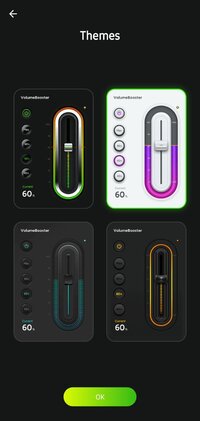
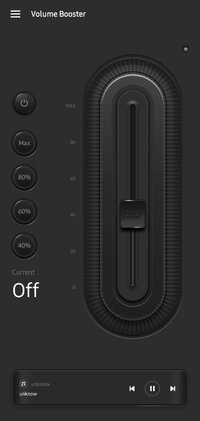
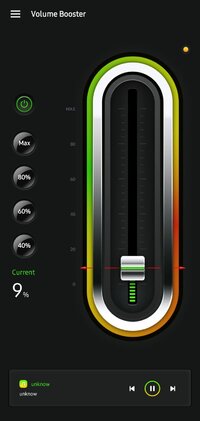
- Volume Booster PRO has a neat, simple user interface
- Boost sound for music, video, and game
- Support use with headphone, phone speaker and Bluetooth
- One-swipe to set the volume to a specific level
- Fast to adjust the volume to 40%, 60%, 80% and maximum level
- Choose any one of your music players to start playing with volume booster
- Small desktop widget for quick access
Various Boost Available:
- Music, game, video, call volume boost
- Bluetooth speaker, headphone volume amplifier
- Control volume for various applications
Features:
- Volume Booster PRO is designed for music lovers and users who like loud and clear sound
- Volume Booster PRO has a neat, simple user interface
- Boost sound for music, video, and game
- Support use with headphone, phone speaker and Bluetooth
- One-swipe to set the volume to a specific level
- Fast to adjust the volume to 40%, 60%, 80% and maximum level
- Choose any one of your music players to start playing with volume booster
- Small desktop widget for quick access
Various Boost Available:
- Music, game, video, call volume boost
- Bluetooth speaker, headphone volume amplifier
- Control volume for various applications
*Special Features*
● Supported Languages: af, am, ar, as, az, be, bg, bn, bs, ca, cs, da, de, el, en-AU, en-CA, en-GB, en-IN, en-XC, es, es-419, es-US, et, eu, fa, fi, fr, fr-CA, gl, gu, hi, hr, hu, hy, in, is, it, iw, ja, ka, kk, km, kn, ko, ky, lo, lt, lv, mk, ml, mn, mr, ms, my, nb, ne, nl, or, pa, pl, pt, pt-BR, pt-PT, ro, ru, si, sk, sl, sq, sr, sr-Latn, sv, sw, ta, te, th, tl, tr, uk, ur, uz, vi, zh, zh-CN, zh-HK, zh-TW, zu;
● Supported Cpu Architecture: Armeabi-v7a, Arm64-v8a;
● Supported Screen Dpi: Ldpi, Mdpi, Tvdpi, Hdpi, Xhdpi, Xxhdpi, Xxxhdpi.
● Untouch Paid Apk With Original Hash Signature.
● Certificate MD5 Digest: 78b128fc67364d3cddd90e2727bf9df2.
.Apks Bundle Installation:
SAI Instructions: [No Root]
1. Download And Install Latest SAI App (Split APK Installer) - Releases · Aefyr/SAI
2. Download this .apks Archive App;
3. Install And Open SAI / Choose "Install APKs" Button / Find And Select Downloaded .apks Archive App;
4. Wait For Install And Done. Enjoy!.
Lucky Patcher Instructions: [No Root]
1. Download And Install Latest Lucky Patcher App;
2. Install And Open Lucky Patcher And Choose 'Rebuild & Install';
3. Find And Select Downloaded This .apks Archive App;
4. Wait For Install And Done. Enjoy!.
PS: Make Sure After Open SAI or Lucky Patcher You Allowed Storage Permission And Install Unknown Apps Permission!
Credit: TryRoom
Free Download:
! Hidden Content !
You must be registered and either click Like under this post or leave a comment before you can see the hidden links.
You may need to refresh the page after clicking Like. If you’re still having trouble revealing the hidden links, please
read this.
Did you know? VIP Members can see all links instantly, no unlocking required.
Interested? Get VIP here.
Interested? Get VIP here.