Playstore Link:

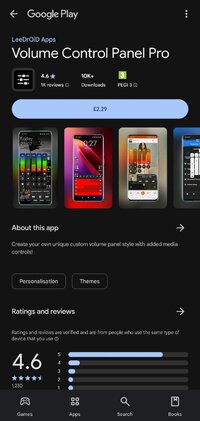
Volume Control Panel Pro - Apps on Google Play
Custom Android volume panel with EQ, boost, themes, widgets and app profiles
Key Features:
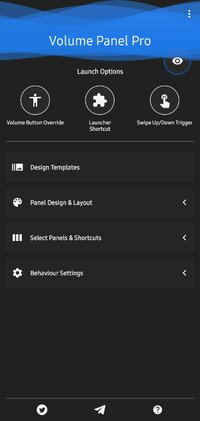
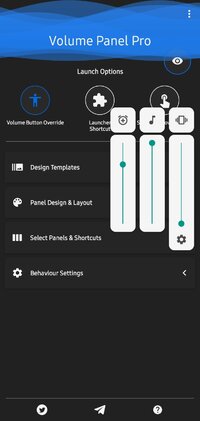
* An Android 9/10 inspired Volume Control Panel.
* Choose Media or Ring as the default button response.
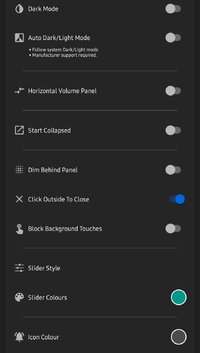
* Start collapsed or expanded.
* Left or Right handed mode.
* Custom vertical position.
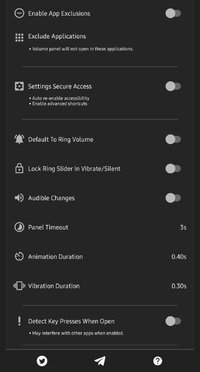
* Custom panel timeout.
* Hide the alarm volume panel.
* Force close system dialogs.
* Custom background, slider & icon colours.
* Option to exclude from certain applications.
* Volume streams: Cast, Media, Ring, Call & Alarm.
* Bluetooth volume control.
* Quick Settings Pull-down Tiles.
* Pinned Launcher Shortcuts (Oreo+)
Quick Access Icons (in the panel):
* Instant access to alarm clock & alarm status.
* Instantly mute media or casting streams.
* Switch between speaker/earpiece when in call.
* Toggle between Ring, Vibrate or do Not Disturb (Silent).
Additional Quick Settings Pull Down Tiles:
* Mute Media.
*Toggle Ring Mode.
* Launch Volume Panel.
Pinned Launcher Shortcuts (Oreo+):
* Mute Media.
* Toggle Ring Mode.
* Launch Volume Panel.
PLEASE NOTE: Button Mapping apps such as Button Mapper or Bixby Button Remapper may interfere if volume button customisation is enabled.
Limitations: Cannot display over the lockscreen or system pulldown & cannot detect 1st long press, a second click is required.
Required Permissions:
* Accessibility - Detect volume key presses & excluded applications.
* Notification Listener Access - Detect audio casting & toggle Do Not Disturb.
* Overlay Permissions - Show the panel as a system overlay.
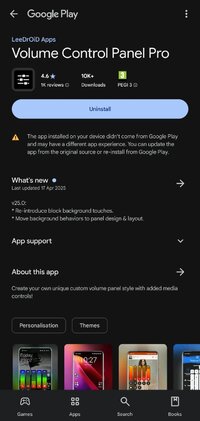
What's New:
v25.0:
* Re-introduce block background touches.
* Move background behaviors to panel design & layout.
* Block background touches can only be turned off if "Dim Behind" is disabled.
* An Android 9/10 inspired Volume Control Panel.
* Choose Media or Ring as the default button response.
* Start collapsed or expanded.
* Left or Right handed mode.
* Custom vertical position.
* Custom panel timeout.
* Hide the alarm volume panel.
* Force close system dialogs.
* Custom background, slider & icon colours.
* Option to exclude from certain applications.
* Volume streams: Cast, Media, Ring, Call & Alarm.
* Bluetooth volume control.
* Quick Settings Pull-down Tiles.
* Pinned Launcher Shortcuts (Oreo+)
Quick Access Icons (in the panel):
* Instant access to alarm clock & alarm status.
* Instantly mute media or casting streams.
* Switch between speaker/earpiece when in call.
* Toggle between Ring, Vibrate or do Not Disturb (Silent).
Additional Quick Settings Pull Down Tiles:
* Mute Media.
*Toggle Ring Mode.
* Launch Volume Panel.
Pinned Launcher Shortcuts (Oreo+):
* Mute Media.
* Toggle Ring Mode.
* Launch Volume Panel.
PLEASE NOTE: Button Mapping apps such as Button Mapper or Bixby Button Remapper may interfere if volume button customisation is enabled.
Limitations: Cannot display over the lockscreen or system pulldown & cannot detect 1st long press, a second click is required.
Required Permissions:
* Accessibility - Detect volume key presses & excluded applications.
* Notification Listener Access - Detect audio casting & toggle Do Not Disturb.
* Overlay Permissions - Show the panel as a system overlay.
What's New:
v25.0:
* Re-introduce block background touches.
* Move background behaviors to panel design & layout.
* Block background touches can only be turned off if "Dim Behind" is disabled.
*Special Features*
MOD INFO
Modded GP / LP - not needed
Security check removed
Optimized graphics/Zipaligned
Debug Info Removed
♤ credit ♤ - ► srajawwal09
Free Download:
! Hidden Content !
You must be registered and either click Like under this post or leave a comment before you can see the hidden links.
You may need to refresh the page after clicking Like. If you’re still having trouble revealing the hidden links, please
read this.
Did you know? VIP Members can see all links instantly, no unlocking required.
Interested? Get VIP here.
Interested? Get VIP here.