

Playstore Link:
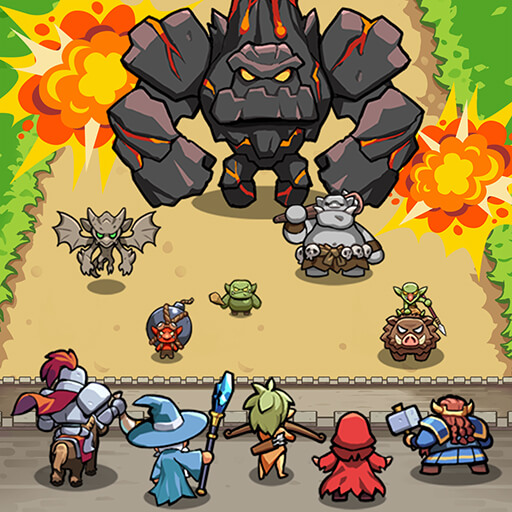
Castle Defenders Clash - Apps on Google Play
Roguelike defense with simple controls and various strategies!
Game Name: Castle Defenders Clash
Game Version: 1.2.3
Needs OBB: No
Needs Root: No
Monsters are surging in—save the kingdoms with your strategy!
A Roguelike Defense Adventure in a Medieval Fantasy World!
The kingdoms are falling.
The monster alliance is launching an all-out assault, and the castle walls are crumbling by the day.
Commander, your mercenary squad is the last hope for this world.
Use your strategy to defend the remaining kingdoms!
1. Simple Controls, Deep Strategy
The monsters come in relentless waves.
Every simple choice you make can turn the tide of battle.
Enjoy thrilling tactical gameplay with intuitive controls.
2. Perfect Synergy with Unique Allies
Assemble a squad of allies, each with distinct abilities.
Experiment with new synergies and team builds every round.
Who you choose will decide victory or defeat.
3. Game-Changing Relics from the Merchant
Spend silver earned in battle to buy powerful relics.
Turn the tide with clever use of their abilities and craft your own comeback story.
4. Expand Your Strategy with Mysterious Runes
Collect and combine runes with various effects to unlock new possibilities.
Break past your limits and elevate your tactics to the next level.
5. Power Up the Commander!
Equip unique gear to enhance the commander’s abilities and dominate the battlefield.
Unlock new looks and special powers to unleash your full potential!
Help : [email protected]
Homepage :

Facebook :

 www.facebook.com
YouTube :

 www.youtube.com
Instagram :
 www.instagram.com
TikTok :
A Roguelike Defense Adventure in a Medieval Fantasy World!
The kingdoms are falling.
The monster alliance is launching an all-out assault, and the castle walls are crumbling by the day.
Commander, your mercenary squad is the last hope for this world.
Use your strategy to defend the remaining kingdoms!
1. Simple Controls, Deep Strategy
The monsters come in relentless waves.
Every simple choice you make can turn the tide of battle.
Enjoy thrilling tactical gameplay with intuitive controls.
2. Perfect Synergy with Unique Allies
Assemble a squad of allies, each with distinct abilities.
Experiment with new synergies and team builds every round.
Who you choose will decide victory or defeat.
3. Game-Changing Relics from the Merchant
Spend silver earned in battle to buy powerful relics.
Turn the tide with clever use of their abilities and craft your own comeback story.
4. Expand Your Strategy with Mysterious Runes
Collect and combine runes with various effects to unlock new possibilities.
Break past your limits and elevate your tactics to the next level.
5. Power Up the Commander!
Equip unique gear to enhance the commander’s abilities and dominate the battlefield.
Unlock new looks and special powers to unleash your full potential!
Help : [email protected]
Homepage :
Facebook :
Mobirix-en
Mobirix-en. 842 557 J’aime · 831 en parlent. Find great mobile games here!
www.facebook.com
YouTube :
Mobirix
Welcome to Mobirix Corp. YouTube channel. Mobirix Corp. provides contents that users can enjoy without age and cultural differences. Want to know what our new games? please Subscribe Now. MOBIRIX Co.,Ltd.
www.youtube.com
Instagram :
Login • Instagram
Welcome back to Instagram. Sign in to check out what your friends, family & interests have been capturing & sharing around the world.
www.instagram.com
TikTok :
*MOD Features*
MOD MENU
✶ Damage Multiplier
✶ God Mode
✶ Unlimited Currency
Stay away from harmful malicious mods that fill your device with UNWANTED ADS! I always provide quality service with no such malicious tricks to earn money. We want you happy, that's our goal. You can be sure to download quality on platinmods.com.
*How to install (click the spoilers to read)*
Signed APKs do work on all Android devices (rooted + non-rooted).
Signed APKs are in the most cases the only provided files by the mod publisher as they work for everyone.
1.) Remove the original game/app.
2.) Download the MOD APK.
3.) Install the downloaded MOD APK.
4.) Enjoy.
Regarding login methods, please note that logging in with Google will not be possible when using signed MODs. Facebook login (if available) is possible, but it requires you to remove the Facebook application from your device. Other game-specific login methods (if available), such as email, transfer code or guest login usually work fine.
Notes:
- If you used our MOD APK before and just want to update, you can install the new MOD APK on top of the old without removing the game/app first.
- In-App purchases are not possible on signed APKs as they require Google services similar to the Google login process.
Signed APKs are in the most cases the only provided files by the mod publisher as they work for everyone.
1.) Remove the original game/app.
2.) Download the MOD APK.
3.) Install the downloaded MOD APK.
4.) Enjoy.
Regarding login methods, please note that logging in with Google will not be possible when using signed MODs. Facebook login (if available) is possible, but it requires you to remove the Facebook application from your device. Other game-specific login methods (if available), such as email, transfer code or guest login usually work fine.
Notes:
- If you used our MOD APK before and just want to update, you can install the new MOD APK on top of the old without removing the game/app first.
- In-App purchases are not possible on signed APKs as they require Google services similar to the Google login process.
Unsigned APKs do only work on rooted and patched devices/environments.
These are not always provided by the mod publisher as they do only work under certain circumstances.
1.) Your device must be rooted.
2.) Your device must be patched to ignore app signatures. This can be done with the help of tools such as Luckypatcher or Xposed.
Once you fill that requirements the process is the same as with signed APKs with the difference that you can overwrite the original game/app with the MOD APK without removing it first.
1.) Download the unsigned MOD APK.
2.) Install the unsigned MOD APK.
3.) Enjoy.
Note:
For the case the unsigned APK does fail to install: Your device patch is not done correctly!
Login methods and In-App purchases on unsigned MODs function the same as in the original game. Logging in with Google works without issues. Keeping the Facebook application installed is also no problem.
You are rooted and want to know how to patch your device? Please check this for more information:
[Videotutorial] How To Login With Google+ Or Facebook App On Modded Games
These are not always provided by the mod publisher as they do only work under certain circumstances.
1.) Your device must be rooted.
2.) Your device must be patched to ignore app signatures. This can be done with the help of tools such as Luckypatcher or Xposed.
Once you fill that requirements the process is the same as with signed APKs with the difference that you can overwrite the original game/app with the MOD APK without removing it first.
1.) Download the unsigned MOD APK.
2.) Install the unsigned MOD APK.
3.) Enjoy.
Note:
For the case the unsigned APK does fail to install: Your device patch is not done correctly!
Login methods and In-App purchases on unsigned MODs function the same as in the original game. Logging in with Google works without issues. Keeping the Facebook application installed is also no problem.
You are rooted and want to know how to patch your device? Please check this for more information:
[Videotutorial] How To Login With Google+ Or Facebook App On Modded Games
OBB files are not required by every game/app. If necessary, the mod publisher will usually provide them and tell you that they are needed.
1.) Download the OBB file/files.
2.) Download the MOD APK.
3.) Move the OBB files with the help of a filemanager to Android/obb/<packagecode> on your device.
4.) Install the downloaded MOD APK.
5.) Enjoy.
The OBB files are either provided as ".obb" files or as ".zip" files. ZIP files do require to be extracted first.
Still facing issues? Please check here for more details:
How to install OBB files [as detailed as possible]
1.) Download the OBB file/files.
2.) Download the MOD APK.
3.) Move the OBB files with the help of a filemanager to Android/obb/<packagecode> on your device.
4.) Install the downloaded MOD APK.
5.) Enjoy.
The OBB files are either provided as ".obb" files or as ".zip" files. ZIP files do require to be extracted first.
Still facing issues? Please check here for more details:
How to install OBB files [as detailed as possible]
Free Download:
Tutorials:
How to sign up and download on Platinmods.com
List of useful tutorials about how to use this website and its content
Last edited:


