FREE MOD COOP TD: Together Ver. 1.5.9 MOD Menu xAPK | Unlock All Skins | Damage Modifiers | Reward Multipliers | VIP | Bot Detection | Premium & More

Post number 186 has been selected as best answered.

App-Architecture
ARM64 (arm64-v8a | 64-Bit)
I can play normally, but you can't play. It may only be for root users.
 

Attachments

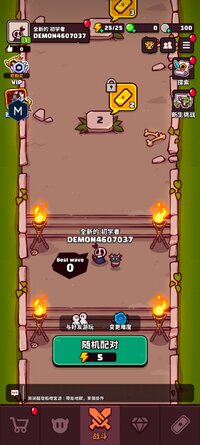
  • Screenshot_20260515_114014_com.percent.aos.cooptd.jpg
    Screenshot_20260515_114014_com.percent.aos.cooptd.jpg
    162.1 KB · Views: 28
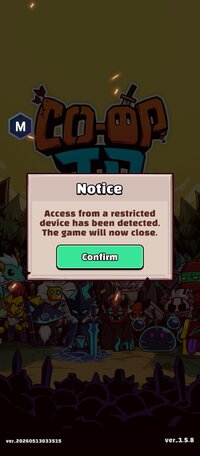
After trying the newly updated mod, here are the issues I experienced:

1. On startup, a pop-up appears saying, “Access from a restricted device has been detected.” I used Parallel Space Pro to bypass it.

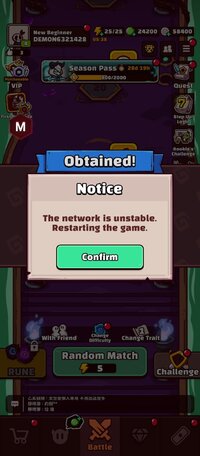
2. After using Parallel Space Pro, I encountered a “The network is unstable” message. However, there’s no major issue—just click CONFIRM, and the game will restart automatically. After that, you can play normally.

3. After every match, the “The network is unstable” pop-up appears again.

Conclusion:
Use Parallel Space Pro to bypass the restricted device detection. However, after every match, you need to restart the game before playing again.

 

Attachments

  • Screenshot_20260515-105322.jpg
    Screenshot_20260515-105322.jpg
    108.3 KB · Views: 6
  • Screenshot_20260515-121643.jpg
    Screenshot_20260515-121643.jpg
    133.4 KB · Views: 7
After trying the newly updated mod, here are the issues I experienced:

1. On startup, a pop-up appears saying, “Access from a restricted device has been detected.” I used Parallel Space Pro to bypass it.

2. After using Parallel Space Pro, I encountered a “The network is unstable” message. However, there’s no major issue—just click CONFIRM, and the game will restart automatically. After that, you can play normally.

3. After every match, the “The network is unstable” pop-up appears again.

Conclusion:
Use Parallel Space Pro to bypass the restricted device detection. However, after every match, you need to restart the game before playing again.
I just discovered that when you "PLAY AGAIN" after the match then exit after that match ended, the "unstable network" will be gone
 
Guys the app works perfectly fine. As for the detection thing “it is for people who used it earlier and were detected by admins” to remove the ban you simply reset your device to factory setting to reset device ID.
 
各位,这款应用运行完全正常。至于检测问题,“这是针对之前使用过该应用并被管理员检测到的用户”,要解除封禁,只需将设备恢复出厂设置即可重置设备 ID。
I tested with a large number of accounts, and the administrator bans accounts weekly. Unless the software detection is resolved, it will continue indefinitely. I'm a rooted user, so device bans don't affect me.
 

Similar threads

Back
Top Bottom