Playstore Link:

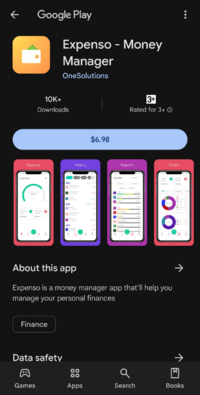
Expenso - Money Manager - Apps on Google Play
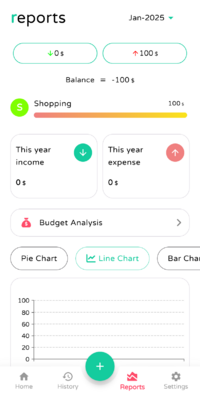
Expenso is a money manager app that’ll help you manage your personal finances
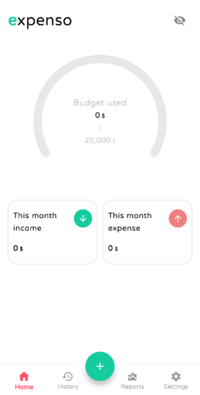
Expenso is a budget manager and spending tracker android app that’ll help you manage your personal finances with ease.
Features :
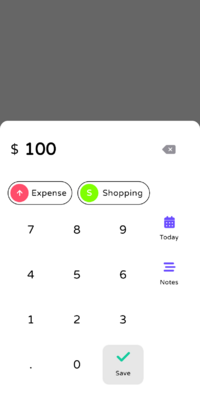
- Easily track expenses and incomes.
- Organize expenses by category for better tracking.
- User-friendly interface for easy use.
- Generate reports in CSV format for easy data analysis.
- View monthly, yearly, and all-time summaries of your spending and incomes.
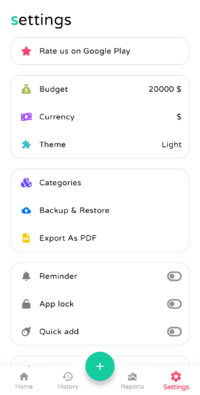
- Backup and restore your data for peace of mind.
- Secure your app with an app lock.
- Support for multiple currencies to use worldwide.
- Set reminders to add expenses to avoid missing any.
- Choose between dark and light themes for personalization.
- No app permission required for added privacy and convenience.
Supported Languages:
- English
- Hindi
- Spanish
- Czech
Features :
- Easily track expenses and incomes.
- Organize expenses by category for better tracking.
- User-friendly interface for easy use.
- Generate reports in CSV format for easy data analysis.
- View monthly, yearly, and all-time summaries of your spending and incomes.
- Backup and restore your data for peace of mind.
- Secure your app with an app lock.
- Support for multiple currencies to use worldwide.
- Set reminders to add expenses to avoid missing any.
- Choose between dark and light themes for personalization.
- No app permission required for added privacy and convenience.
Supported Languages:
- English
- Hindi
- Spanish
- Czech
*Special Features*
● Supported Languages: af, am, ar, as, az, be, bg, bn, bs, ca, cs, da, de, el, en-AU, en-CA, en-GB, en-IN, en-XC, es, es-US, et, eu, fa, fi, fr, fr-CA, gl, gu, hi, hr, hu, hy, in, is, it, iw, ja, ka, kk, km, kn, ko, ky, lo, lt, lv, mk, ml, mn, mr, ms, my, nb, ne, nl, or, pa, pl, pt, pt-BR, pt-PT, ro, ru, si, sk, sl, sq, sr, sr-Latn, sv, sw, ta, te, th, tl, tr, uk, ur, uz, vi, zh-CN, zh-HK, zh-TW, zu;
● Supported Cpu Architecture: Armeabi-v7a, Arm64-v8a, X86, X86_64;
● Supported Screen Dpi: Ldpi, Mdpi, Hdpi, Xhdpi, Xxhdpi, Xxxhdpi, Anydpi.
● Untouch Paid Apk With Original Hash Signature.
● Certificate MD5 Digest: 62cd6edecab1d08380c94e67e8373475.[/b]
.Apks Bundle Installation:
SAI Instructions: [No Root]
1. Download And Install Latest SAI App (Split APK Installer) - Releases · Aefyr/SAI
2. Download this .apks Archive App;
3. Install And Open SAI / Choose "Install APKs" Button / Find And Select Downloaded .apks Archive App;
4. Wait For Install And Done. Enjoy!.
Lucky Patcher Instructions: [No Root]
1. Download And Install Latest Lucky Patcher App;
2. Install And Open Lucky Patcher And Choose 'Rebuild & Install';
3. Find And Select Downloaded This .apks Archive App;
4. Wait For Install And Done. Enjoy!.
PS: Make Sure After Open SAI or Lucky Patcher You Allowed Storage Permission And Install Unknown Apps Permission!
Credit: TryRoom
Free Download:
! Hidden Content !
You must be registered and either click Like under this post or leave a comment before you can see the hidden links.
You may need to refresh the page after clicking Like. If you’re still having trouble revealing the hidden links, please
read this.
Did you know? VIP Members can see all links instantly, no unlocking required.
Interested? Get VIP here.
Interested? Get VIP here.