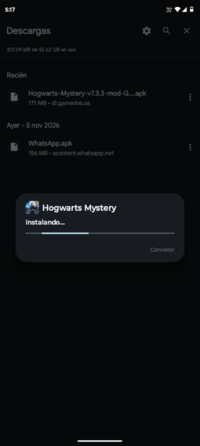
Hanging and crashing are two different faults, and yours is the first one. A crash closes the game. A hang means the game is waiting on something that never returns - which in a modded APK almost always means a hooked function was patched at the wrong place, or patched in only one of the two CPU architectures the game ships.
Before anything else:
write your player ID down on paper. Everything below involves uninstalling, and losing the ID is how people lose their save.
1. Check the version match first
The mod version has to be the same version as the mod's own release, not just "the latest mod". If the game updated itself in the background, or you installed a mod built for an older build, the offsets land mid-instruction and the game deadlocks on the first call. Check the mod thread's version against your installed version and use the exact match.
2. Reinstall clean, not over the top
Installing over an existing copy leaves stale data behind. Do it properly:
- Note your player ID and bind the account if the mod allows it.
- Uninstall the game.
- Delete
/sdcard/Android/data/com.tinyco.potter and /sdcard/Android/obb/com.tinyco.potter by hand. Leftover OBB data from another version is a very common cause of the exact hang you describe.
- Reinstall the mod fresh and let it rebuild its own data.
3. Check the architecture
Open the APK and look in
lib/. If it only contains
armeabi-v7a and your phone is 64-bit only, the game runs through translation and will stutter and hang under load. Same in reverse. Ideally the mod ships
arm64-v8a for your device.
4. Turn the features off one at a time
If it has a menu, disable everything and confirm the game is stable with all cheats off. Then enable one at a time. Energy, speed and gem hooks touch code that runs every frame, so they are the usual suspects. The one that makes it hang is your culprit - report that specific feature in the mod thread instead of "it lags".
5. What the virtual app suggestion was about
That answer was not about fixing the mod, it was about isolating the fault. A virtual container like VPhoneGaga runs the game inside a fake device profile, so if the game still hangs in there, your phone is not the problem and the mod is. If it runs fine in the container, the problem is your device or your install.
On the ROM picker not saving: create the ROM profile first, then import the APK into the container from inside the app, and grant storage permission to VPhoneGaga before you launch anything. Without storage permission the ROM profile cannot be written and silently disappears. Do not install the game through the phone's package installer - it has to go through the container's import.
6. If it still hangs on a clean install with everything off
Then the offsets in that build are broken and there is nothing on your end to fix. Roll back to the previous mod version, or wait for the modder to update. Post in the mod's own thread with the game version, your device model, your Android version and which feature hangs - that is the information needed to rebuild the patch.
What to do to figure out the cause
- Write down your player ID.
- Match the mod version to the game version exactly.
- Clean uninstall, delete OBB and data folders.
- Reinstall, test with all features off.
- Enable one feature at a time.
- If it survives all of that, the mod is at fault - roll back and report.
One thing worth knowing about this game in general: Hogwarts Mystery is server-synced, so a mod can also hang when it desyncs against the server rather than the client. If it only hangs after a few minutes of play rather than immediately, and only in story scenes, that is the sync path and a different mod build is the fix, not a reinstall.