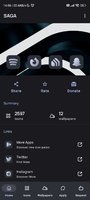
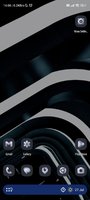
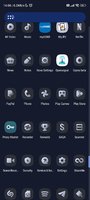
Playstore Link:
Saga Material You icons - Apps on Google Play
Material You Light/Dark Adaptive Icons
FEATURES:
• 2500+ Adaptive icons
• Dynamic calendar icons
• Dynamic clock icon
• Custom folder icons
• Custom app drawer icons
• Cloud based Wallpapers
• Icon request tool
• Regular Updates
How to use:
How to change icon colors automatically on Android 8-13?
To change the color of icons on Android 8+, you need:
• Lawnchair 12.1 (latest Dev version):
Activate Themed Icons:
Lawnchair Settings > General > Icon Style > Themed Icons > Home Screen and App Drawer.
• Hyperion Launcher Beta:
Setting the color scheme:
Hyperion Settings > Colors > Theme > Theme base color > Wallpaper color.
Activate Themed Icons:
Hyperion Settings > Iconography > Themed Icons.
How do I change the colors of the icons?
After changing wallpaper / accent system, you need to reapply icon pack (or apply another icon pack, and then immediately this one).
How do I change to light / dark mode?
After changing device theme to light / dark, you need to reapply icon pack (or apply another icon pack, and then this one immediately).
Read description:
• You definitely need Lawnchair 12.1 latest Dev version or Hyperion Beta to use it on devices like Android 8-12.
• You need to re-apply icon pack to change colors. Except Lawnchair 12.1 latest Dev version, Hyperion Beta or Niagara Launcher
• For stock Samsung launcher you need to apply icons via Theme Park (You need to reapply the icons via Theme Park when you change the wallpaper or switch between Light / Dark mode)
• To change icons on a stock Pixel launcher:
(without root access) Set icons only on the home screen using the Shortcut Maker application.
(rooted) Set icons to both desktop and app drawer with Pixel Launcher Mods app.
• If something does not work, go to the technical support group in telegram (link below and in application).
Recommended use Launchers:
• Lawnchair 12.1 (latest Dev version) (Colors change automatically) work with Android 8+
• Hyperion Launcher Beta (Colors change automatically) work with Android 8+
• Niagara Launcher (Colors change automatically) Android 12+
• AIO Launcher
• Action Launcher
• Nova Launcher
• Smart Launcher 6
• Ruthless Launcher...
• In stock Pixel Launcher work with app Shortcut Maker. (Colors change automatically)
• In stock MIUI Launcher work with app Shortcut Maker. (Colors change automatically)
• In Stock One UI Launcher work with app Theme Park.
What's New:
• Added 140 new icons
• Fixed some icons not applying automatically
*Special Features*
PAID APP
Free Download:
! Hidden Content !
You must be registered and either click Like under this post or leave a comment before you can see the hidden links.
You may need to refresh the page after clicking Like. If you’re still having trouble revealing the hidden links, please
read this.
Did you know? VIP Members can see all links instantly, no unlocking required.
Interested? Get VIP here.
Interested? Get VIP here.