Playstore Link :

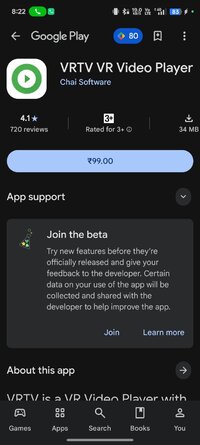
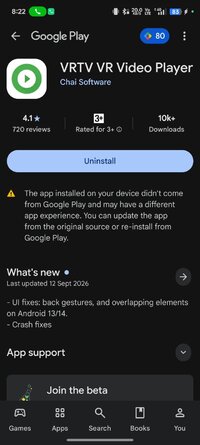
VRTV VR Video Player - Apps on Google Play
VRTV is a VR Video Player with full format support and a great UI!
Watch your favorite videos in VR with VRTV Video Player and a Cardboard compatible headset! Enjoy shutting out the world around you and immersing yourself in complete privacy or play your video in sync with a friend and watch together.
Features:
- Synchronization feature! Enjoy watching a movie together with another Cardboard friend!
- Subtitles in SRT format, with full support for RTL languages and Unicode characters.
- Immersive virtual environment.
- Player controls in VR.
- Game pad and keyboard controls.
- Supports 3D and 2D movies in a variety of formats: SBS, Over and Under, Panoramic video in 180 (dome) and 360 degrees, Fisheye projection.
- Simple material design.
- Uses the latest Cardboard SDK with less drift.
- Headset configuration.
- Streaming files over a network.
Game pad and Keyboard controls:
DPAD left/right or Arrow keys left/right: Skip forward/backward in movie.
DPAD up/down or Arrow keys up/down: Screen size.
L1/R1 shoulder buttons or F1/F2: Previous/next file in directory (FULL VERSION ONLY).
L2/R2 shoulder buttons or F11/F12: Volume down/up.
X Button or Space bar: Play/pause.
A Button or Escape: Stop movie and exit VR.
Y Button or F3: Trigger screen position calibration.
B Button or F4: Reset screen position.
Instructions:
- Select your file, and configure video properties. They will be remembered next time you open the file.
- Use the in-VR UI to play/pause or skip forward and backward in your movie. You can also click the progress bar to control the video position.
Synchronization instructions:
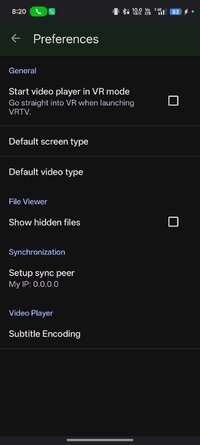
- Synchronization is a new feature that keeps a movie in sync between two devices. To enable sync, first set up the IP of your peer in Settings, where you can also find the IP of your own device.
- Select a video to play. If it's a local video it must be present on both devices.
- In the VR UI, click the "sync" button on both devices to enable synchronization.
- On one of the devices, start the video by pressing the play button. After a small delay, the movie will start playing synchronized on both devices.
Seeking and network play is supported!
Upcoming features in development:
- YouTube support.
- More configuration options.
- VR UI improvements.
- Synchronization improvements.
Features:
- Synchronization feature! Enjoy watching a movie together with another Cardboard friend!
- Subtitles in SRT format, with full support for RTL languages and Unicode characters.
- Immersive virtual environment.
- Player controls in VR.
- Game pad and keyboard controls.
- Supports 3D and 2D movies in a variety of formats: SBS, Over and Under, Panoramic video in 180 (dome) and 360 degrees, Fisheye projection.
- Simple material design.
- Uses the latest Cardboard SDK with less drift.
- Headset configuration.
- Streaming files over a network.
Game pad and Keyboard controls:
DPAD left/right or Arrow keys left/right: Skip forward/backward in movie.
DPAD up/down or Arrow keys up/down: Screen size.
L1/R1 shoulder buttons or F1/F2: Previous/next file in directory (FULL VERSION ONLY).
L2/R2 shoulder buttons or F11/F12: Volume down/up.
X Button or Space bar: Play/pause.
A Button or Escape: Stop movie and exit VR.
Y Button or F3: Trigger screen position calibration.
B Button or F4: Reset screen position.
Instructions:
- Select your file, and configure video properties. They will be remembered next time you open the file.
- Use the in-VR UI to play/pause or skip forward and backward in your movie. You can also click the progress bar to control the video position.
Synchronization instructions:
- Synchronization is a new feature that keeps a movie in sync between two devices. To enable sync, first set up the IP of your peer in Settings, where you can also find the IP of your own device.
- Select a video to play. If it's a local video it must be present on both devices.
- In the VR UI, click the "sync" button on both devices to enable synchronization.
- On one of the devices, start the video by pressing the play button. After a small delay, the movie will start playing synchronized on both devices.
Seeking and network play is supported!
Upcoming features in development:
- YouTube support.
- More configuration options.
- VR UI improvements.
- Synchronization improvements.
*Special Features*
★ Untouched Paid apk with Original Hash Signature
★ No changes were applied
Free Download:
! Hidden Content !
You must be registered and either click Like under this post or leave a comment before you can see the hidden links.
You may need to refresh the page after clicking Like. If you’re still having trouble revealing the hidden links, please
read this.
Did you know? VIP Members can see all links instantly, no unlocking required.
Interested? Get VIP here.
Interested? Get VIP here.